Schedule Menu
The Schedule menu chronologically lists of all automated imaging tasks as defined in ROCK MAKER®. This menu consists of two tabs: Queued Schedule and Future Schedule.
Queued Schedule Tab
This tab lists all plates that are currently waiting to be imaged. Each imaging schedule is moved from the Future Schedule tab to this queue on the day of its scheduled imaging.
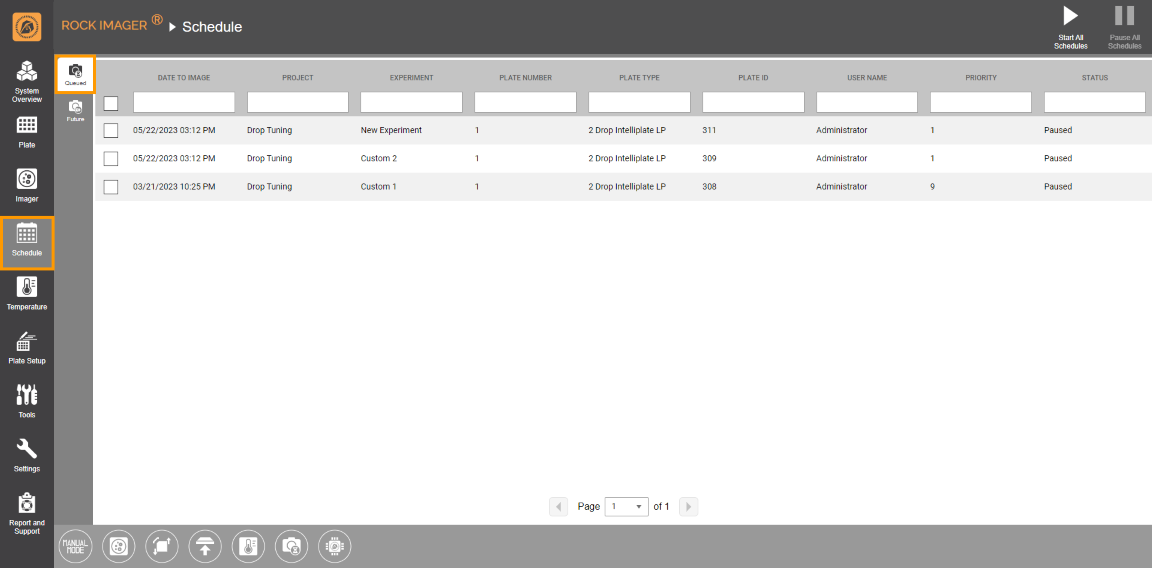
Queued Schedule Tab
Future Schedule Tab
The Future Schedule tab displays future imaging tasks for all plates in the system. Once you add a plate to ROCK IMAGER®, its imaging schedules will automatically be populated on this tab.

Future Schedule Tab
Once you select a schedule(s) on either the Queued Schedule or Future Schedule tab, the schedule-related command panel with the following options will appear:

Schedule-related Command Panel
-
Cancel Schedule: Cancels the selected schedule(s) and removes it from the Schedule menu.
-
Image Now: Initiates an on-demand imaging session. Read more about Initiating an On-Demand Imaging Session.
-
Set Priority: Sets the priority of a certain schedule, indicating which plates will be imaged first. For example, a plate with priority 1 will be imaged before a plate with priority 4. The smallest possible value is 0, which is the highest priority. Plates with this priority will be imaged as soon as the imager is available. There is no maximum priority value.
-
Move Plate To: Moves the selected plate(s) to the Imager, Storage, or Load Port.
-
Move Back to Future Schedule / Move to Queued Schedule: Moves the selected schedule(s) from the Queued Schedule tab to Future Schedule tab or vice versa.
-
Clear All Drop Location Positions: Removes the drop location for the selected plate.
-
Plate Information: Displays the Plate Schedule
 and Plate Information
 of a selected plate.
Queued Schedule tab only:
-
Start Schedule: Starts the previously paused schedule(s). If successful, the Status column will change to Queued. Click Start All Schedules on the upper right corner of the screen to resume all schedules at once.
-
Pause Schedule: Pauses the selected schedule(s) (the Status column will change to Paused). Click Pause All Schedules on the upper right corner of the screen to put all schedules on hold.
Frequently Asked Question
► Why haven't some of my plates been imaged when their schedule has passed?
Answer: Barcode label or plate alignment issues may have stopped the plates from being imaged. These plates will not be imaged until the problem is resolved. Contact support@formulatrix.com if you need assistance handling troubled plates.
► When do we need to use the Move to Queued Schedule or Move Back to Future Schedule feature?
Answer: You cannot move schedules originally on the Queued Schedule tab to the Future Schedule tab. However, you can do it the other way around in case the imager is not busy and you want to accelerate the experiment imaging schedules.
related topics

|
|
| RIOWH-V40R023 |