Going to the Next Stage
When creating an experiment, the user must define the required condition for a stage before proceeding to the next one. One available option is “User gives action”.
If this condition is selected, the experiment will remain at the same stage, repeating the current task until the user takes action. To proceed, the user must select “Go to next Stage”.
To select Go to next Stage:
Open Cell Experiments > Experiments.
In the Folder Tree column, select an active experiment that requires user action. The detail should appear in the right column.
In the Active Labware table, check the checkbox and hover over the Three Dots and select Go to next stage.
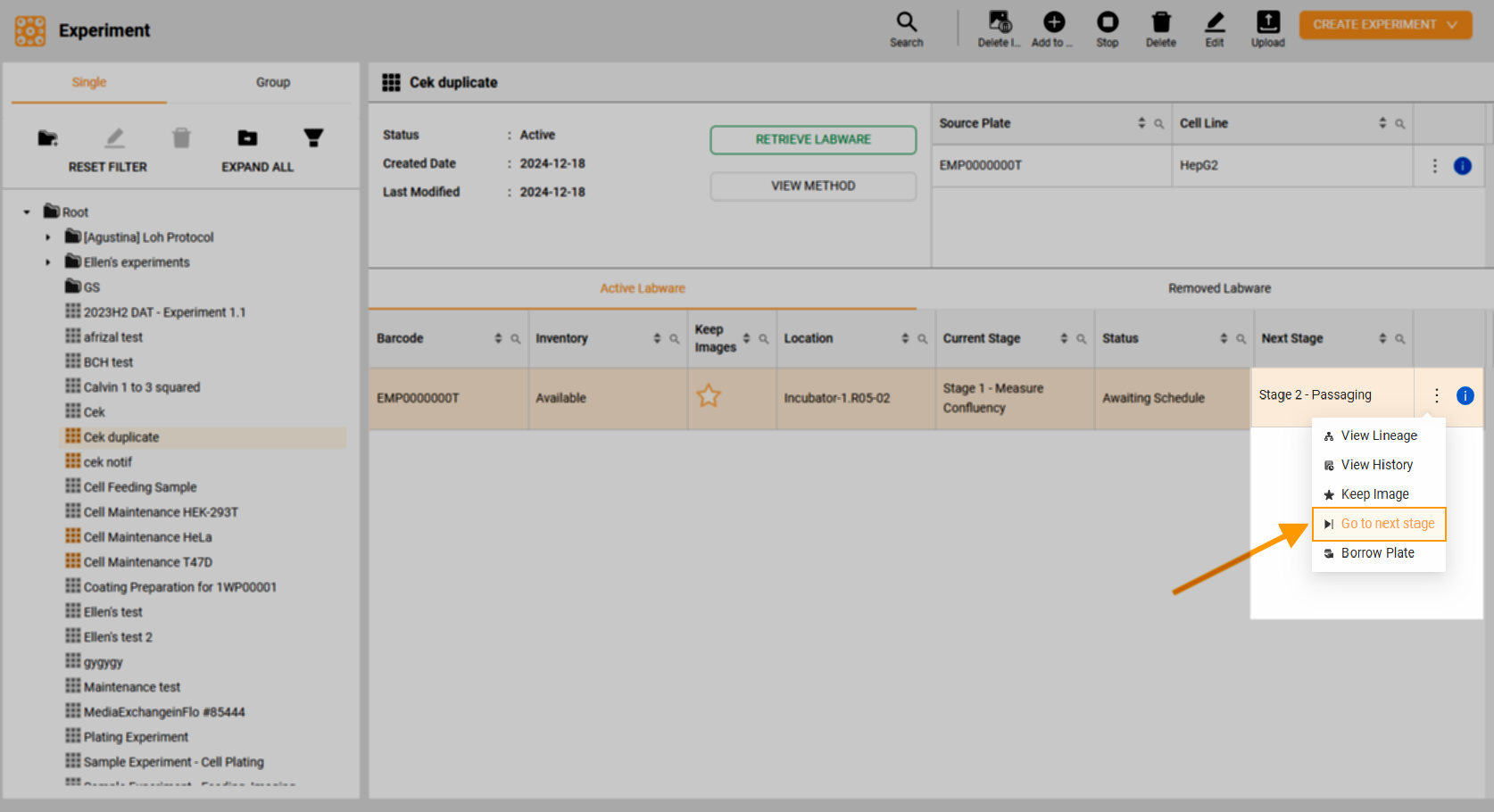
Go to Next Stage
On the Continue Stage window, select the stage.
Select OK to proceed.
Related Topics: