Removing Reagent Bottles/Bags and Tubes from the Refrigerator
Prerequisites:
1 ea - Kimwipes or similar delicate task wipers
1 ea - 70% Ethanol in a Spray Bottle
1 ea - Female Luer Plug. This plug will secure the old bottle dispensing tube during removal.
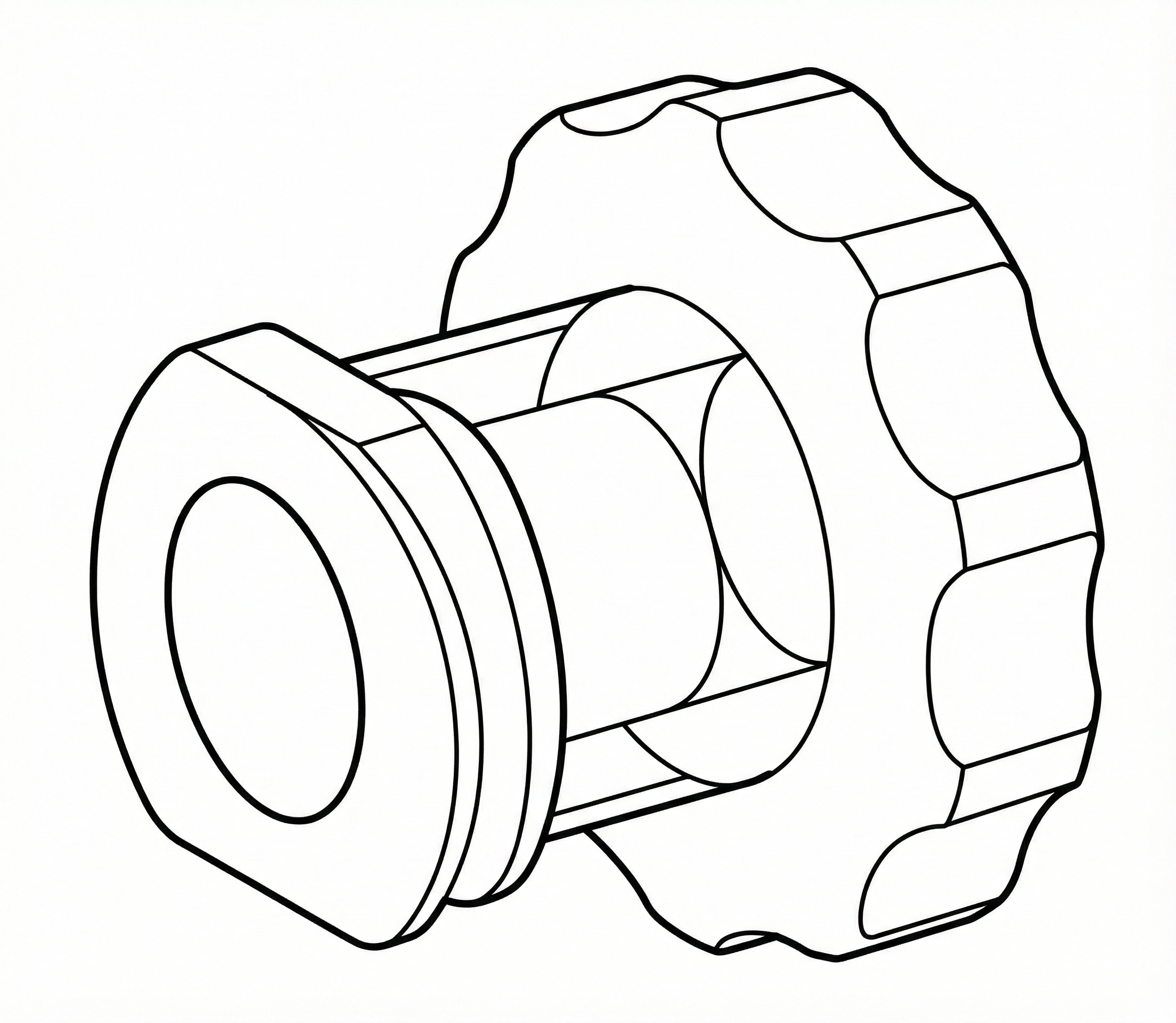
A Female Luer Plug
1 ea - Male Luer Plug. This plug will secure the tubes during removal.
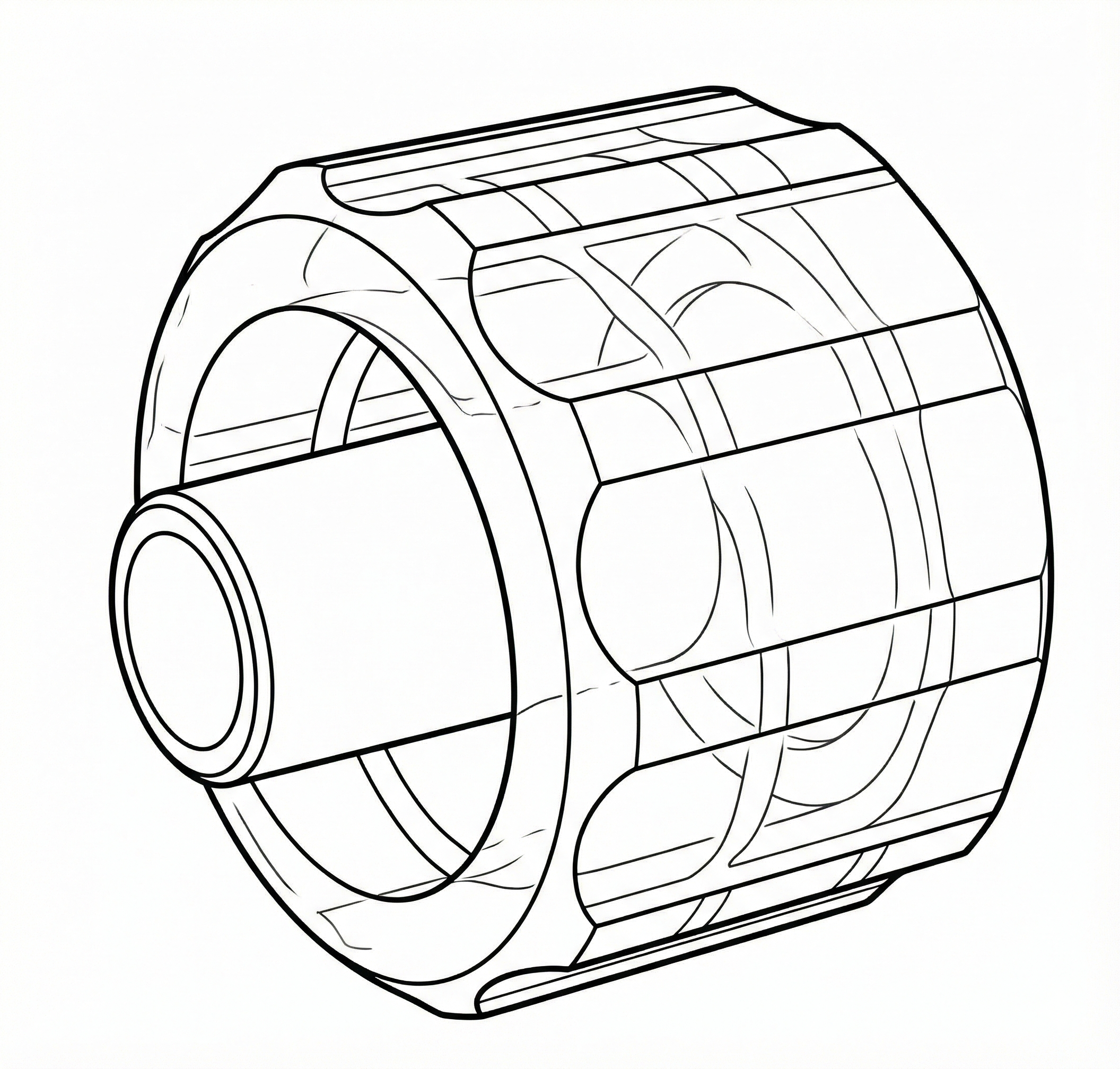
A Male Luer Plug
Important
Wear appropriate PPE.
To remove reagent bottles/bags and tubes from the Refrigerator:
Section 1: Opening the Refrigerator
Press the Pause/Resume button below the door handles to pause active tasks. The button’s light should blink blue while active tasks are paused.
Once the Pause/Resume button turns solid blue, open the Refrigerator door.
Section 2: Removing the Reagent Bottle/Bag and Tubes from Media Storage
Using the sprayer, treat your gloves with 70% ethanol before accessing the Media Storage.
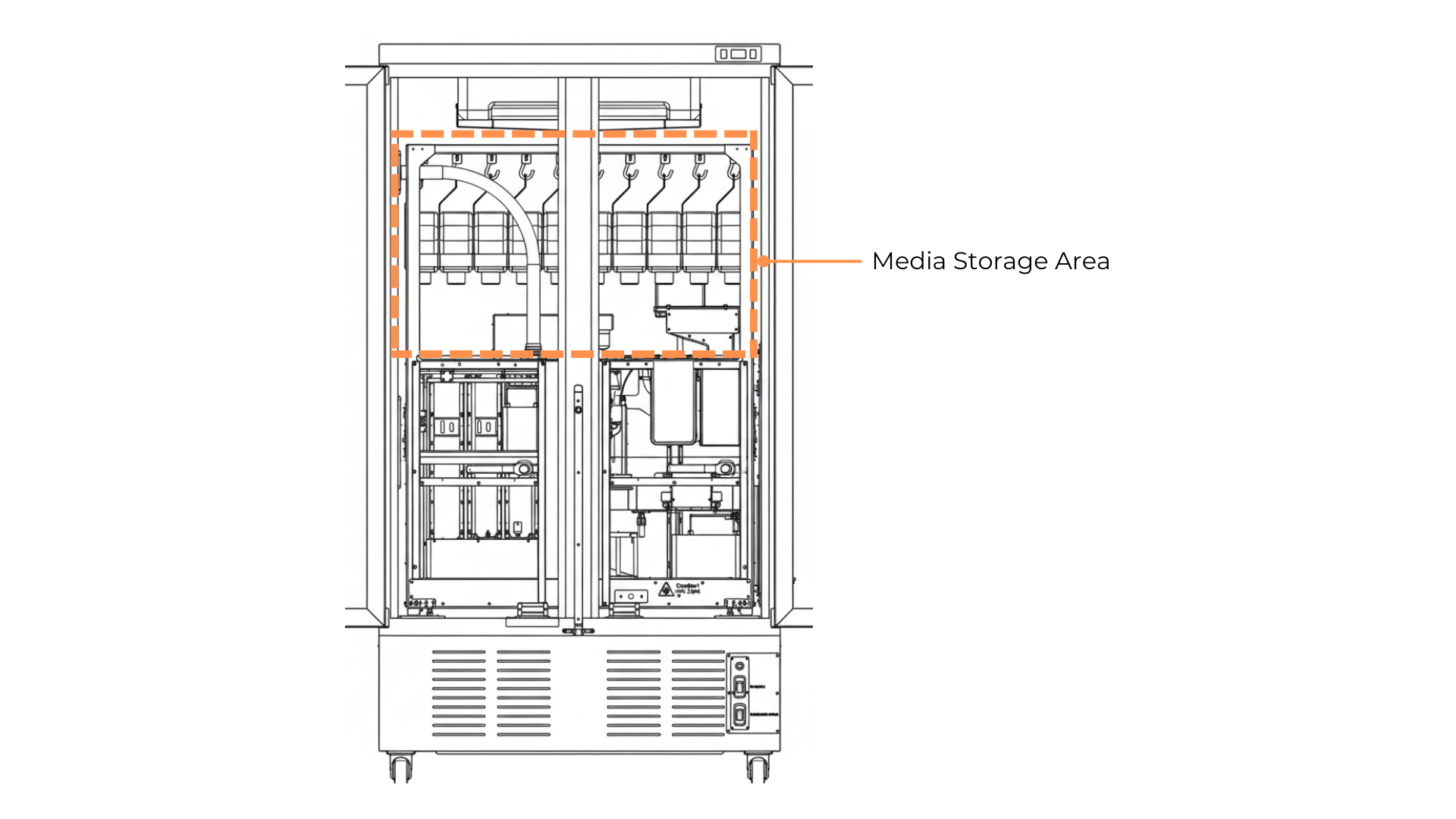
The Media Storage Area
Tighten all clamps until they click.
Remove the bottle from the hanger and place it in the Media Storage area.
Disconnect the bottle dispensing tube from the pinch valve tube at the bottle’s luer connection.
Install the plugs on the bottle dispensing and pinch valve tubes to avoid leaking. Clean any spilled reagent with the Kimwipes.
Remove the reagent bottle from the Refrigerator.
Section 3: Removing the Pinch Valve Tube
Press and hold the handlebar to lift the Dispensing Area window.
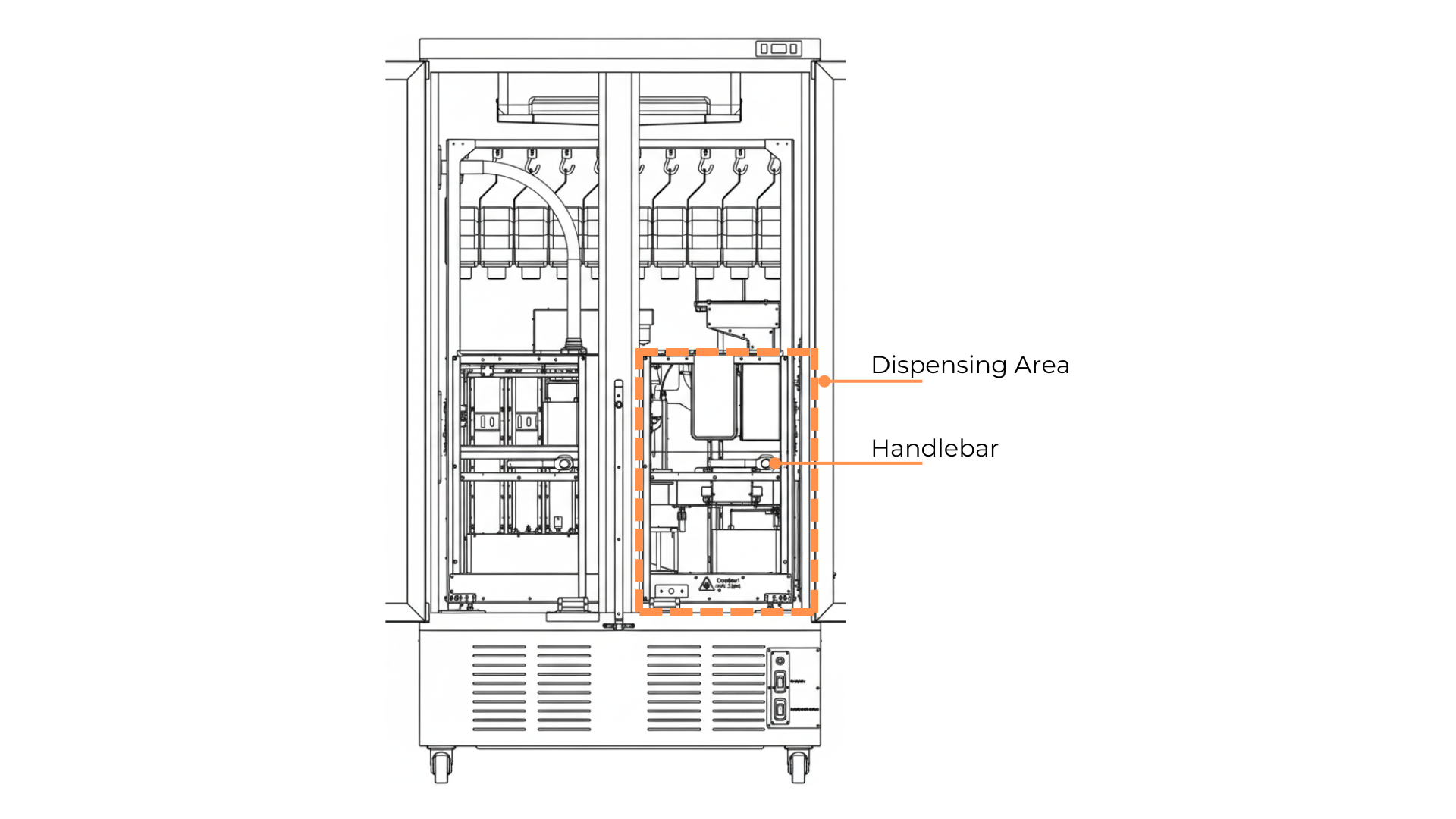
The Dispensing Area
Clean the dispenser nozzle tip with a Kimwipe to remove reagent.
Remove the pinch valve tube from the pinch valve:
Press the valve button on the Dispensing Station to open the pinch valve for 10 seconds. It should turn green, and you should hear a clicking sound.
Important
The hanger, hole, and valve numbers must match.
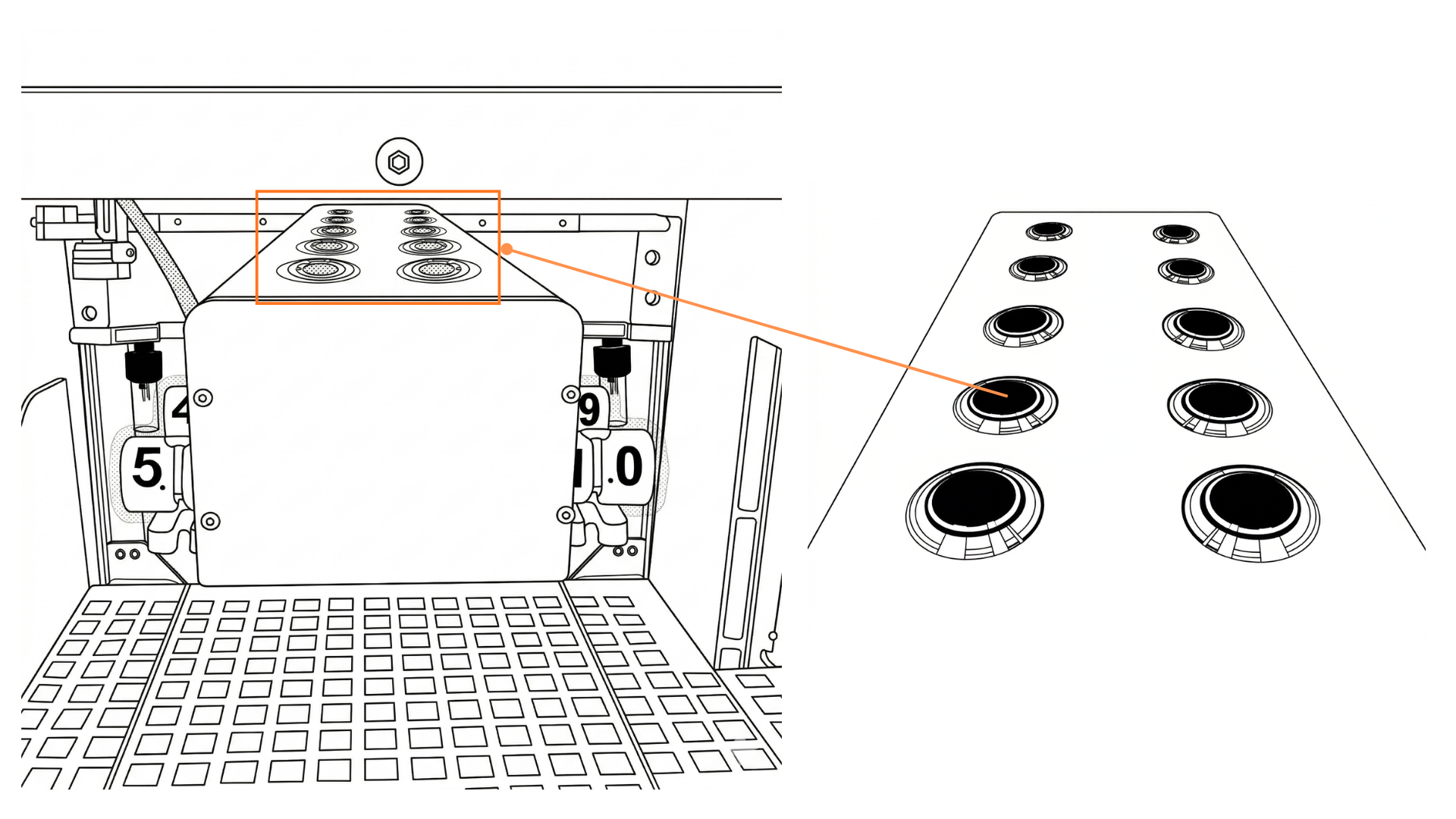
Valve Buttons on the Dispensing Station
Remove the tube within 10 seconds. If necessary, press the button again to remove the tube altogether.
Once complete, close the Dispensing Area window.
Remove the silicone hole cover to remove the pinch valve tube from the Dispensing Area.
Reinstall the silicone hole cover after removing the pinch valve tube. Ensure the area is clean.
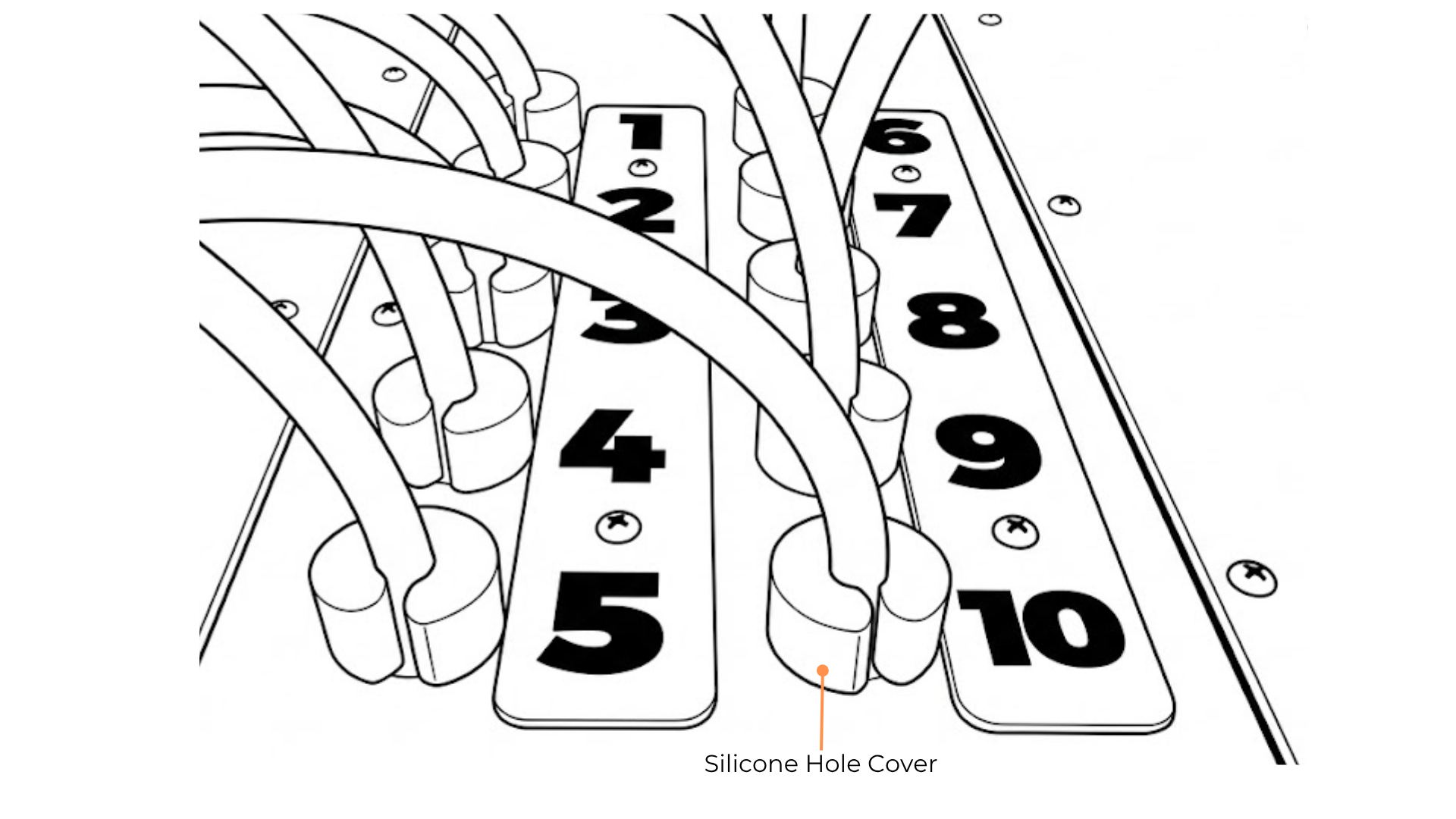
The Silicone Hole Cover
Close the Refrigerator and press the blue Pause/Resume button on the door to continue active tasks. The UV lights will automatically turn ON for a few minutes to sterilize the Clean Chamber area.
Section 4: Updating Dispenser Reservoirs in Cellmatic Suite
Open the Cellmatic Suite software and go to Inventory > Dispenser Reservoirs.
Locate the hanger number where the media bottle or bag is removed.
Select the Delete button
 to remove the content.
Check the box next to I already removed the dispenser by following the correct procedures in the confirmation message.
Select OK to confirm.
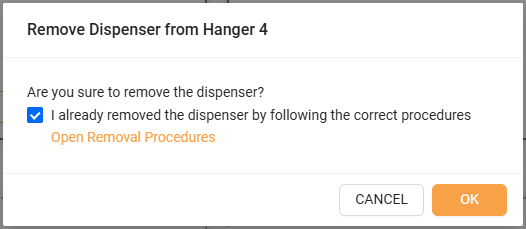
The Confirmation Message to Remove Dispenser Reagent
Related Topics: