Mantis maintains a list of reagents along with their associated parameters required for dispensing. These parameters include the prime, pre-dispense, recovery, wash volumes, liquid class, and dispense mode.
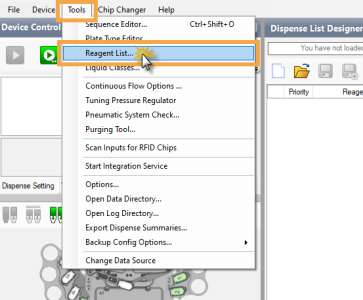
The Reagent List window is accessible from the Tools menu. Here, you can add/remove reagents, and modify the parameters based on your dispensing needs.
Reagent List Option under the Tools Menu
There are 4 panels in the Reagent List: Reagent Name Column, Liquid Class, Dispense Mode, and Chip Type Settings.
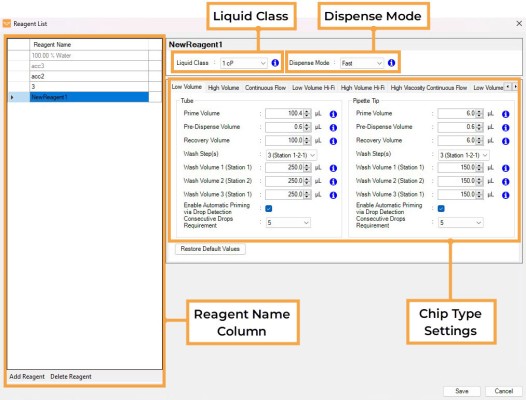
Reagent List Window
The Reagent Name column contains a list of all the reagents saved to Mantis. Each reagent listing includes the settings for dispensing with each type of chip (such as LV, HV, CF, etc.). You can add new reagents and remove the unused reagents.
Mantis will use the default settings for each reagent according to the selected liquid class unless you create your own reagent configuration.
Important: You cannot rename a reagent after saving it to the Reagent List.
The Liquid Class option allows you to select a liquid class for your reagent based on its viscosity. The available liquid class range options are:
The custom Liquid Class can be created and modified in the liquid classes menu.
Dispense Mode defines the sequence of small and large diaphragm use during a dispense. The available options are:
Fast: Rapidly completes dispensing by switching between the small and large diaphragm for the current well before moving to the next well.
Precise: Dispenses across all wells using the small diaphragm first, performs a pre-dispense, then completes the dispense using the large diaphragm. It ensures greater precision for small volume dispensing.
For the selected reagent, you can choose the chip type and modify the settings to be used with tube and pipette inputs.
You can configure the prime volume, pre-dispense volume, recovery volume, and wash steps settings.
OPTIONAL:
If the QC Station feature is activated, the Auto Prime and consecutive drop settings become available. These settings are not available for the CF chip types. For more information, see Configuring QC Station Settings.
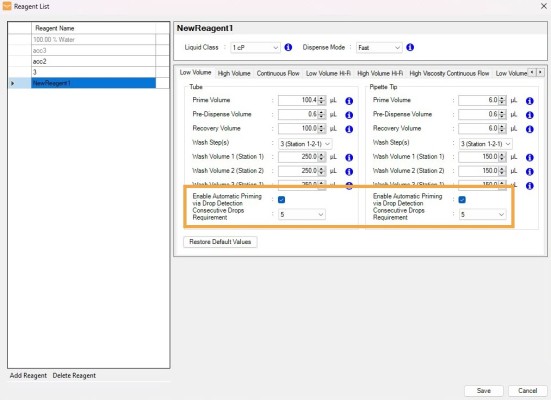
Auto Prime Settings under the Chip Type Settings Tab
When you click the Restore Default Values button, Mantis will restore the reagent settings to their default values.
If you use a calibrated CF/HVCF chip, you can view the calibration data at the bottom of the window.
Note: The Pipette Tip settings are unavailable for the CF/HVCF chip.
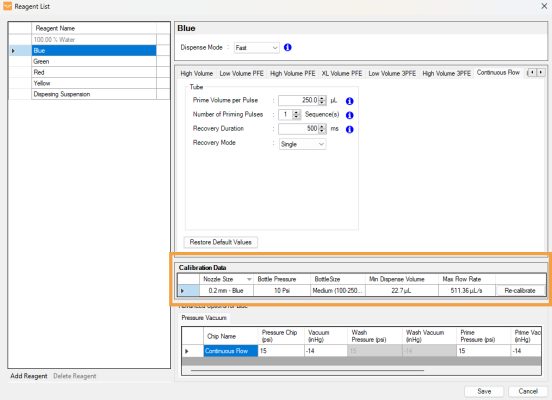
Calibration Data Table
Note: If required, modify the pressure and vacuum settings in the Pressure Vacuum table before starting a dispense. To restore the default settings, click reset in the last column.
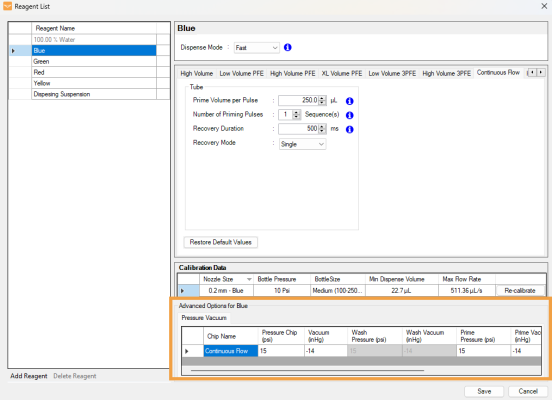
Pressure Vacuum Settings Table

|
|
| MAOWH-V54R126 |