Mantis can be integrated with Rock Maker to dispense a plate design you have created in Rock Maker.
Attach the chips to the chip changer stations.
Attach the reagent tubes or pipette tips to the ingredient inputs at each chip.
Note: If you are using a pipette tip, you will need to remove the black adapter from the chip’s input.
Place the microplate on the plate holder. The microplate you use should be the same one you selected in Rock Maker.
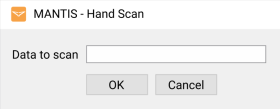
On the Tools menu, click Hand Scan (Ctrl+H).
Type your experiment barcode number in the Data to scan box (you only need to type the last four digits). If Mantis successfully reads and validates the barcode, your dispense list, design and settings will display.
The Hand Scan Dialog Box
Drag the reagent name from the Dispense List Designer panel to the corresponding inputs.
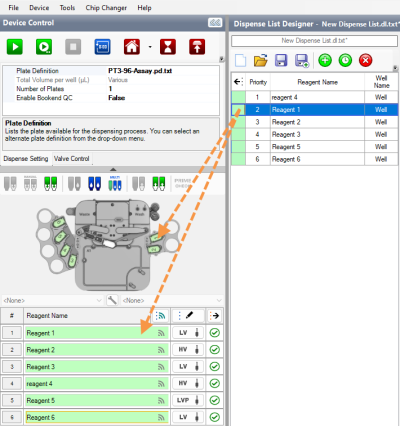
Drag Reagent to the Device Control Panel
Click  to start the dispense or click
 to run dispense with protocol. The Mantis will complete your plate dispense design.
OPTIONAL: If you want to conserve reagent volume, run Reagent Recovery.
When you are finished dispensing, clean the chips.
Note: The dispense list imported from Rock Maker is configurable after import, however any changes will not be reflected in Rock Maker.

|
|
| MAOWH-V54R126 |