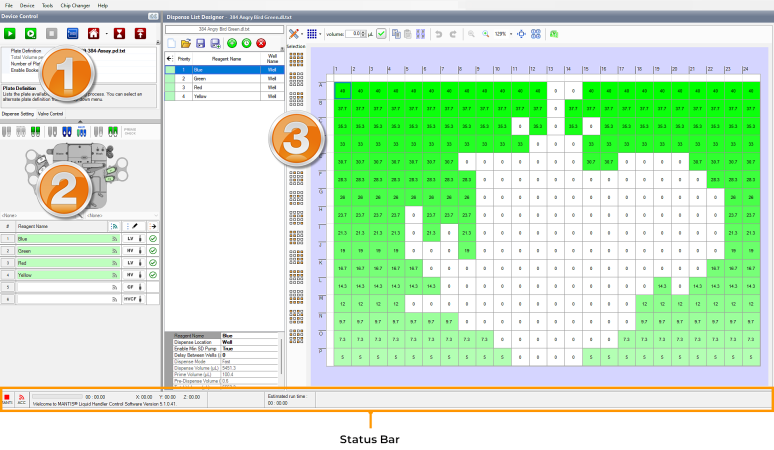
The Mantis control software is made up of three main panels and a status bar.
Mantis Software Interface
This is where you execute commands on the Mantis instrument using the buttons at the top. Here you can also view information about your current plate definition, the total volume per well, and the number of plates to be dispensed. For more information, see Device Control Panel.
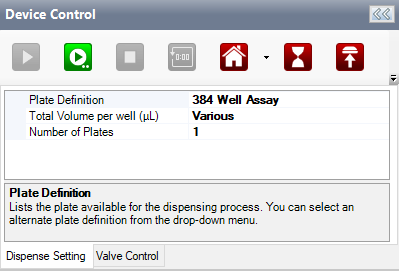
Device Control Panel
Use this panel to assign reagents to the chip stations, run the wash, prime, and reagent recovery processes, and tell the Mantis whether you are using different chip types. For more information, see Input Control Panel.
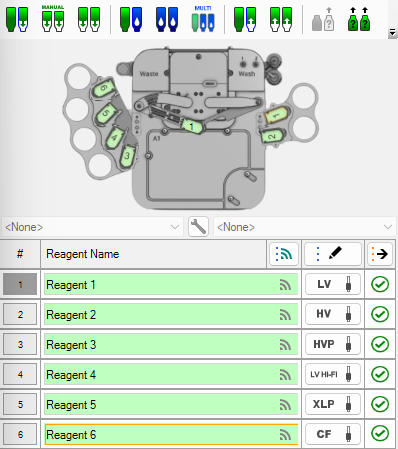
Input Control Panel
Dispense List Designer consists of a list of reagents, volumes, dispense location, and the plate designer—a visual representation of your plate layout. For more information, see Dispense List Designer.
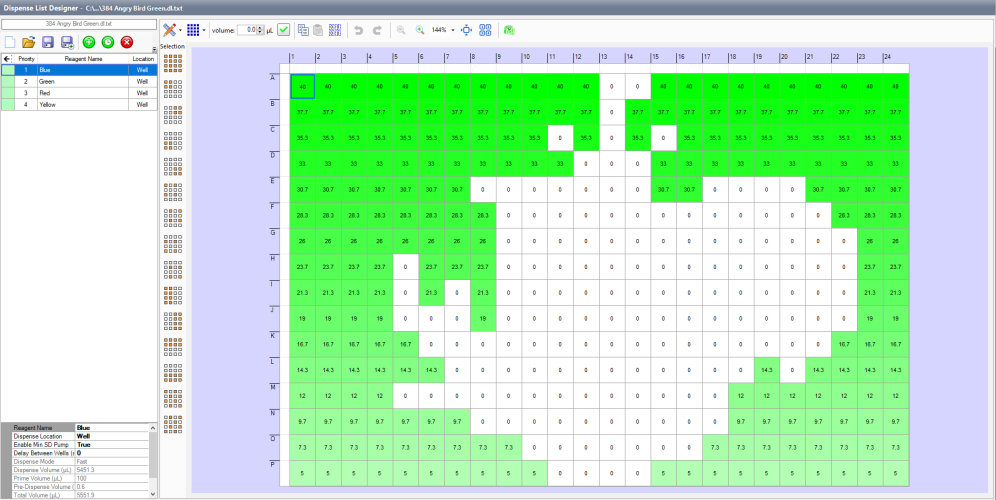
Dispense List Designer
The Status Bar shows you what's going on with your Mantis at a glance. For more information, see Status Bar.

|
|
| MAOWH-V54R126 |