Mantis V3
Mantis V4
This section will help you to understand the Mantis hardware, including V3 and V4 systems, LC3, and chip types.
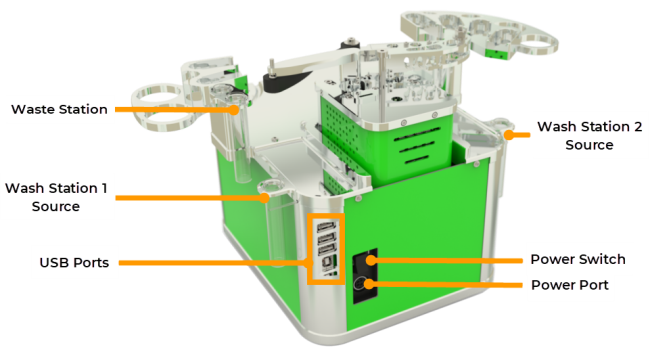
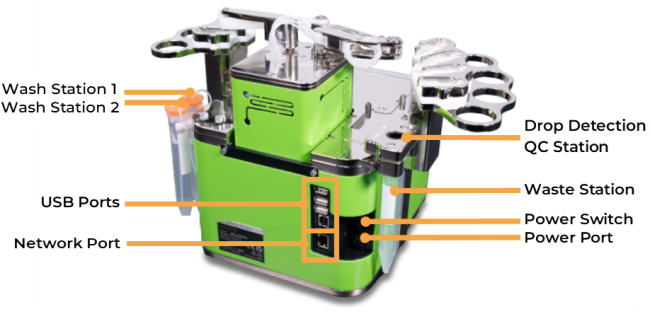
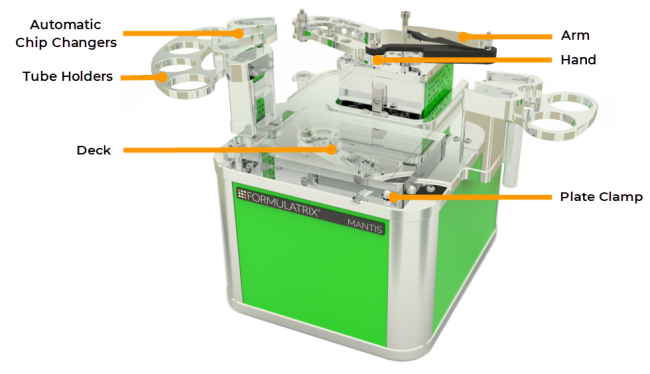
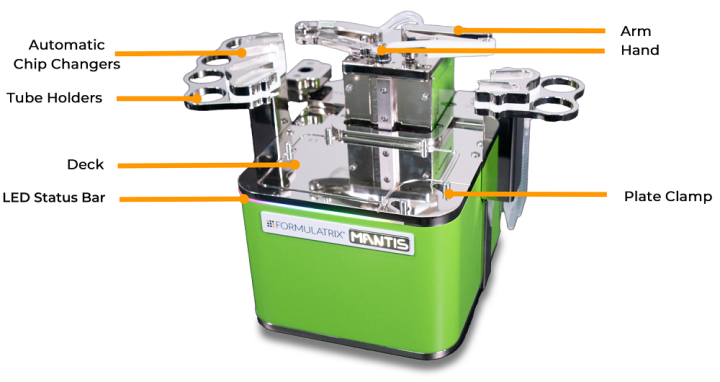
See the classification below to identify and locate the Mantis V3 and V4 components.
|
Mantis V3 |
Mantis V4 |
| Part Description | V3 | V4 |
|---|---|---|
|
Automatic Chip Changers The Automatic Chip Changers (ACC) allow the Mantis to dispense up to six reagents automatically without user intervention. Chips can be placed in any ACC position and will be automatically detected by the RFID system. |
✔ | ✔ |
|
Tube Holders The tube holders are compatible with 50 mL Falcon tubes, ideal for large volume dispenses or frequently used reagents. Adapters are available for 15 mL Falcon and Eppendorf tubes. |
✔ | ✔ |
|
Deck The deck supports all SBS plate types and deep well blocks. Available adapters allow dispensing into non-SBS labware. |
✔ | ✔ |
|
LED Status Bar The LED status bar provides a real-time view of the instrument's operational state:
|
✘ | ✔ |
|
Arm The arms control the hand movements during dispensing, loading, and unloading chips. |
✔ | ✔ |
|
Hand The hand contains magnets that attach to the magnets in the chip, allowing it to pick up the chip from the ACC and hold it securely during operation. It also houses the airlines that connect to the small orifices on the chip to drive its functions. |
✔ | ✔ |
|
Plate Clamp Located on the lower-right corner of the deck, the plate clamp aligns and secures the plate during the dispensing process. Note: The Mantis V4 comes with an adjustable-force plate clamp to prevent bending of soft or flexible plates and ensure proper alignment of heavy plates. |
✔ | ✔ |
|
Mantis V3 |
Mantis V4 |
| Part Description | V3 | V4 |
|---|---|---|
|
Wash Station Sources The wash station sources hold the wash solutions and water used during the chip washing process. If you are running a 3-step Wash, fill the Wash Station 1 Source with water and the Wash Station 2 Source with your chosen wash solution. |
✔ | ✔ |
|
USB Ports The USB ports hold the Mantis USB flash drive and provide extra ports for future expansion. The USB Type-B port at the bottom is used for connecting the Mantis instrument to your computer. |
✔ | ✔ |
|
Power Switch The power switch turns the Mantis on and off. |
✔ | ✔ |
|
Power Port The power port is to plug the power cable into the Mantis. |
✔ | ✔ |
|
Waste Station The waste station collects waste liquid during priming, pre-dispensing, and QC activities. |
✔ | ✔ |
|
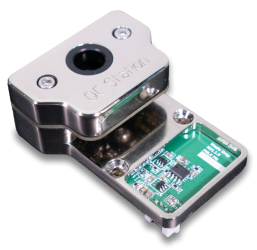
Optional: Drop Detection QC Station The drop detection QC station is located at the Mantis V4 Waste Station to detect liquid drops leaving the chip during priming or QC checking. See Mantis Smart Detection Sensor System for more information.
QC Station |
✘ | ✔ |
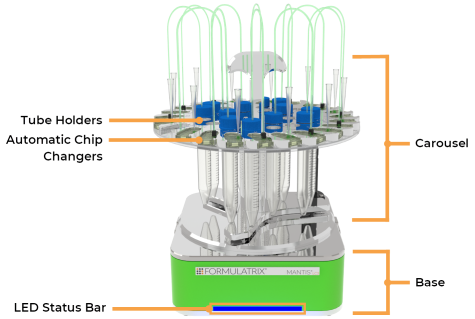
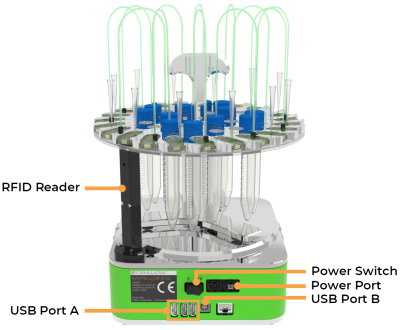
The LC3 is an optional upgrade that allows the Mantis to hold up to 48 chips and work with many more reagents than its typical setup.
|
LC3 Front View |
LC3 Back View |
|
|
|
Locating Plates
The LC3 is the base for the chip changer carousel. It has several components: power ports, USB ports, and a barcode scanner port.
The chip changer carousel consists of chip stations and tube holders with 24-chip or 18-chip capacity.
The tube holders are compatible with either 15 mL or 50 mL Falcon tubes, depending on the type of LC3 carousel.
The carousel’s automatic chip changers can hold any type of Mantis chip.
A blue LED status bar indicates that the instrument is ON and ready for use.
There are four USB ports: three Type A and one Type B. The Type B port is used for connecting the LC3 to Mantis, while Type A ports can be used for USB flash drives.
The power switch turns the LC3 on and off.
There are two power ports: one connects the LC3 to the Mantis (to power itself from the LC3), and the other connects the LC3 to an external power outlet.
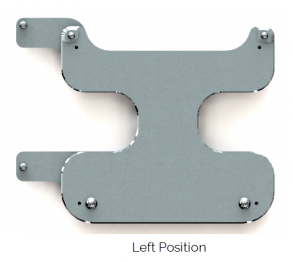
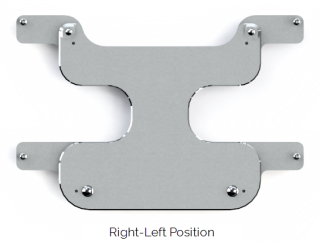
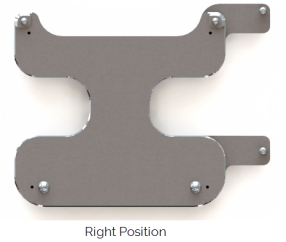
The function of the locating plate is to align the LC3 with the Mantis.
There are three different locating plates: Left, Right and Right-Left. The locating plate shipped with your Mantis depends on your specific order.
If you use LC3 with RFID, the RFID reader scans the chips attached to the carousel and provides information about the chip usage and the dispensing process.

|
|
| MAOWH-V55R126 |