Open topic with navigation
Exporting and Printing Search Results
Exporting Search Results
You can export ingredients to CSV, Microsoft Excel, Text, Microsoft Word and XML spreadsheet formats.
Note: If you have grouped the search results, be sure to un-group them before you export the results to a file.
- Right-click the search results table and select Export. Export options display.
- Click the required export file format.
- Navigate to the folder in which you wish to store the exported search results.
- In the File name box, type a descriptive name for the file.
- Click Save.
Printing Search Results
After you have conducted a search, you can print a hard copy of the results.
- Right-click the search results table and select Single Drop Report.
- Select the items and drops that you would like to appear in the report.
To exclude an item from the report, clear its check box.
In the Printing Comments box, you can type any comments that you would like to include in the report. - Click Print Preview. A preview of the printed report displays.
- Click Print. A printing dialogue displays, allowing you to send the report to the printer.
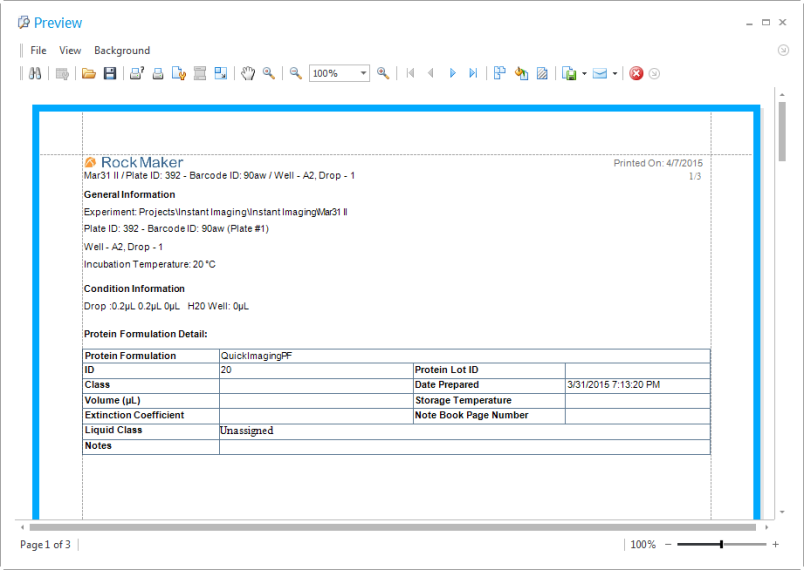
Printing Search Results
Related Topics