Note: This option is available only when the Plate Stacker feature is active.
-
Select Stacker Latch from the Add Item button .
.
- In the Stacker Latch Sequence Item window:
Define the plate stacker latch position by selecting PlateStackerLatch1 (left) or PlateStackerLatch2 (right) from the Stacker Latch selector.
Set the plate stacker latch to Off (closed) or On (open) state from the Stacker State option. Off state means the latch will hold the plate in the stacker, and On means the latch will release the plate(s).
OPTIONAL: Click Test to preview the stacker latch movement.
Click OK to save the setting.
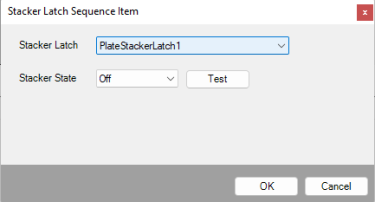
Stacker Latch Sequence Item Window
 button to clear the previous sequence from the Sequence Item Table.
 Valve
Valve
 , and select Valve. The valve state will automatically appear in the Sequence Item Table. Change the valve configuration by opening (green) and closing (
 to apply the GUI valve state to the selected Valve sequence item.
 and select Valve. The predefined valve state sequence will be transferred over to the Sequence Item Table.





 button.
 button. You can pause during the sequence execution or stop the sequence by clicking the Stop button
 .
. button.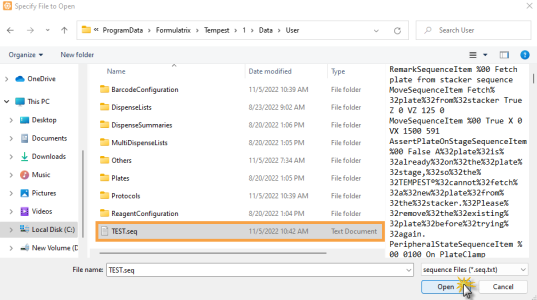
 .
. button to apply the new state.
 button, and then select the directory in the User folder or the destination of your preference. TEMPEST will not overwrite the previous sequence; the new sequence will be saved as a new file with a new name.