Licensing and Software Update
An active license and the latest software version are required to access all aµtoPULSE features. To manage your license or software version, go to the About page in the navigation bar.
Important
Only Administrators can activate licenses and manage software versions.
To request a license or software update file, contact support@formulatrix.com.
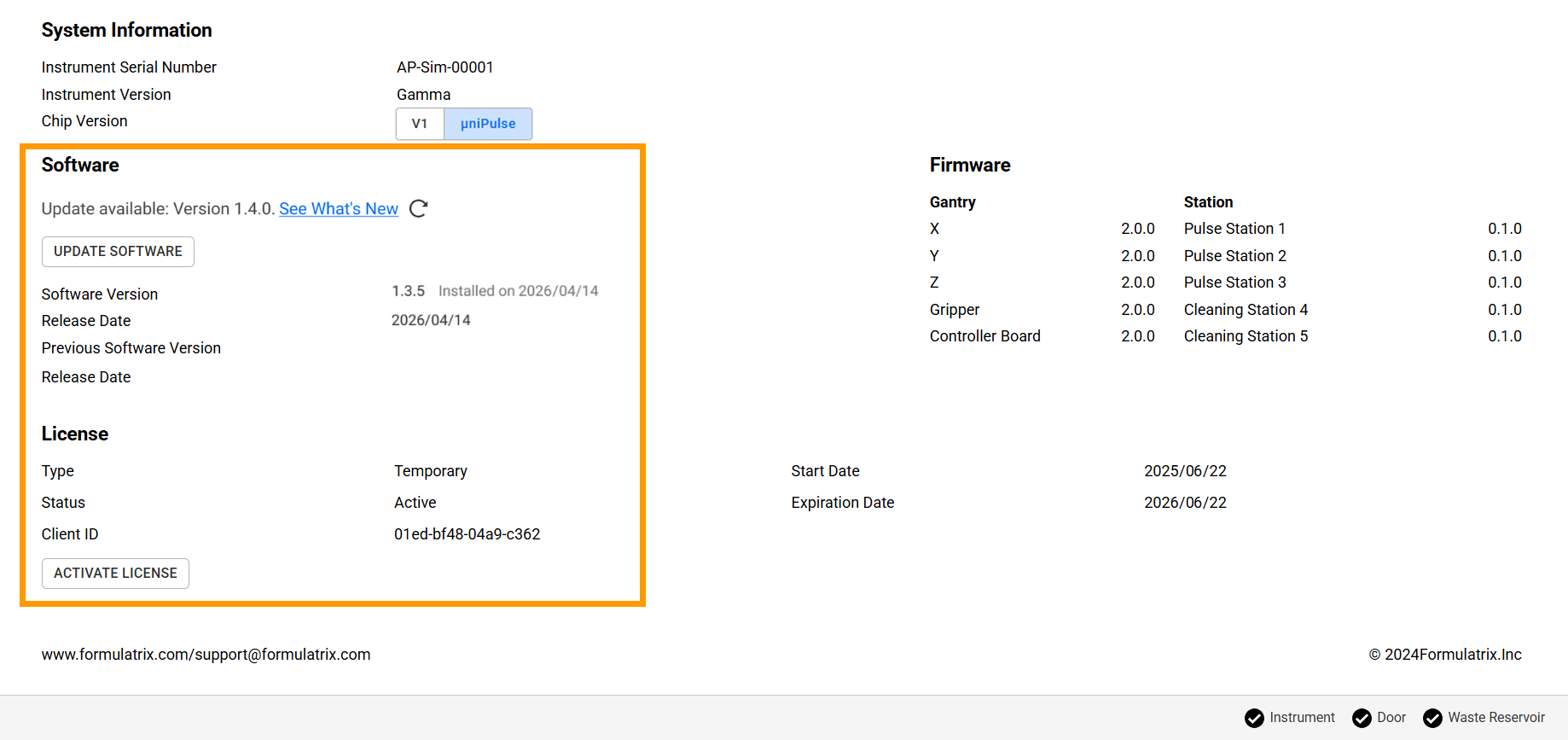
Software and License Information on the About Page
Licensing
License Type and Status
License Type |
Description |
Status |
Can Use Software |
Can Run Protocols |
Gets Software Updates |
|---|---|---|---|---|---|
Trial |
Trial license can only be activated once and lasts for 14 days. |
||||
Temporary |
Time-limited access granted upon customer request. |
Active |
✅ |
✅ |
✅ |
Expired |
⚠️ Demo Only |
❌ |
❌ |
||
Perpetual |
Grants permanent access to all features, including software updates, while the license is active. |
Active |
✅ |
✅ |
✅ |
Maintenance Expired |
✅ |
✅ |
❌ |
||
Activating a License
Prerequisite:
You have received a license file in .XML format from FORMULATRIX (temporary/perpetual).
To activate a license:
In the About page, click ACTIVATE LICENSE.
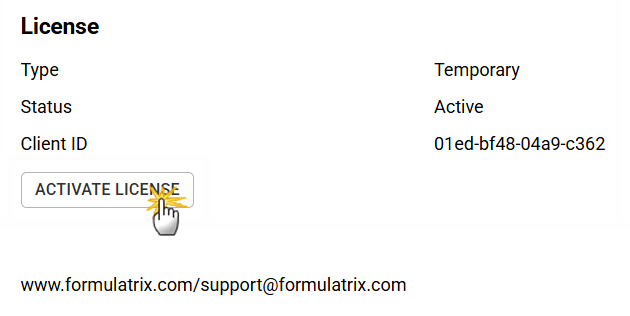
Clicking ACTIVATE LICENSE
Select Full License (Temporary/Perpetual), then click ACTIVATE.
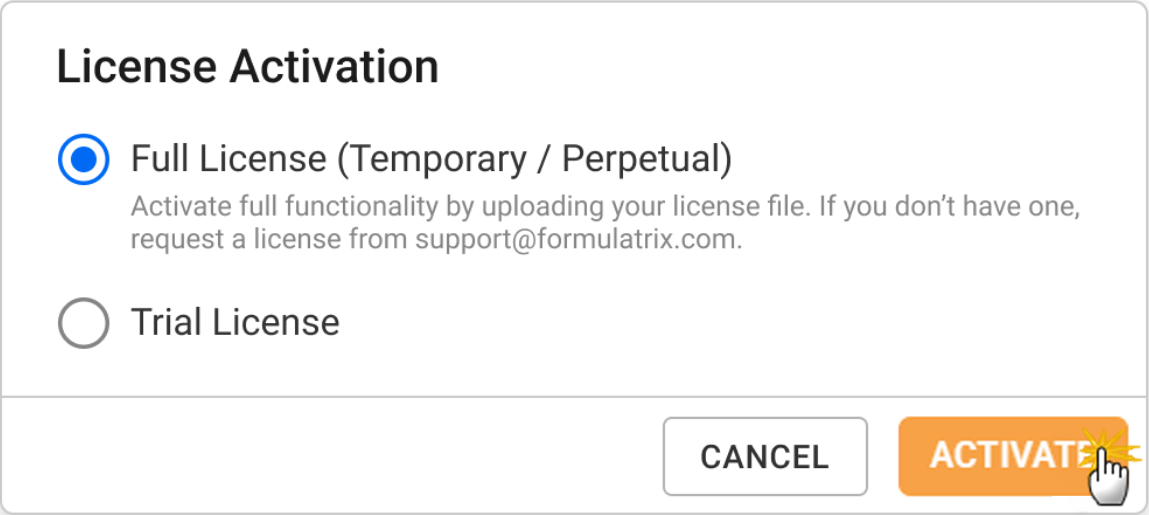
Activating a Full License
Locate and open the .XML license file, then wait for the license activation to complete.
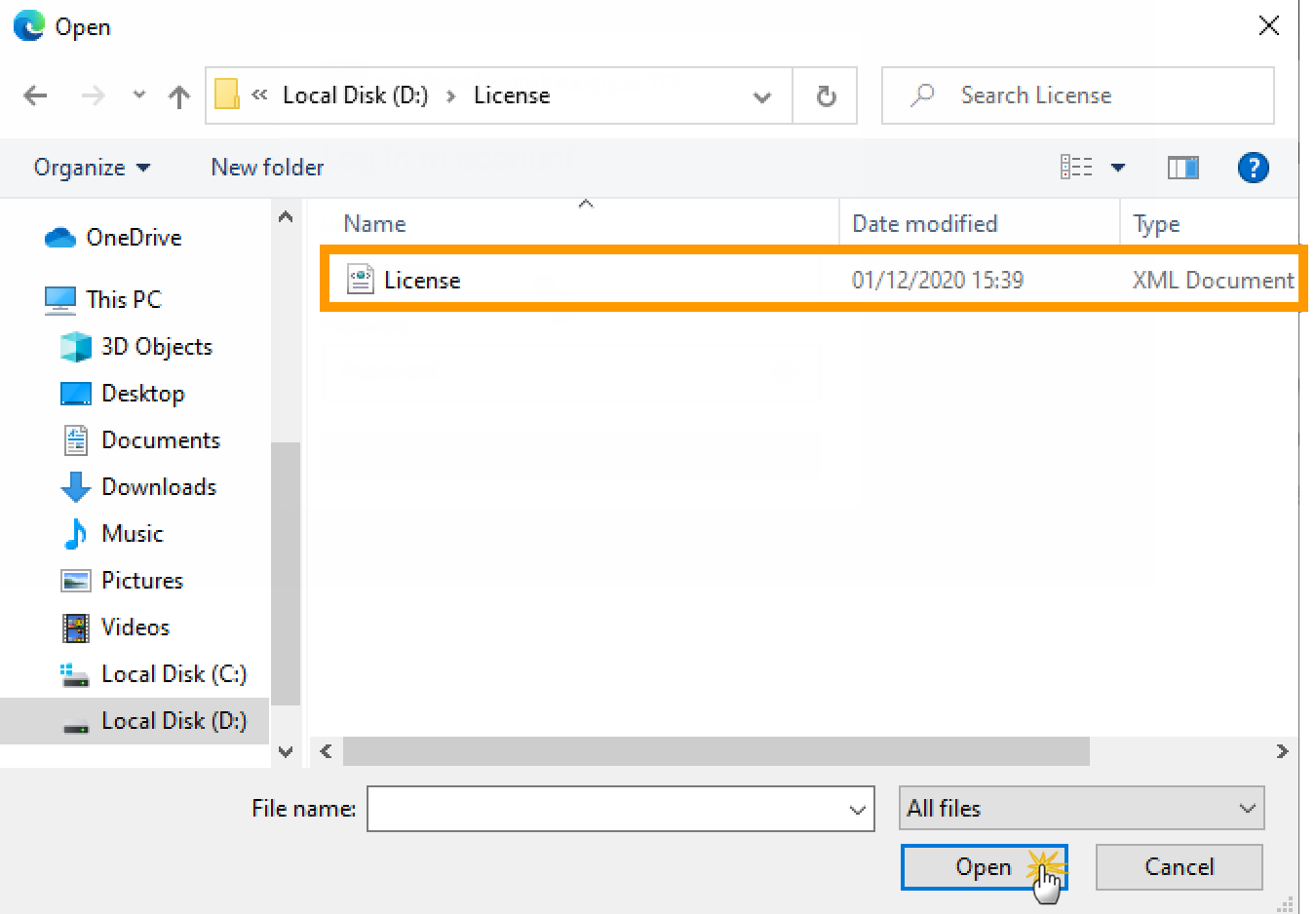
Selecting License File
Once activated, the Status, Start Date, and Expiration Date will be updated.

Active License Information
Software Update
Prerequisites:
Your software license is active.
You have a stable internet connection (for online activation) or have downloaded latest software package version (.DEB).
aµtoPULSE is idle.
Important
Protocols cannot run during the software update process.
To update the aµtoPULSE software:
In the About page, click UPDATE SOFTWARE.
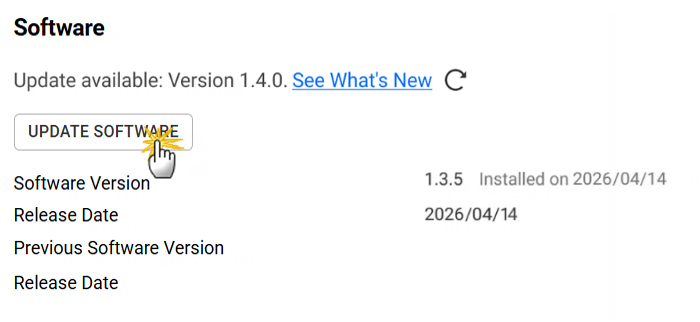
Clicking UPDATE SOFTWARE
In the Update Software dialog, choose between the options below.
Online
Select Online, then click UPDATE.
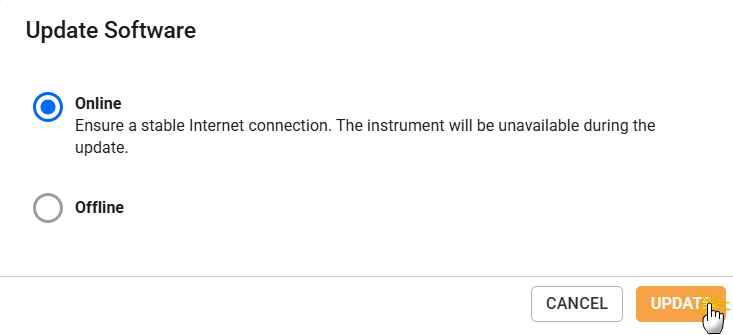
Online Software Update
Offline
Select Offline, then click UPDATE.
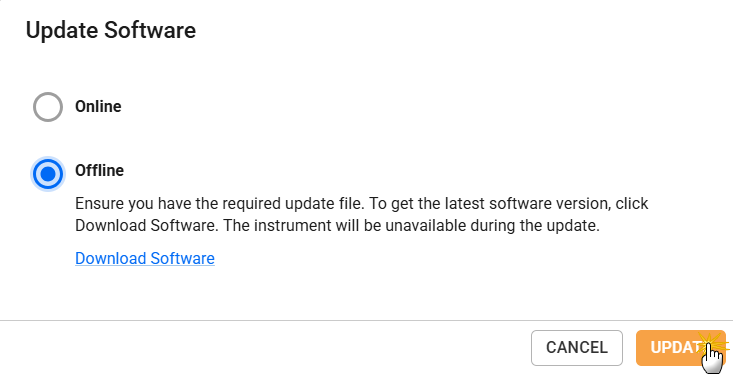
Offline Software Update
Select the downloaded Updater (.DEB) file to continue.
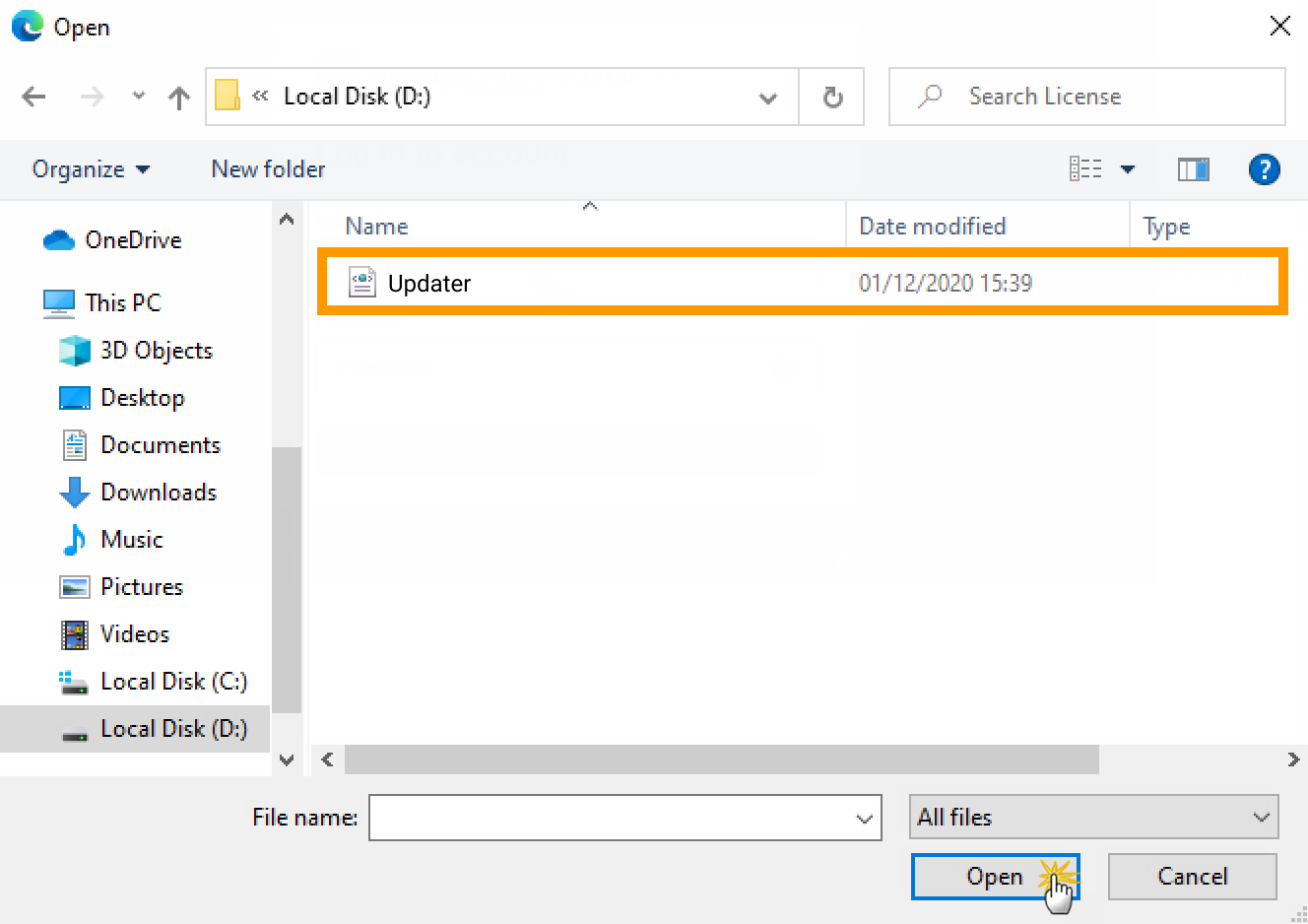
Selecting Updater File
Wait for the update process to complete.
Important
DO NOT turn off the system during the software update.
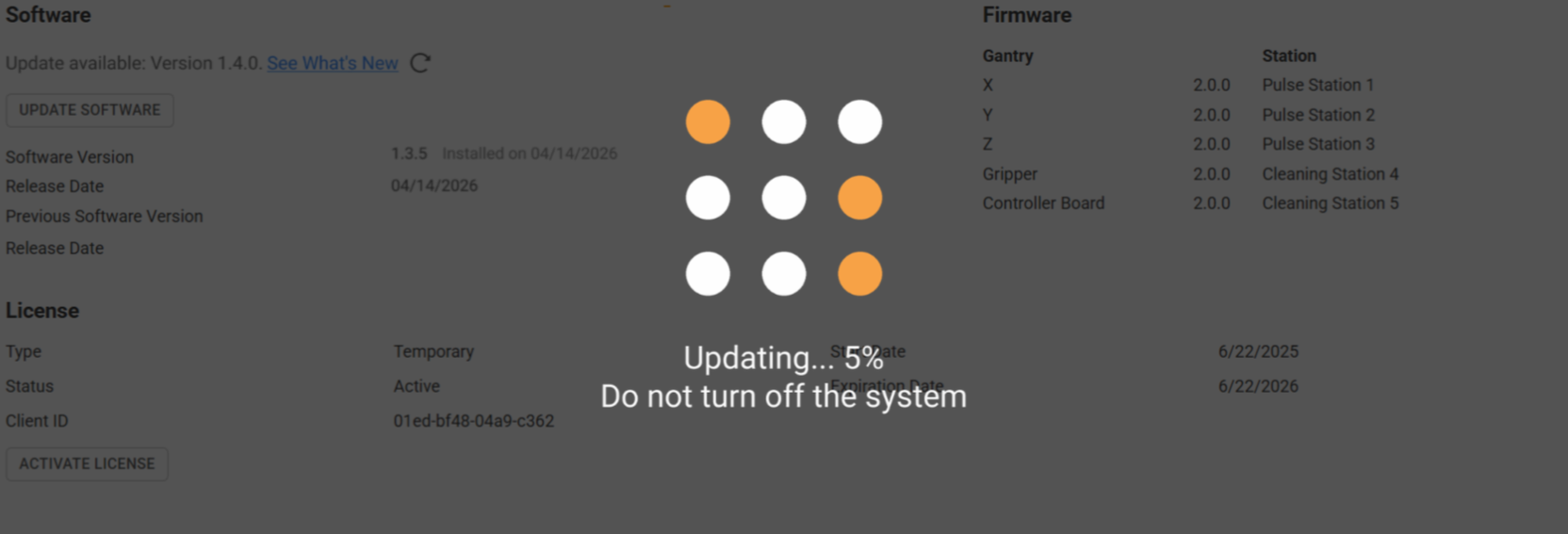
Software Update Progress
Once complete, refresh the page, then log in.
Tip
If the page fails to load, clear your browser cache and refresh.
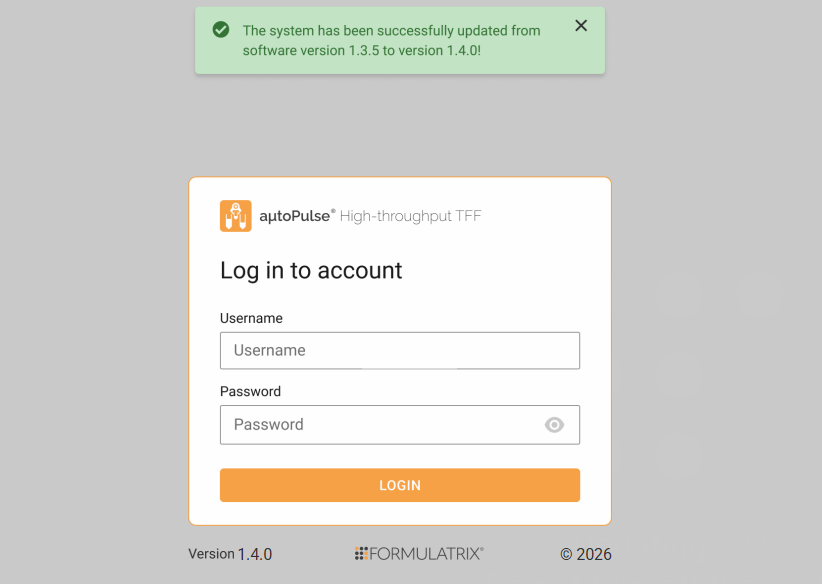
Successful Software Update
Software Downgrade
You can revert to the previous software version, such as for compatibility, validation, or workflow requirements. Follow the steps below.
Important
The aµtoPULSE software can only be downgraded once, to the immediately previous version. After downgrading, future updates are limited to software versions released while the license was active.
Prerequisites:
A previous version of the software was installed before the current version.
aµtoPULSE is idle.
To downgrade the software version:
In the About page, click the previous software version.
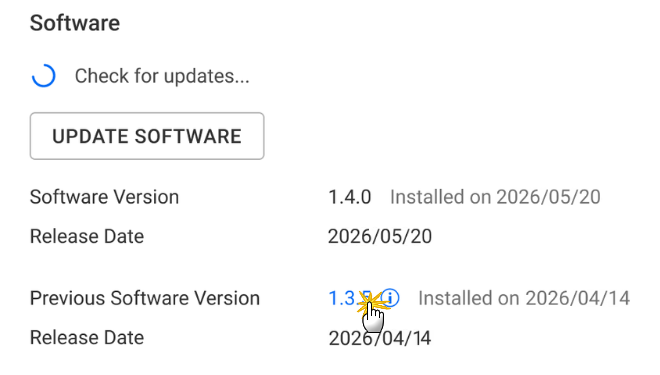
Downgrading Software Version
In the confirmation dialog, click DOWNGRADE.
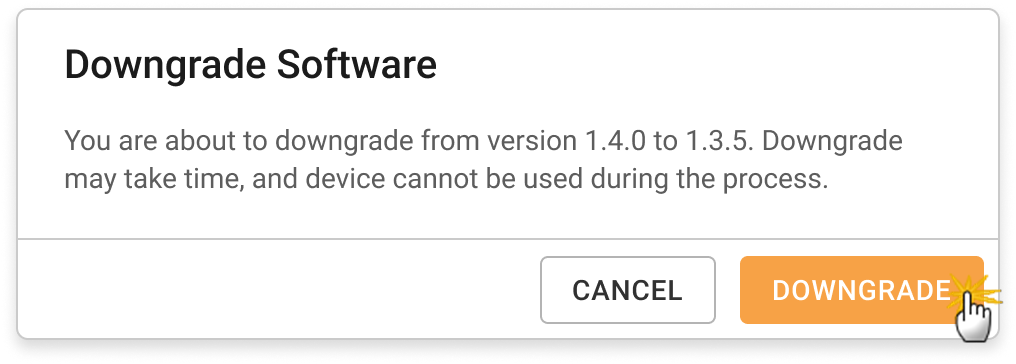
Software Downgrade Confirmation Dialog
Once complete, clear the browser cache, refresh the page, then log in.
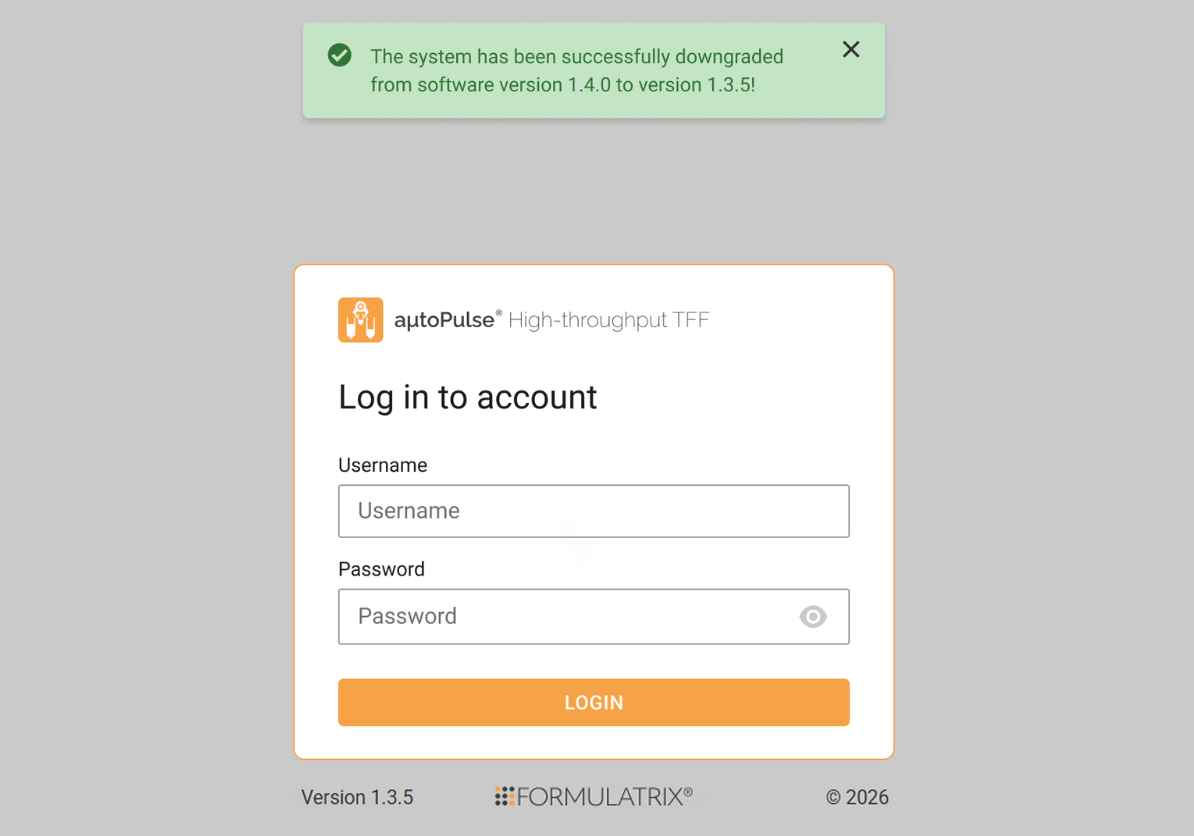
Successful Software Downgrade