What’s New in this Release
We’re excited to bring you aµtoPULSE 1.4 with innovative features to enhance your workflow. Here is a quick preview of what’s new.
Advanced Setup Enhancements
aµtoPULSE 1.4 improves the Advanced Setup feature with easier access and better visibility into your protocol results.
Direct access from the Explorer menu
Advanced Setup now has a dedicated page accessible from the Explorer menu, allowing you to create and manage your parameter configurations outside of the protocol editor.
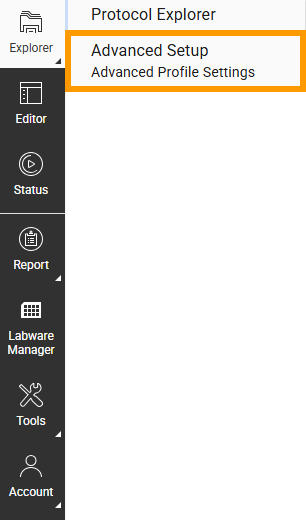
Advanced Setup Option in Explorer Menu
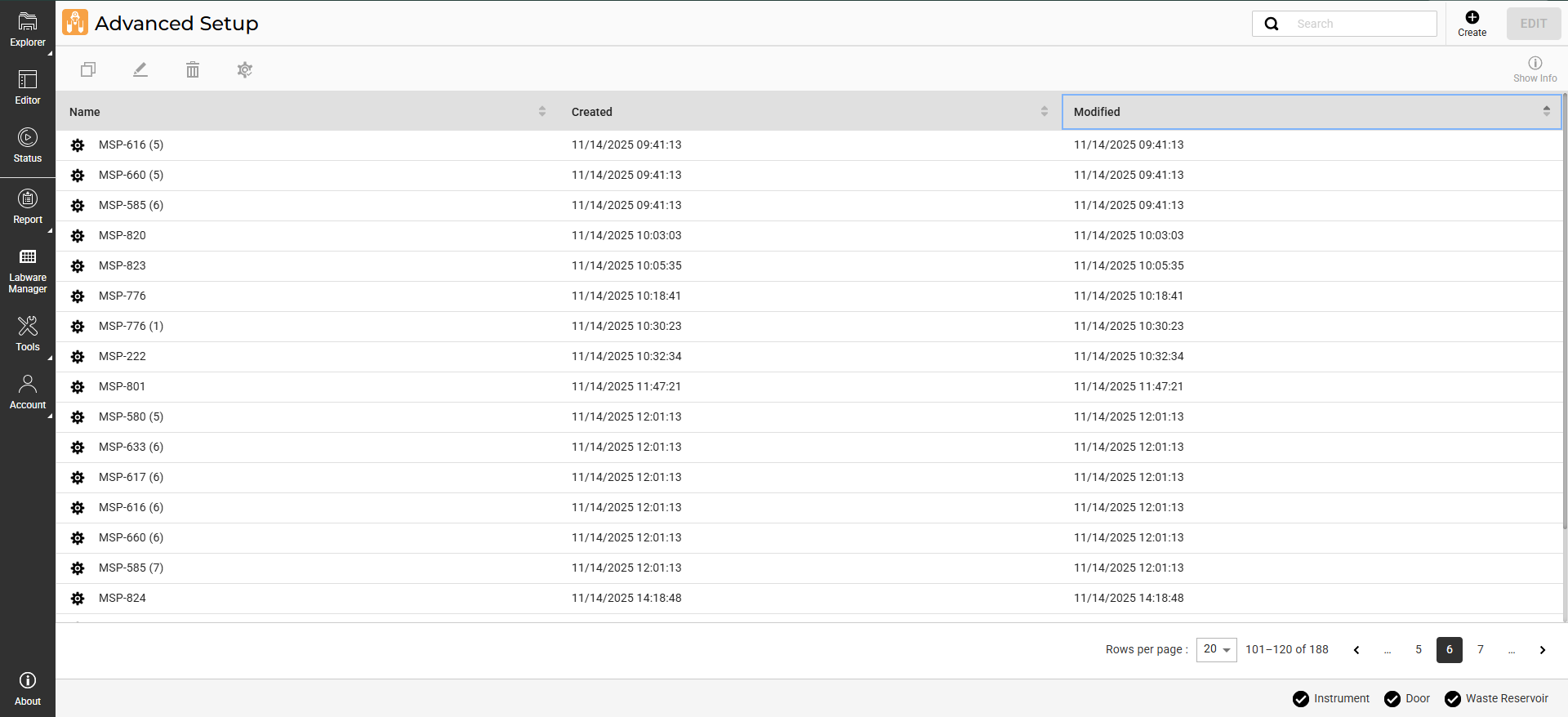
Advanced Setup Page
Advanced Setup details in Protocol Result
The Advanced Setup parameters used during the run are now displayed in Protocol Result, providing a complete record of your protocol configuration for easier analysis.
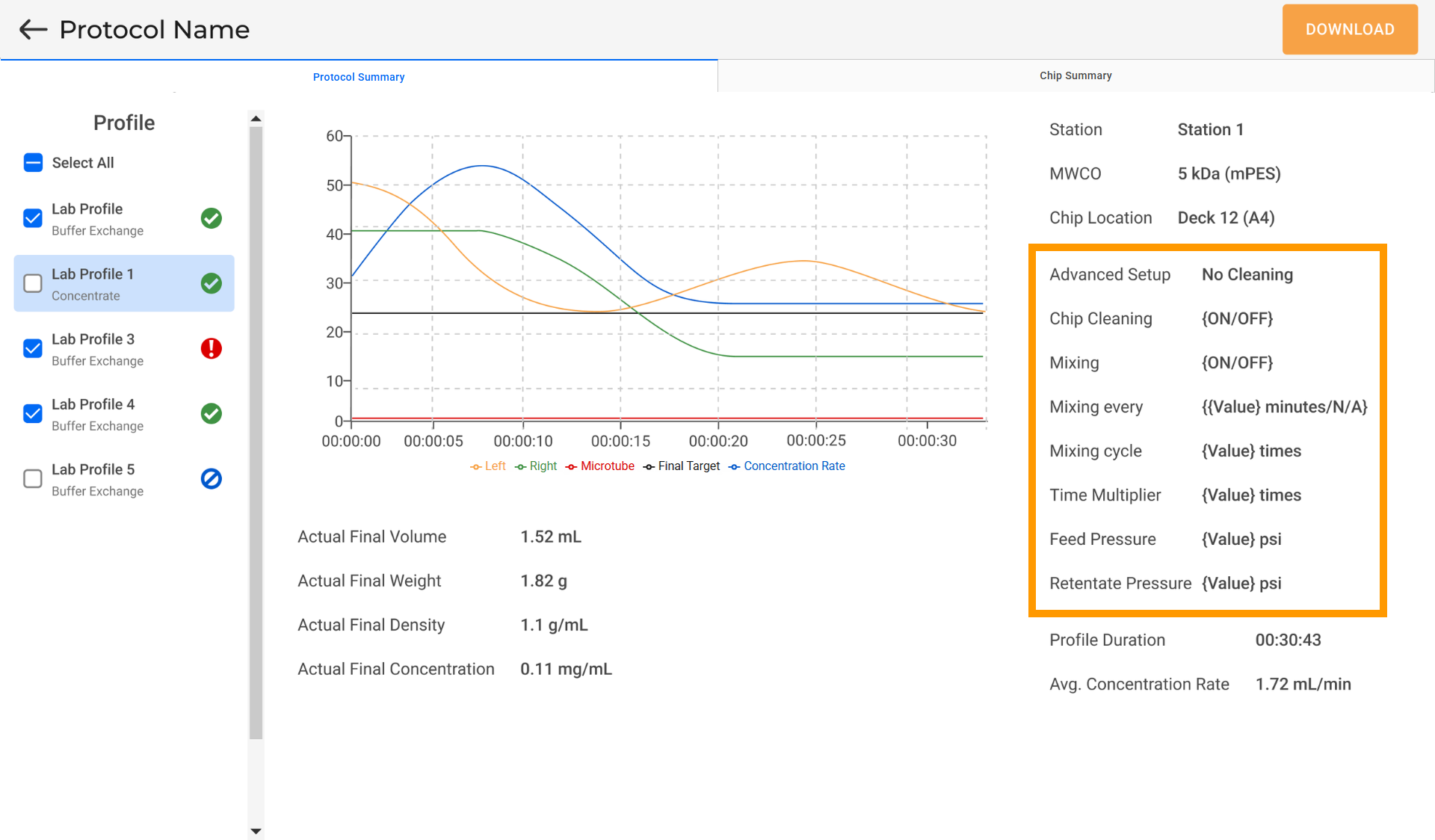
Advanced Setup Details in Protocol Result
Enable or Disable Stations
You can now exclude individual stations from a protocol run by enabling or disabling them—useful when tube adapters are unavailable, or the station needs maintenance.
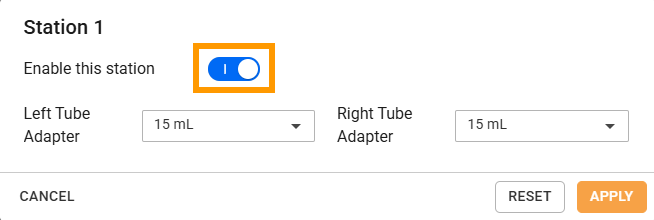
Enable Station Toggle Switch
Tube and Chip Naming
aµtoPULSE now allows you to assign custom names to tubes and chips when defining labware, making it easier to track your samples and maintain consistency between instrument reports and your existing sample identifiers.
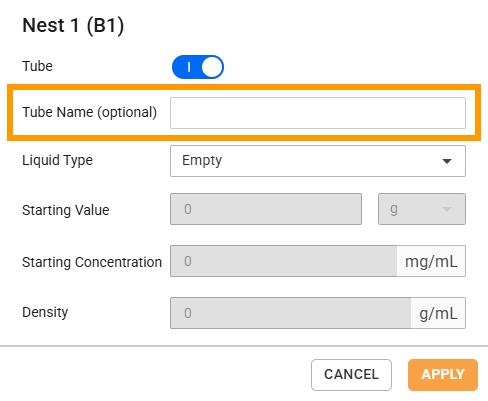
Labware Name Setting
Simplified Tube Selection
aµtoPULSE now simplifies tube setup during profile creation to a single step. With the SELECT TUBE button, the system automatically assigns tube positions based on your selected configuration.
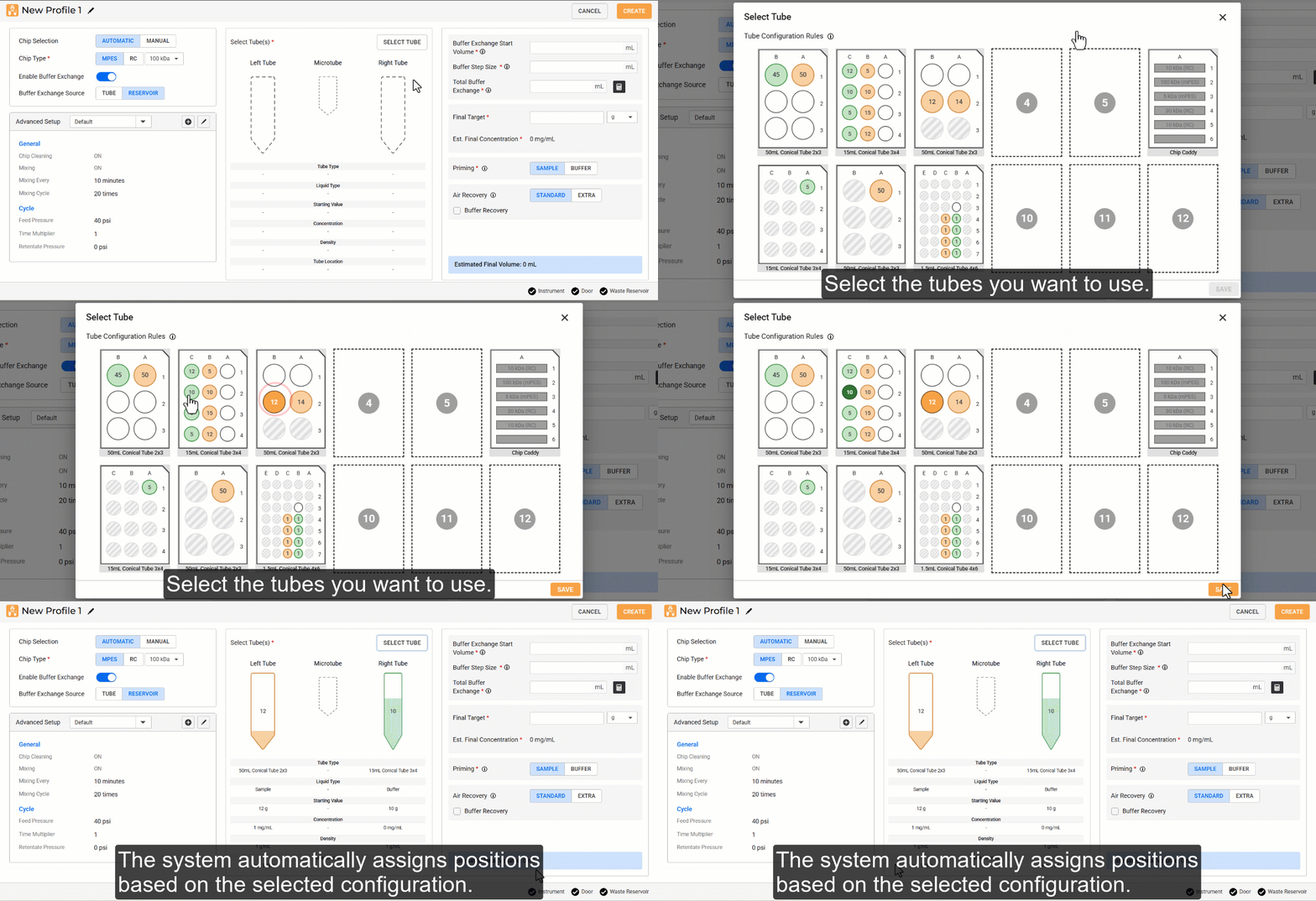
Selecting Sample and Buffer Tubes
Buffer Exchange Cycle Tracking
A Buffer Exchange Cycle Step indicator has been added to the Runtime Status page, showing the current and total cycle count during a protocol run for easier monitoring.
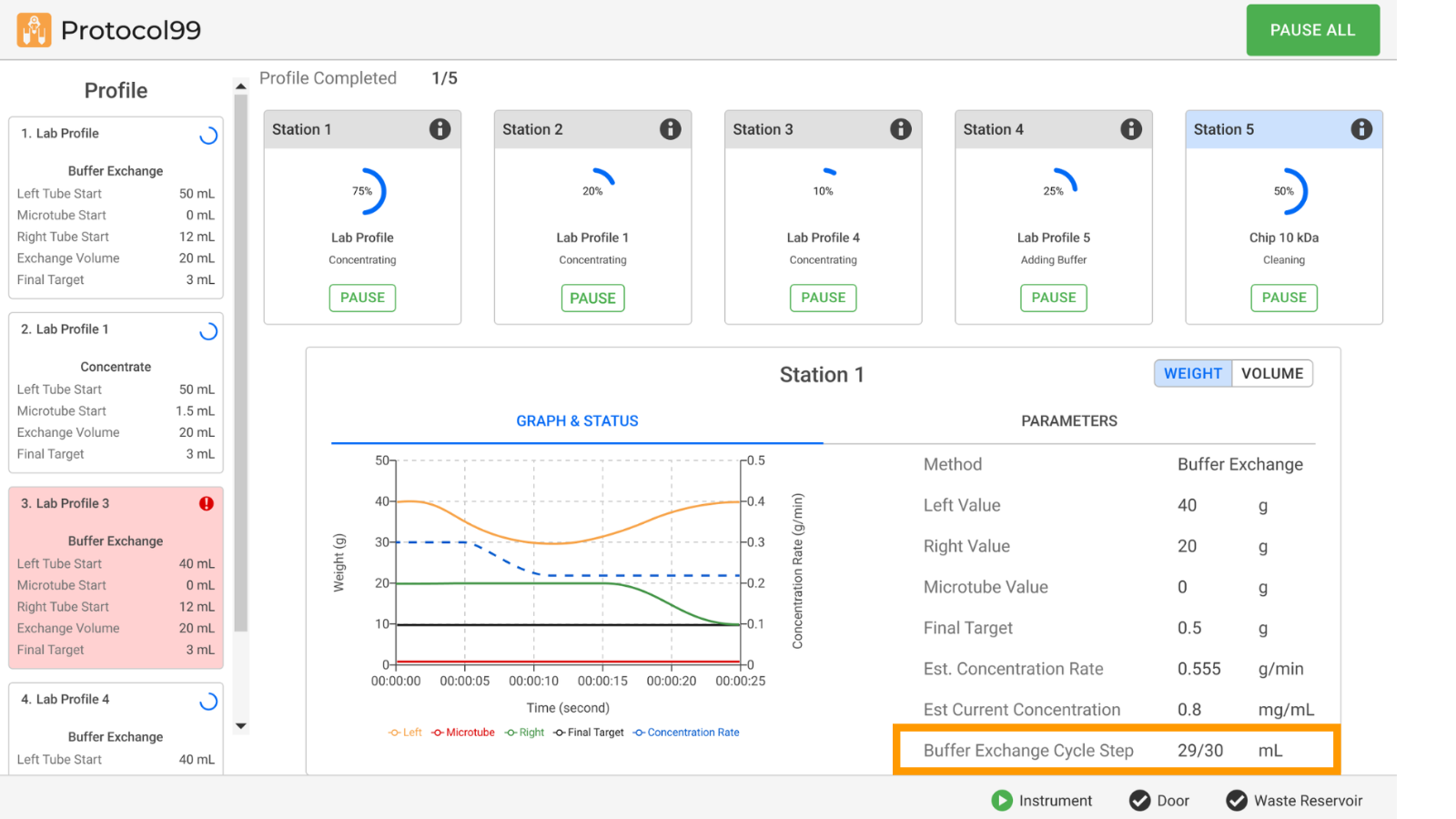
Buffer Exchange Cycle Step Indicator
Chip Summary in Protocol Result
The Chip Summary tab is now available in Protocol Result, providing a complete overview of how each chip was used in the protocol, including the associated profiles, samples, buffers, and estimated permeate volume. This makes chip traceability easier to manage.
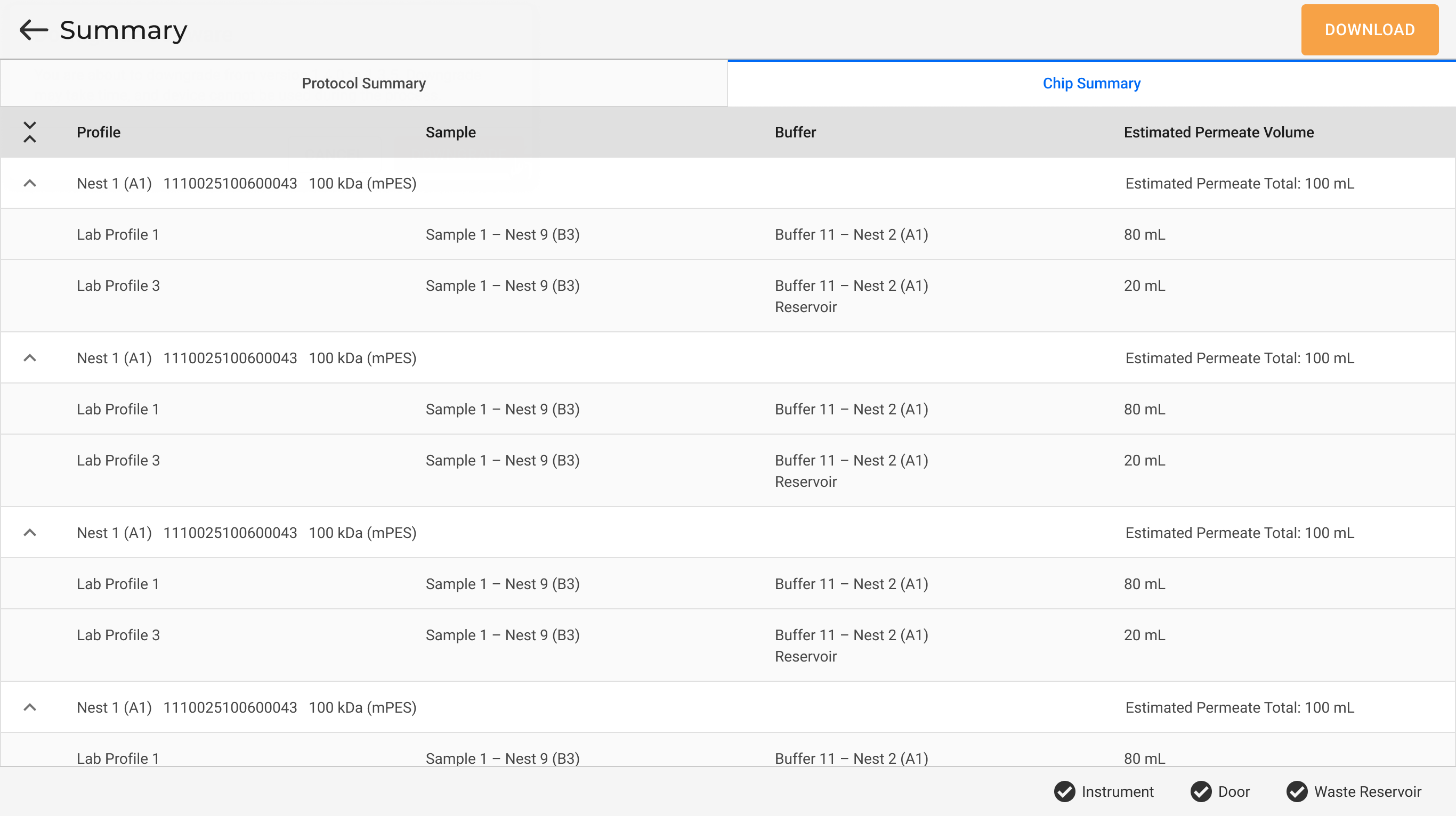
Chip Summary Tab in Protocol Result
Minor Software Changes
aµtoPULSE has added several minor changes for better usability, including:
Added an Edit button
 on the command bar across pages to make it clearer that the name can be clicked and edited.
Restored the NEW PROFILE button
 in the Editor page for easier access to profile creation.
Adding a new tube to the virtual deck is now enabled by default, reducing the number of steps needed to complete the tube setup.
Added tooltips to profile attributes in the Profile Editor to clarify parameter definitions.
Est. Final Concentration is now read-only and automatically calculated based on the Final Target value—reducing manual calculation errors.
Added a notification when the motor value exceeds its limit range.
Changed terminologies across the UI for consistency, including:
Updated the terminology for deck position to Nest.
Updated the terms in the Profile Editor page.
Updated CSV header column names.
Multiple bug fixes to correct minor issues.
Many aµtoPULSE software updates have been suggested by our awesome user community!
Have a great idea on how to make aµtoPULSE better?
Let us know by contacting support@formulatrix.com.
Previous Releases
Version 1.3
Revamped Profile Editor for Easier Protocol Setup
The Profile Editor page has been redesigned for a more intuitive layout with reorganized settings and additional tube visuals—helping you create profiles quickly with ease.
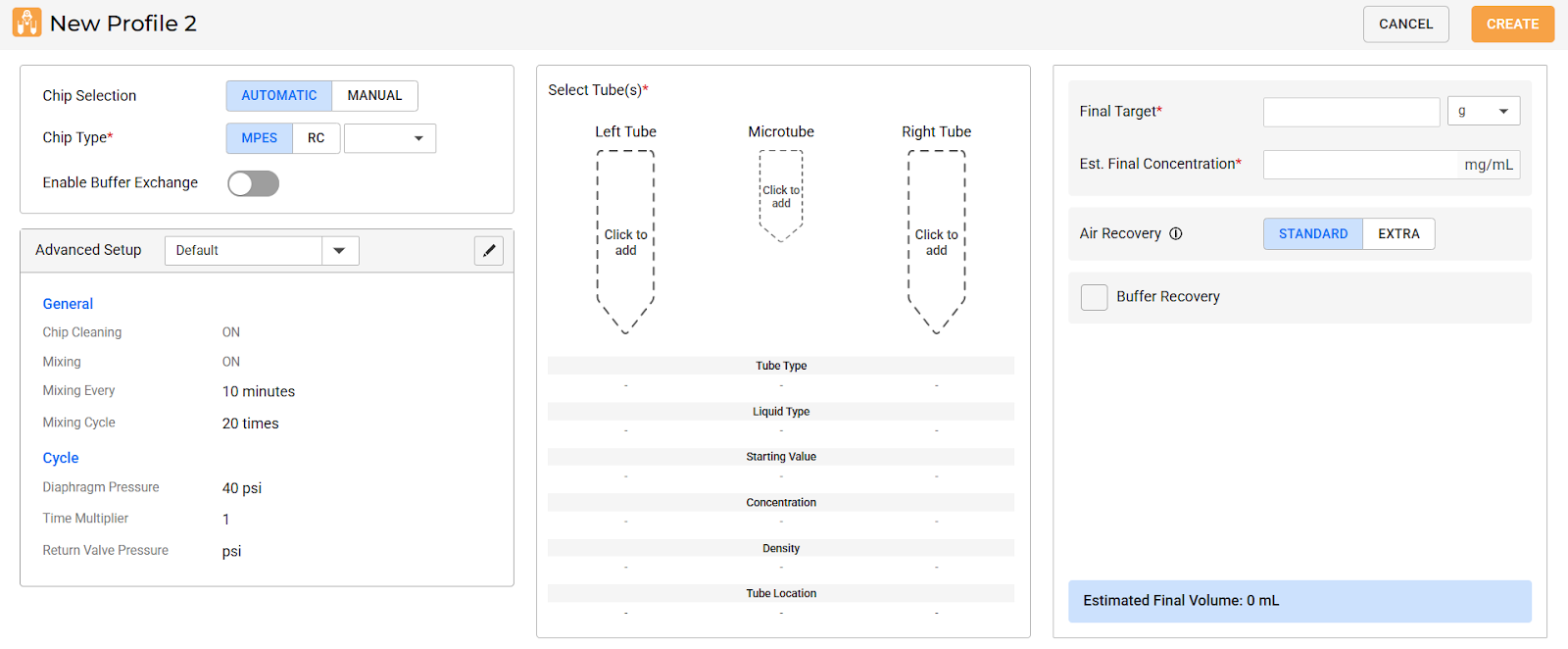
New Profile Editor Page
New Membrane Options
The MPES and RC chip membrane options are now available, expanding flexibility for various sample types and filtration workflows. These options can be selected when defining chips and creating profiles.
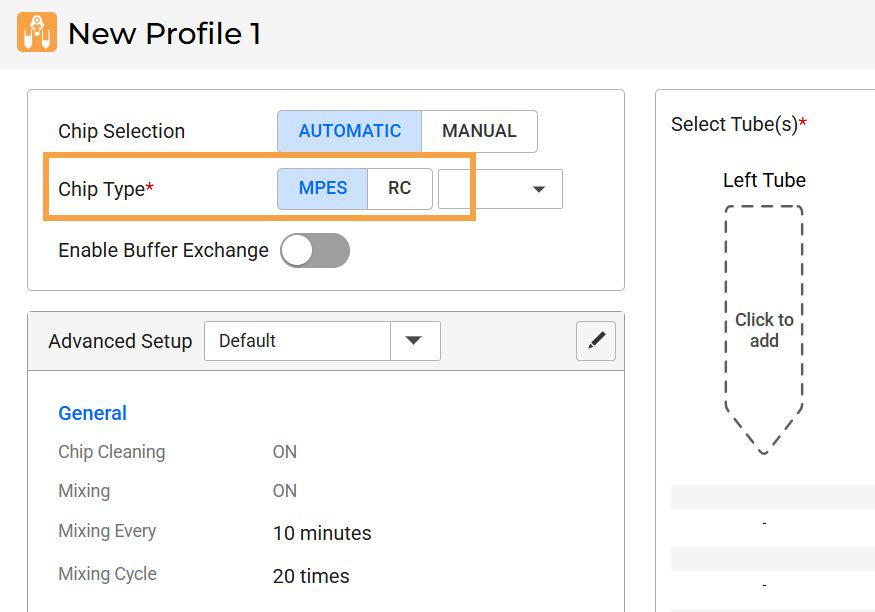
Chip Membrane Options in Profile Editor
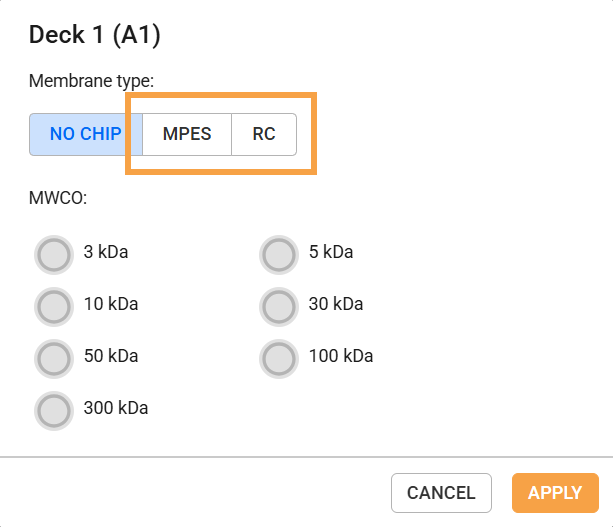
Chip Membrane Options in Defining Chip Dialog
New Chip Selection Modes
aµtoPULSE now offers AUTOMATIC and MANUAL chip selection modes, letting you control how chips are paired with your samples. In MANUAL mode, you can assign a specific chip on the deck to each sample. In AUTOMATIC mode, the instrument will assign any chip based on the chosen membrane chemistry and MWCO. Chip selection mode can be controlled independently per sample.
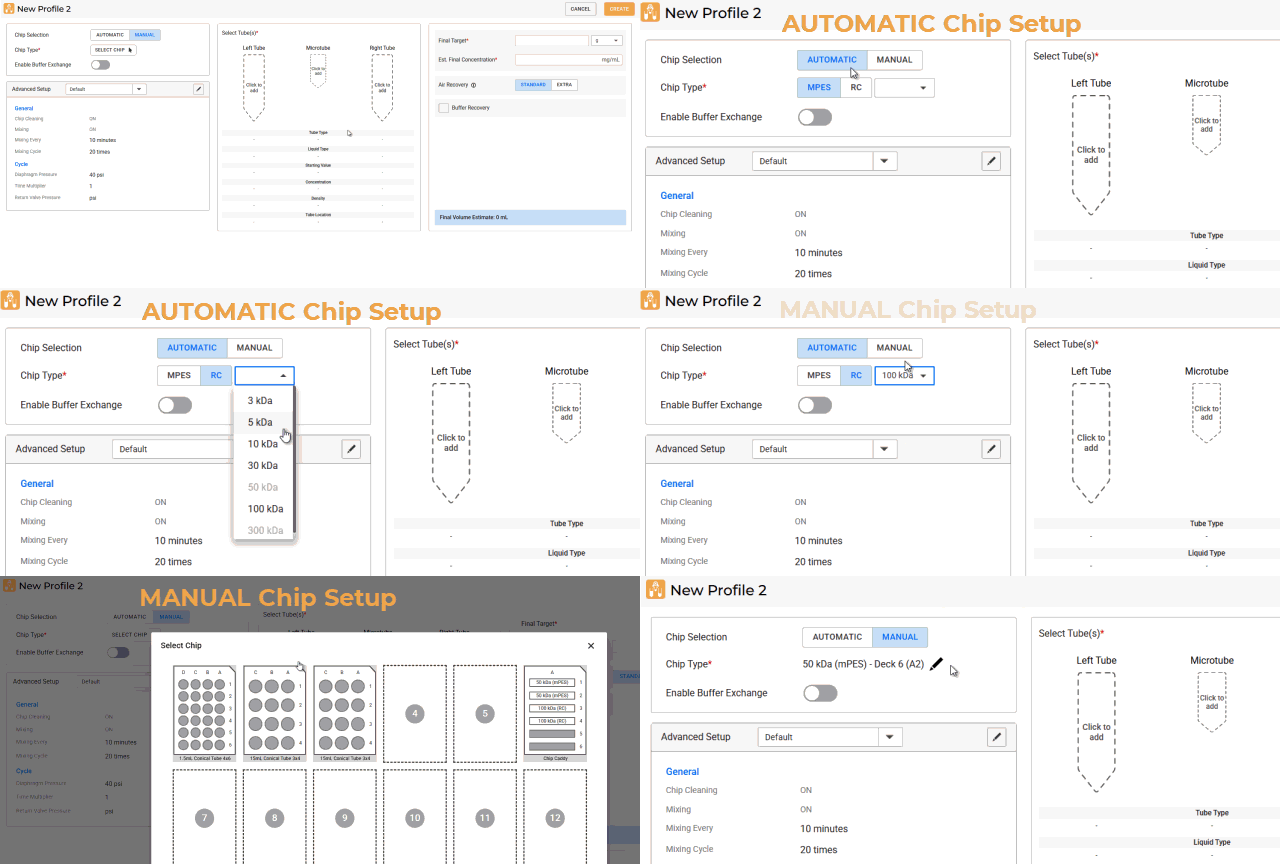
Chip Selection Options
New Chip Cleaning Tool
aµtoPULSE 1.3 introduces the Chip Cleaning wizard that allows you to clean batches of chips without the need for a fully defined protocol. This feature is accessible from the Tools menu and Editor page. For more information, see Chip Cleaning.
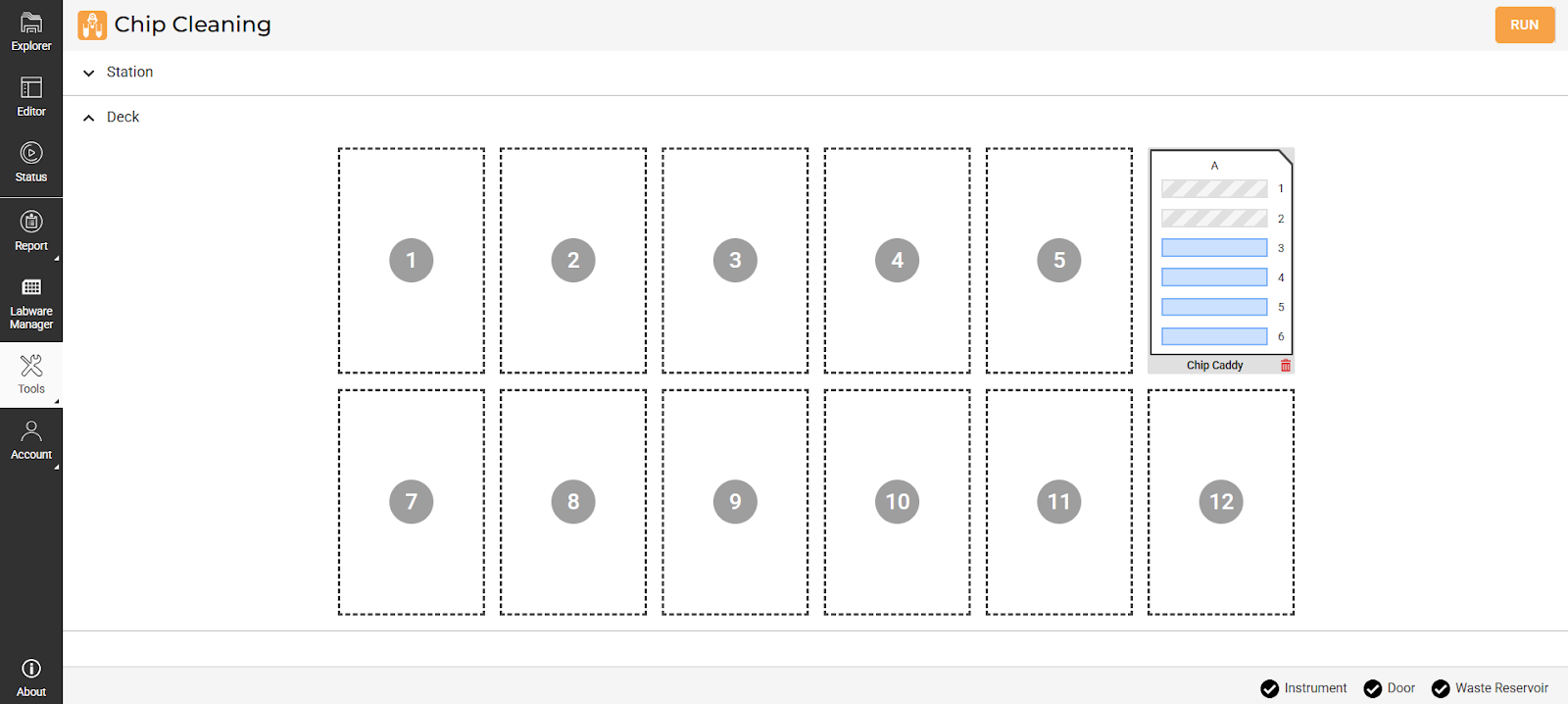
Chip Cleaning Page
Improved Recovery Function
The aµtoPULSE recovery system now includes a Buffer Recovery option that flushes additional buffer across the membrane to improve recovery yield. The Air Recovery option has also been expanded with both STANDARD and EXTRA modes. The STANDARD air recovery runs a fixed time sequence to push your sample from the chip to your sample tube without foaming. EXTRA recovery continues flushing air until the sample is fully returned, with some air breaching the sample tube.
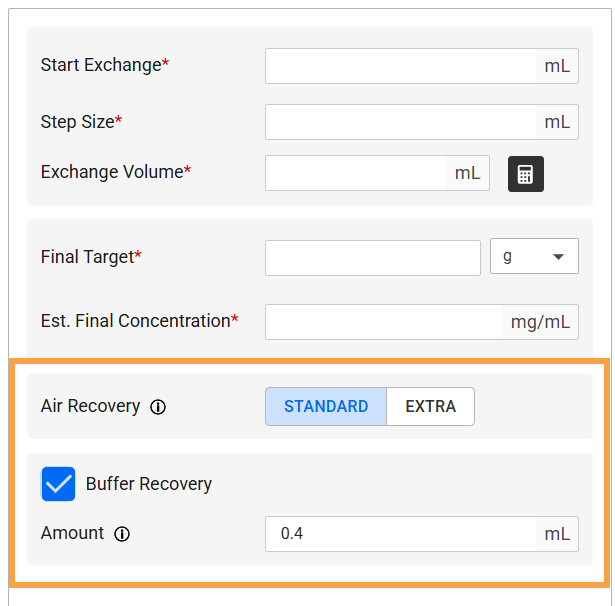
Recovery Options in Profile Editor
Tracking Peristaltic Pump Tubing Lifespan
You can now track the number of tubing cycles used in the peristaltic pump through notifications or from the Performance Metric page. Monitor the tubing lifespan and replace it before reaching maximum usage to maintain accurate and consistent liquid transfers. For more information, see Peristaltic Pump Tubing Replacement Guide.
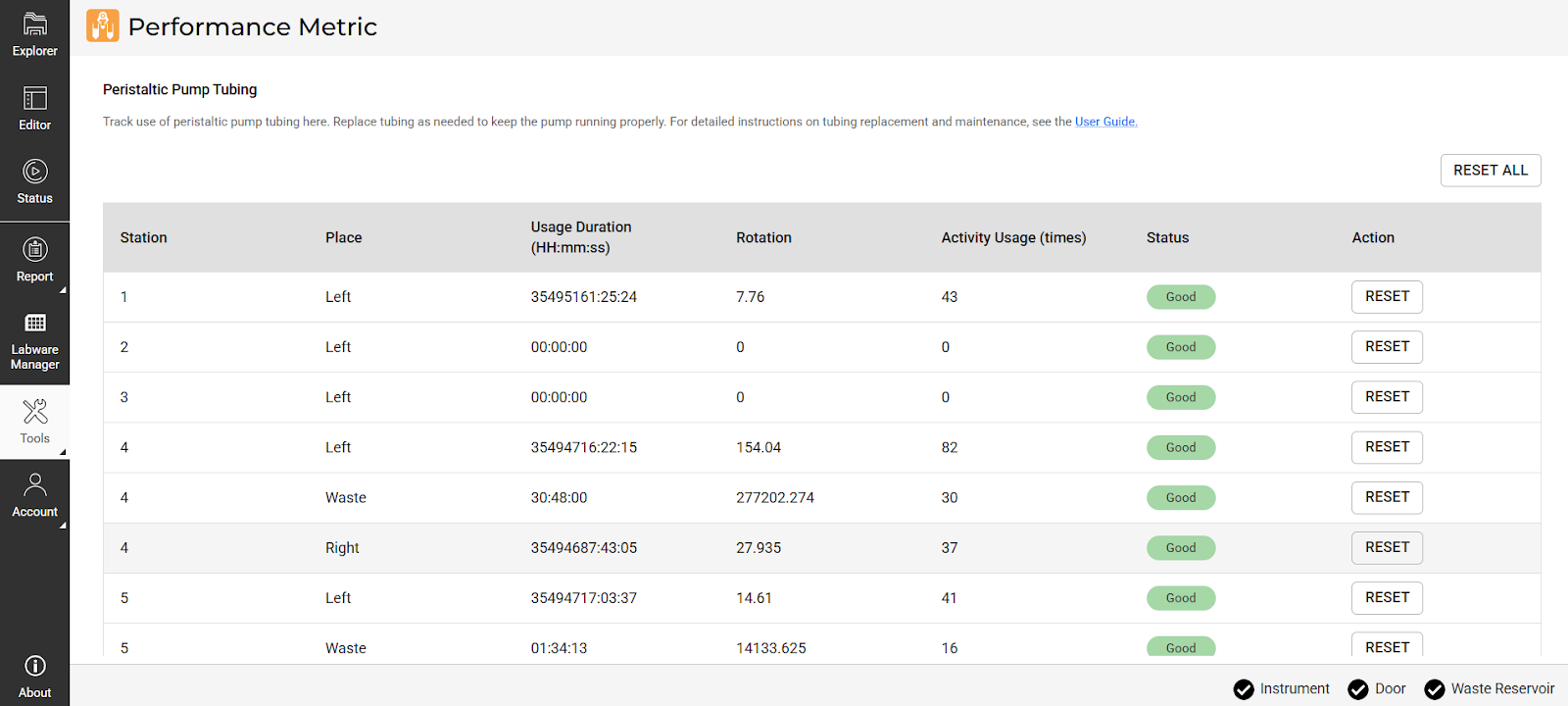
Performance Metric Page
Maintain Liquid Temperature with Cooling Rack
Designed for temperature-sensitive workflows, the Cooling Rack Accessory ensures optimal performance by keeping your liquids chilled to as low as 4°C for extended periods. It’s available in all compatible tube sizes: 1.5 mL microtube, 15 mL conical tube, and 50 mL conical tube. For more information, contact support@formulatrix.com.
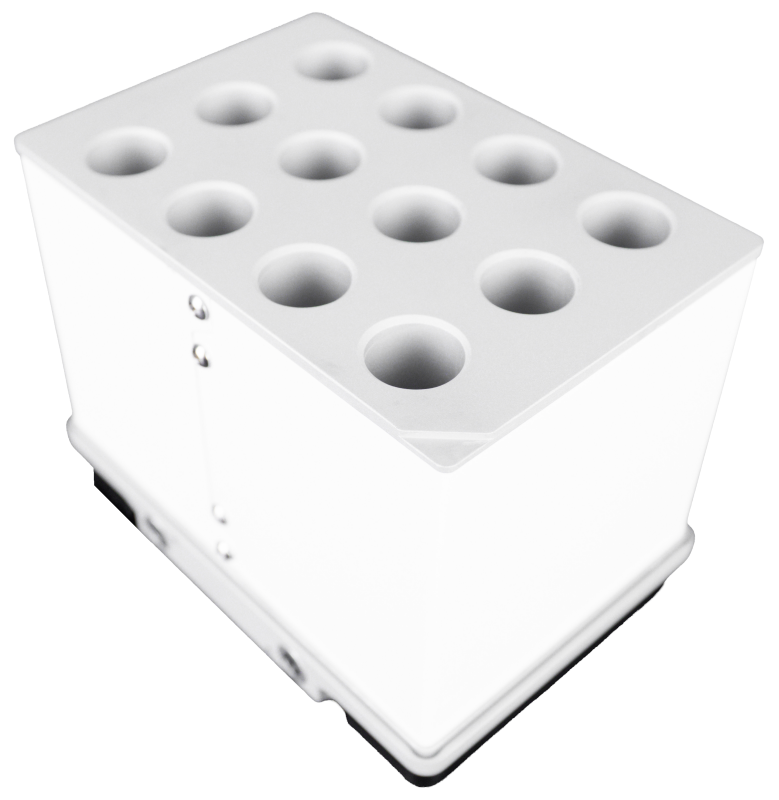
aµtoPULSE Cooling Rack for 15 mL Conical Tube
MINOR SOFTWARE CHANGES
aµtoPULSE has added several minor changes for better usability, including:
The Cleaning Station waste pump has been optimized to operate on demand—activating only when required—to improve efficiency and reduce wear during cleaning cycles.
Protocol Result data now includes more detailed activity logs to support clearer concentration data analysis.
Import CSV feature improvements:
Added new columns in the Profile template: Profile Name, Membrane Type, Air Recovery, and Buffer Recovery Volume.
Added a new Membrane Type column in the Labware template.
Updated imported CSV header columns from previous versions to ensure compatibility.
Added Concentration Rate to the live protocol graph in the Runtime Status and Protocol Result pages.
Multiple bug fixes to correct minor issues.