[ROCK MAKER Integration] Additive Screen Dispensing
Important
This feature is available from NT8 Version 4.13 and ROCK MAKER Version 4.10.
NT8 now lets you dispense Additive Screen layers targeted to a drop location using an experiment designed in ROCK MAKER.
Prerequisite:
You have an additive screen experiment designed in ROCK MAKER.
To dispense an additive screen:
Go to the RM Integration view.
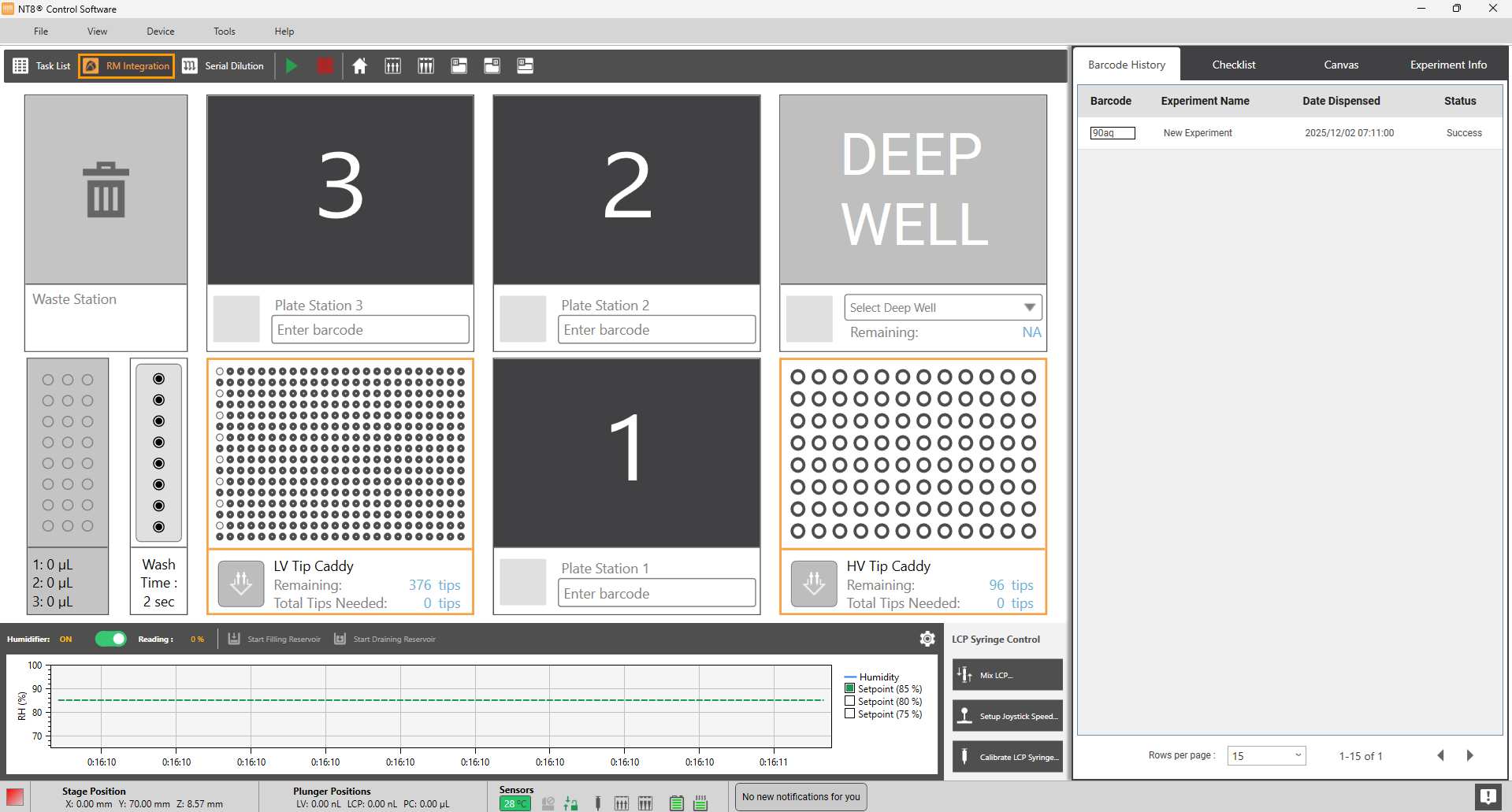
RM Integration View
Choose a plate station to dispense the additive screen and enter the experiment barcode number (the following example uses Plate Station 1) or scan the barcode with a barcode scanner (if it is available). After the barcode is validated, select a protein source block in the Select Protein Type dialog box. Then, click Continue in the Warning dialog box.
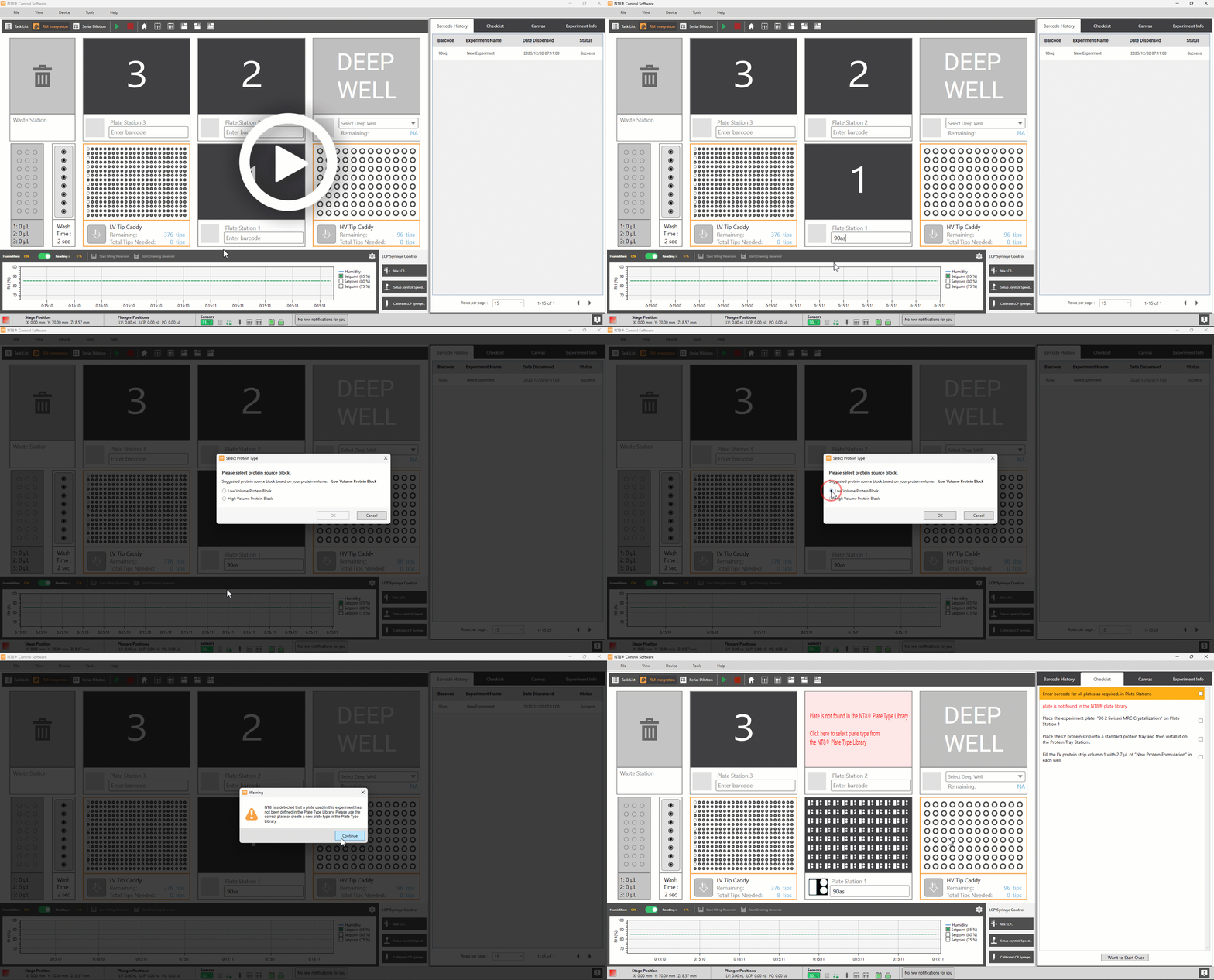
Loading an Experiment
Click the plate station where the additive screen is placed (highlighted in red). The example below uses Plate Station 2. Then, select a plate type.
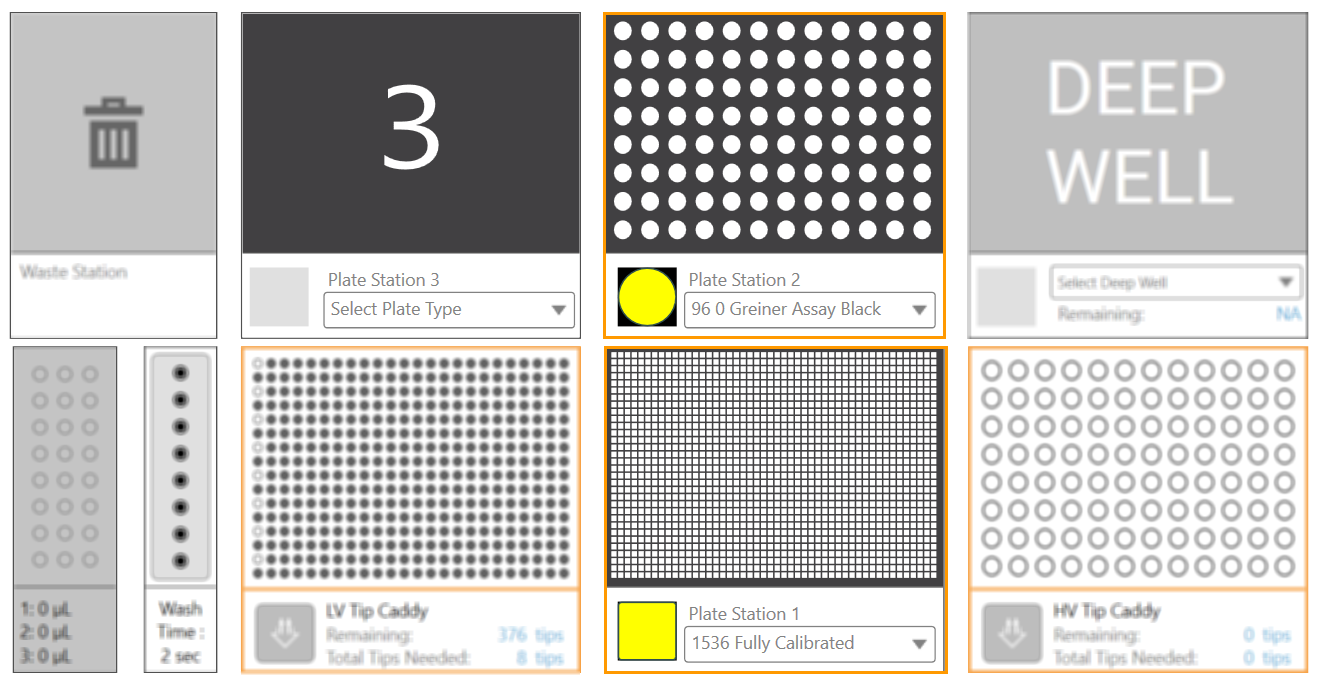
Selecting a Plate Type
Next, follow the on-screen instructions presented on the Checklist tab in the side panel. The instructions will guide you to physically prepare your labware to successfully execute the protocol. For more information, please read the ROCK MAKER Integration view.
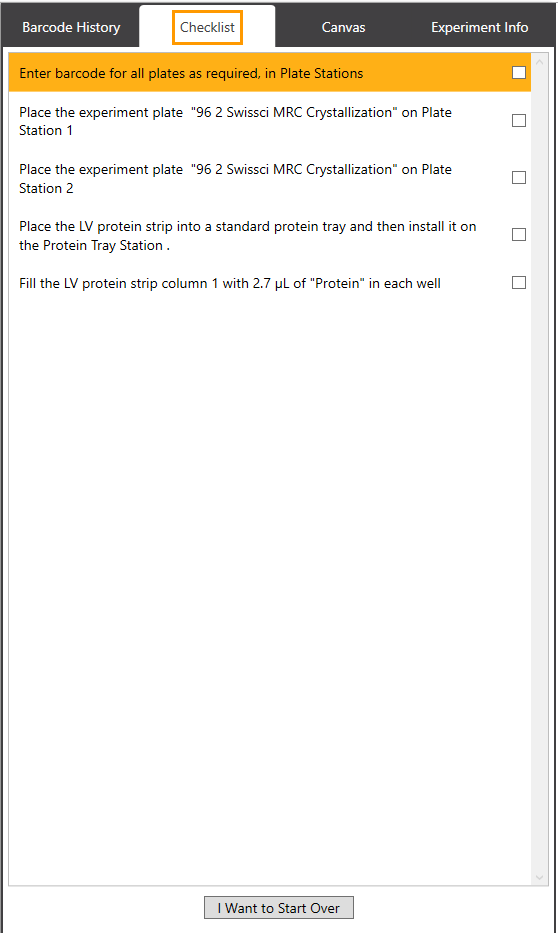
Checklist Tab
OPTIONAL: You can change the additive screen protocol set by ROCK MAKER.
Go to the Experiment Info tab on the side panel and click the Edit button.
In the Additive Screen Protocol field, select a dispense sequence protocol: first or last.
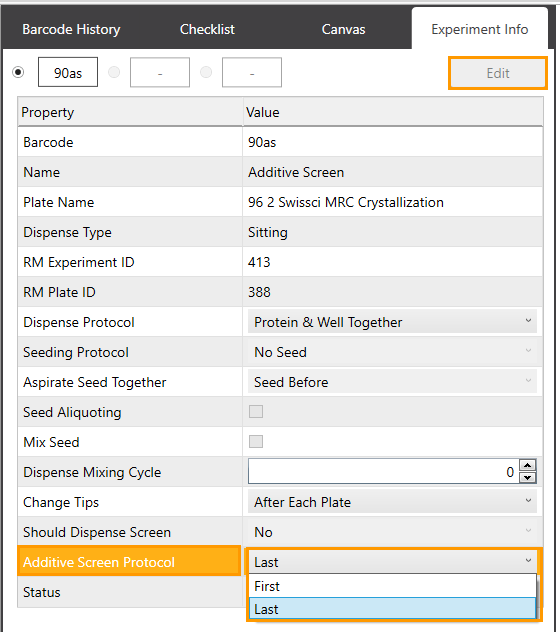
Additive Screen Protocol Field
If everything is set, click all checkboxes to confirm that you have completed all required instructions, as shown below.
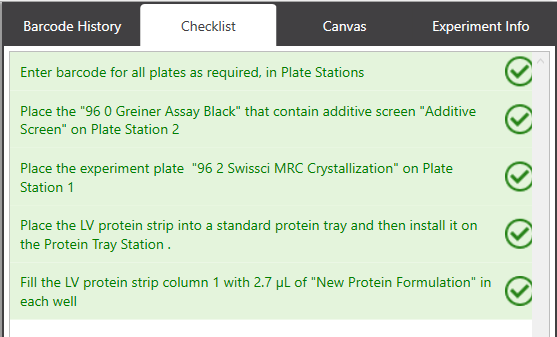
Completed Instructions
Select Yes, run the protocol in the Run Protocol dialog box that appears when clicking the last checkbox.
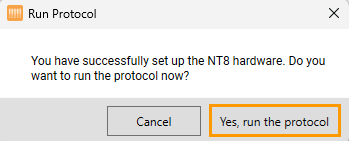
Run Protocol Dialog Box
Related Topics: