Software Overview
The NT8 Control Software comprises three different views: Task List View, ROCK MAKER Integration View, and Serial Dilution View.
Upon launching the NT8 Control Software, the Task List view is displayed by default. This view lets you manually define the protocol and sequence of dispensing by offering a highly customizable interface. Here is where most of your work will be done, such as designing an experiment, calibrating the reference plate and stations on the NT8 deck, as well as configuring the humidifier settings. If your NT8 is enabled for ROCK MAKER® Integration (RMI), you can switch to the RMI view, using the RM Integration button located next to the Task List view button. In ROCK MAKER Integration view, you can directly import and dispense an experiment as defined in ROCK MAKER.
Important
You must have ROCK MAKER 2.4 or later installed on your computer to enable the NT8 to connect with ROCK MAKER.
Next to RM Integration is the Serial Dilution view. This view lets you create serial dilutions using up to 1536 well plates. It lets you set up your serial dilution experiments by setting up different parameters like dilution factor, diluent, sample volume, and more.
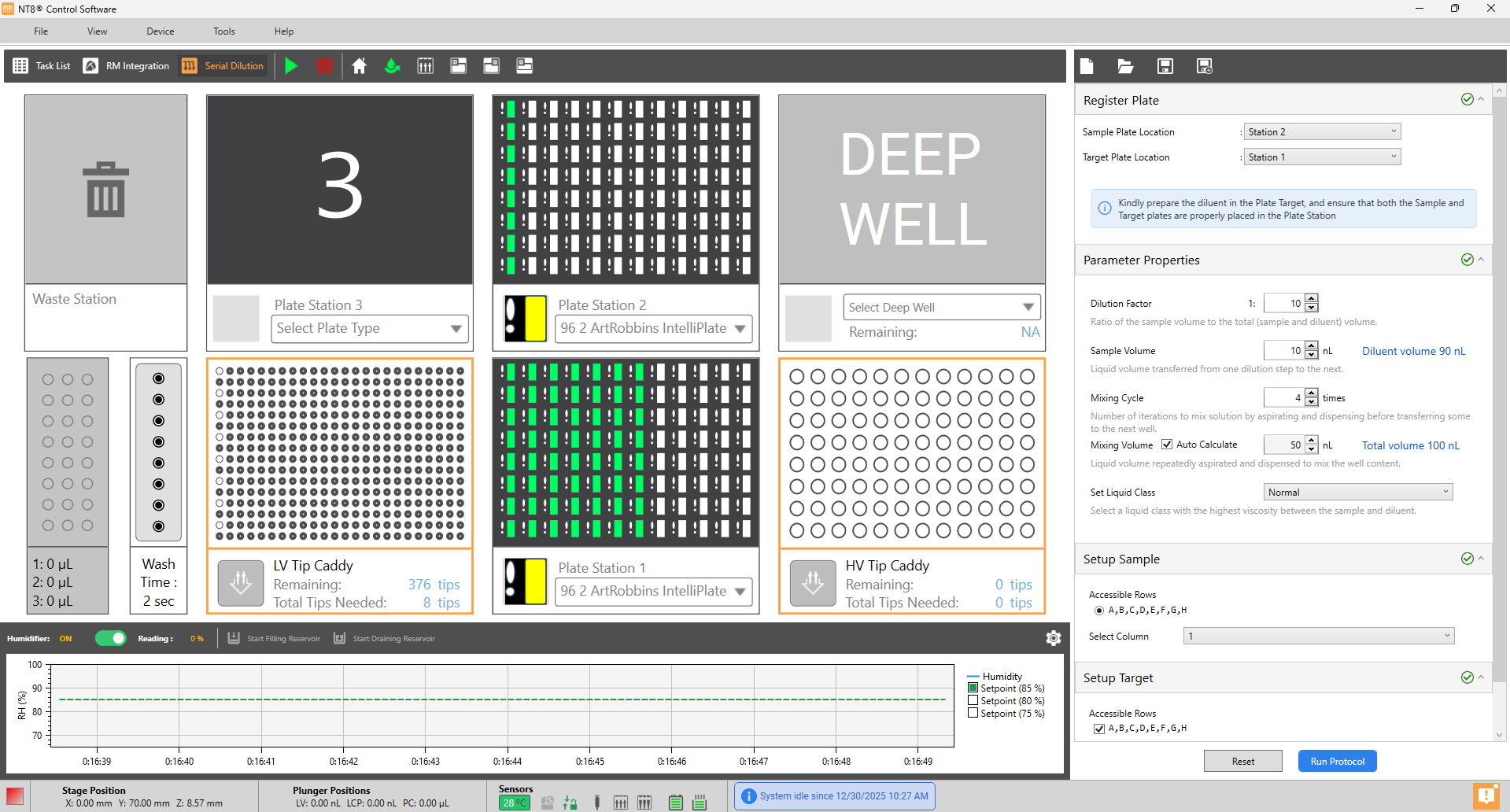
Task List, ROCK MAKER Integration, and Serial Dilution Views
Related Topics