What’s New in This Release?
ROCK MAKER version 4.10 comes with exciting new features, faster performance, and better stability. This version brings back keyboard shortcut and right-click menu support from version 3. It also brings back the Graphs from Search and Filter with a cleaner and fresher look. Running an analysis of your experimental data has become so much easier. Expand the functionality of your NT8 integration with this ROCK MAKER upgrade, which now supports the dispensing of additive screens in your drops.
Graph Menu in Search and Filter
Introducing Graph, an interactive way to analyze your experimental data using filters and conditions. Looking for the screens that give you the most crystal hits? At which concentration does the protein give the best hit rate? Which ingredients are most useful and at which concentration? And which buffer pH is most effective in crystallizing a certain protein? Let the Graph help you plot your data and find out.
Note
Graph only works with the Well Drop search target.
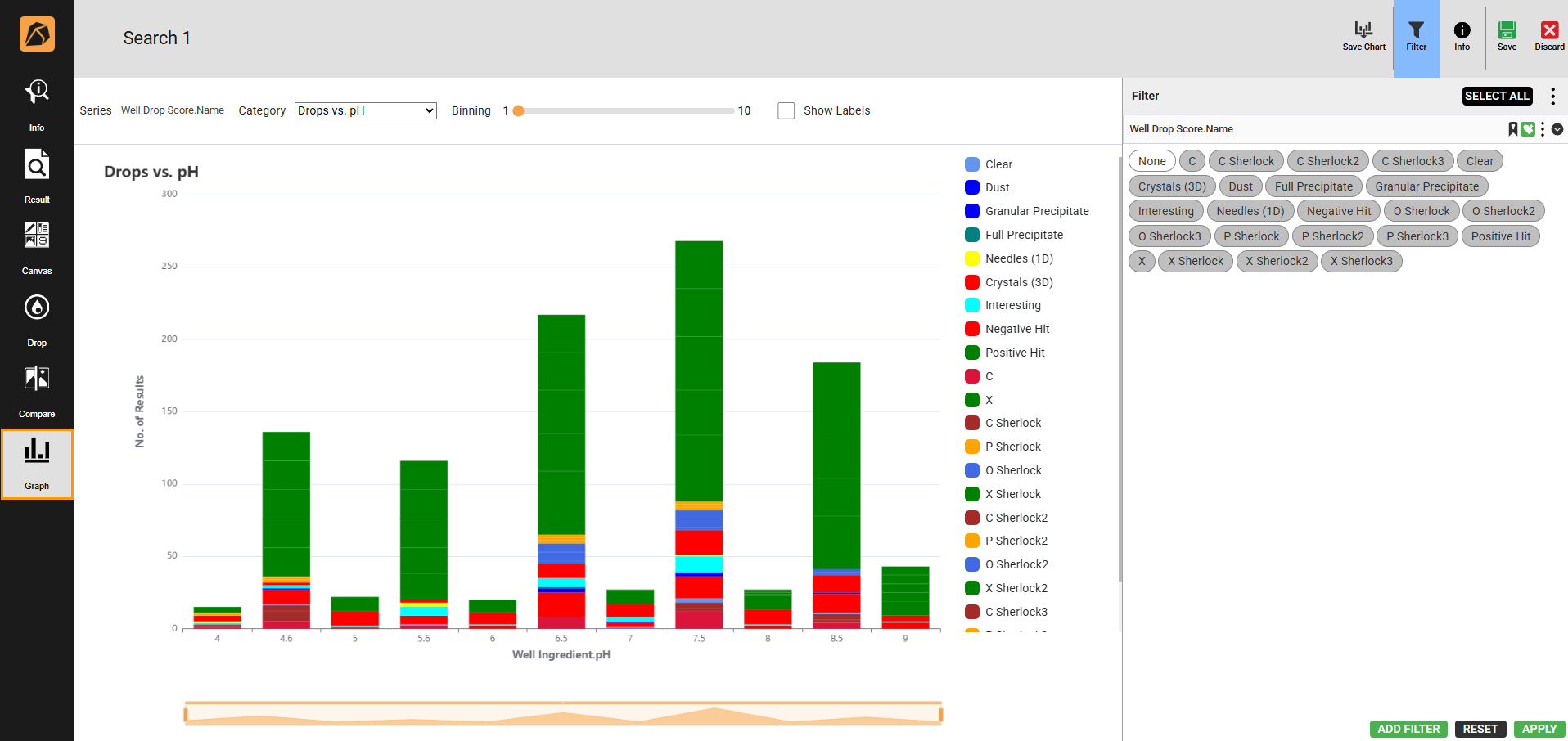
Graph Menu
Right-click Feature and More Keyboard Shortcuts
The new right-click feature puts control and convenience at your fingertips, giving you instant access to context-sensitive menus with less navigation. In addition, more keyboard shortcuts speed up command execution for common actions. Altogether, these updates save time, boost productivity, and maintain a seamless workflow.
Additive Screen Dispensing in NT8
ROCK MAKER-NT8 integration now supports additive screen dispensing to your plate drops. Design your additive screen experiments in ROCK MAKER with ease and no restrictions.
Zoom Sync or Unsync Feature in Experiment Page
The Sync or Unsync Zoom button in the Compare menu synchronizes or unsynchronizes each image zoom, offering flexibility.
Sync/Unsync Button
Other Improvements
ROCK MAKER version 4.10 also delivers improved stability and bug fixes. See Release Notes to find out more.