Enabling the Script Mode
If you are attempting to lubricate the plate copy plungers, you will first need to edit the user interface configuration file in order to display the Script mode.
Important
The following tutorial is for advanced users and administrators only.
To enable the script mode:
If you are running the NT8 Control Software, exit the software.
Go to:
C:\ProgramData\FORMULATRIX\NT8\2\Data\Device\Configs.
Find UserInterface.config and open the file.
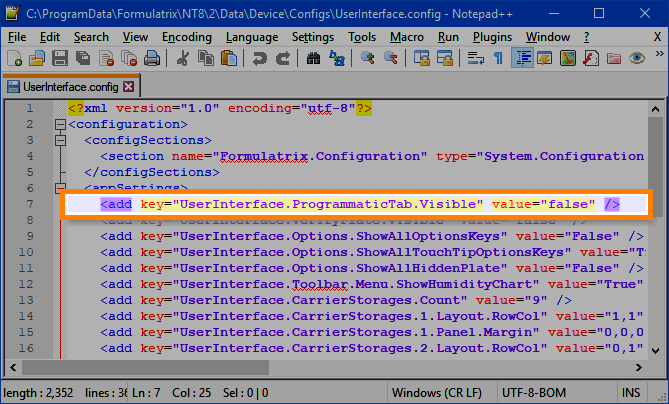
Userinterface.config
Locate the following string and edit it so that it looks like this (without the highlight):
<add key="UserInterface.ProgrammaticTab.Visible" value="true" />
Save the changes.
Restart the software. You should now see the Script mode, as shown below.

The Script Mode
Related Topic