Scoring Images Using AI-Based Auto Scoring Models
ROCK MAKER comes with an auto scoring infrastructure that supports multiple auto scoring models. The infrastructure comes equipped with FORMULATRIX’s in-house auto scoring model, Sherlock. With improved accuracy compared to MARCO, Sherlock raises the bar in identifying crystals with exceptional reliability.
Our auto scorers will score images from 0% - 100% (or 0 - 1). The higher the score, the higher the chances of having a crystal.
Sherlock
Trained in-house, Sherlock is a model that improves the prediction results of crystals in drops. These improvements result from process changes at FORMULATRIX, using auto scoring model networks and training with additional and diversified customer data and feedback.
The previous Sherlock version classifies images into 5 classes: crystal else, crystal, others, precipitate, and clear. Crystal else is a new class introduced, denoting an image with a combination of crystals and other classes. This provides users with more detailed information about the images and helps to ensure more accurate classifications. The crystal else class represents a state where crystals have formed in a drop, but the presence of non-crystal elements (such as precipitate or phase separation) lowers its rank compared to the crystal class.
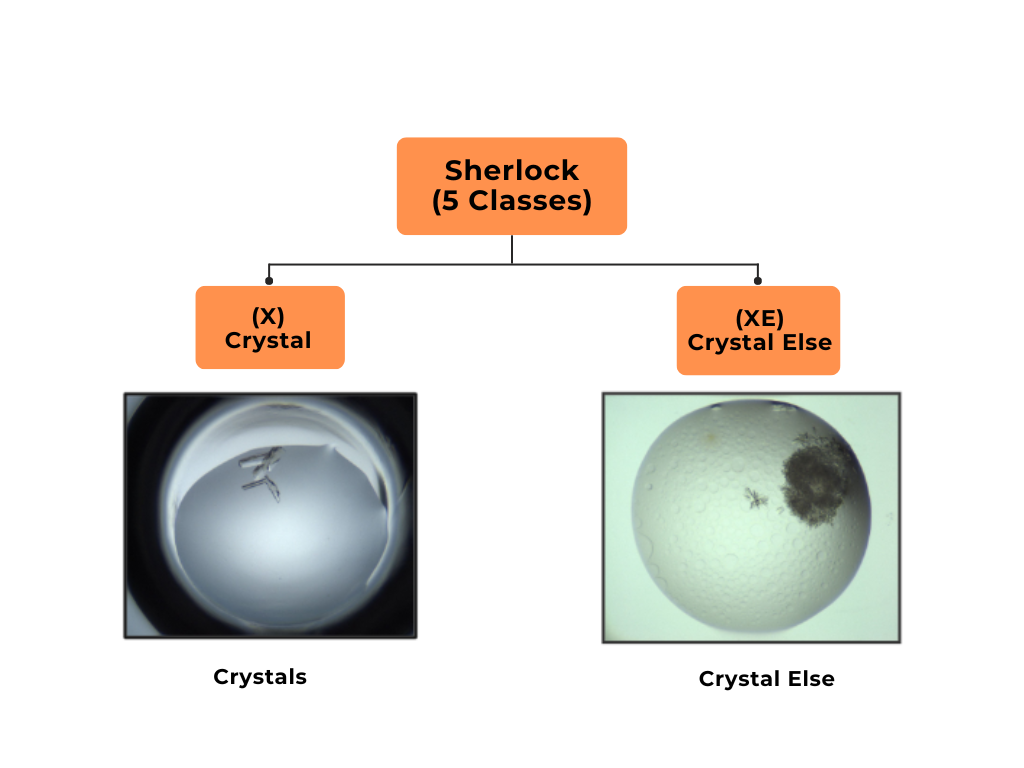
The difference between the crystal and crystal else classes*
*The crystal class has a score of 0.8-1.0 and only consists of crystals, as shown in the image on the left-hand side. The crystal else class has a score of 0.6-0.8 and has other classes alongside the crystal class. In the image on the right-hand side, the crystal else has crystals and phase separation.
Sherlock Classes |
Score |
Color Code |
|---|---|---|
Crystal |
0.8-1.0 |
|
Crystal Else |
0.6-0.8 |
|
Others |
0.4-0.6 |
|
Precipitates |
0.2-0.4 |
|
Clear |
0.0-0.2 |
|


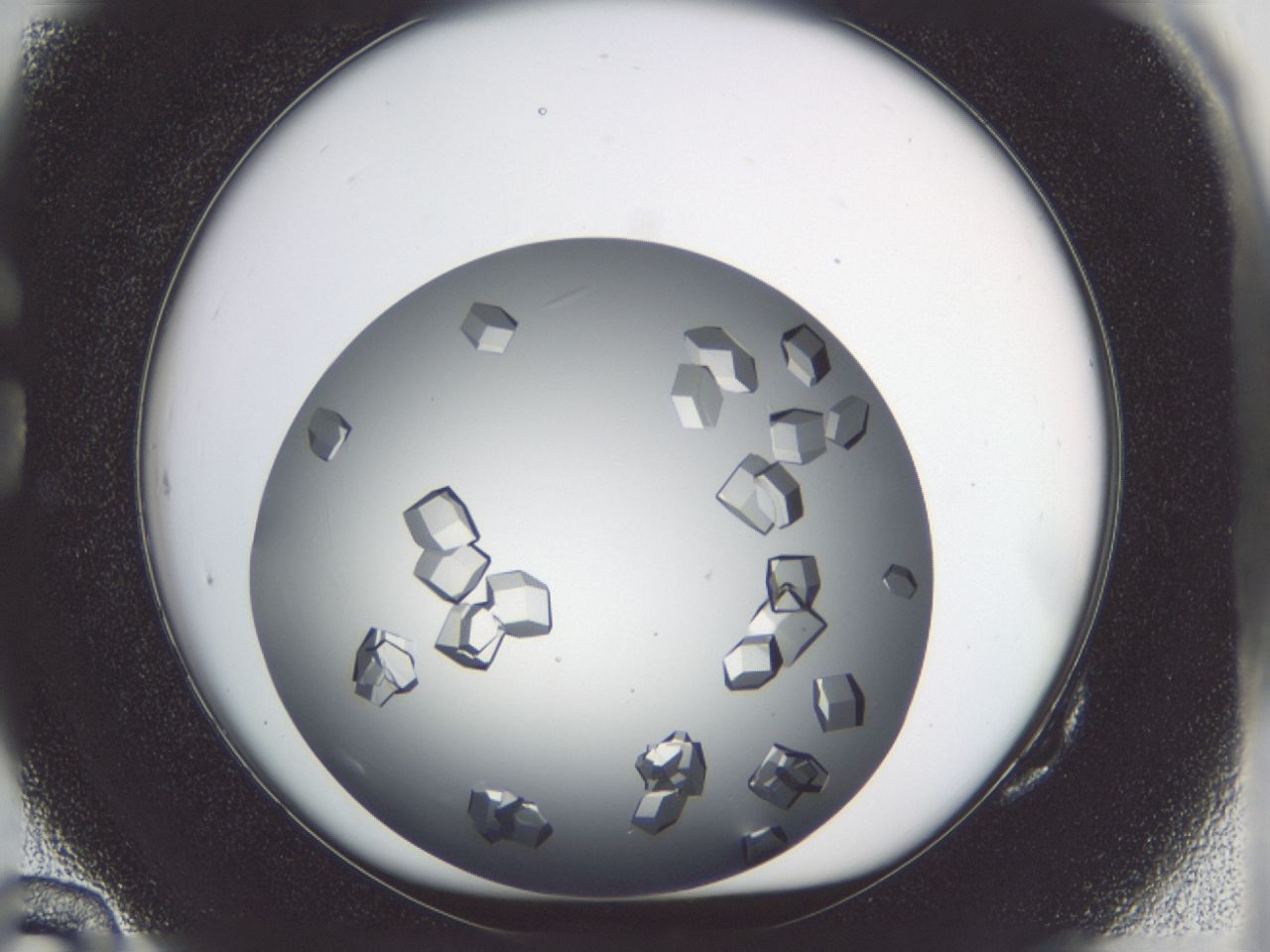
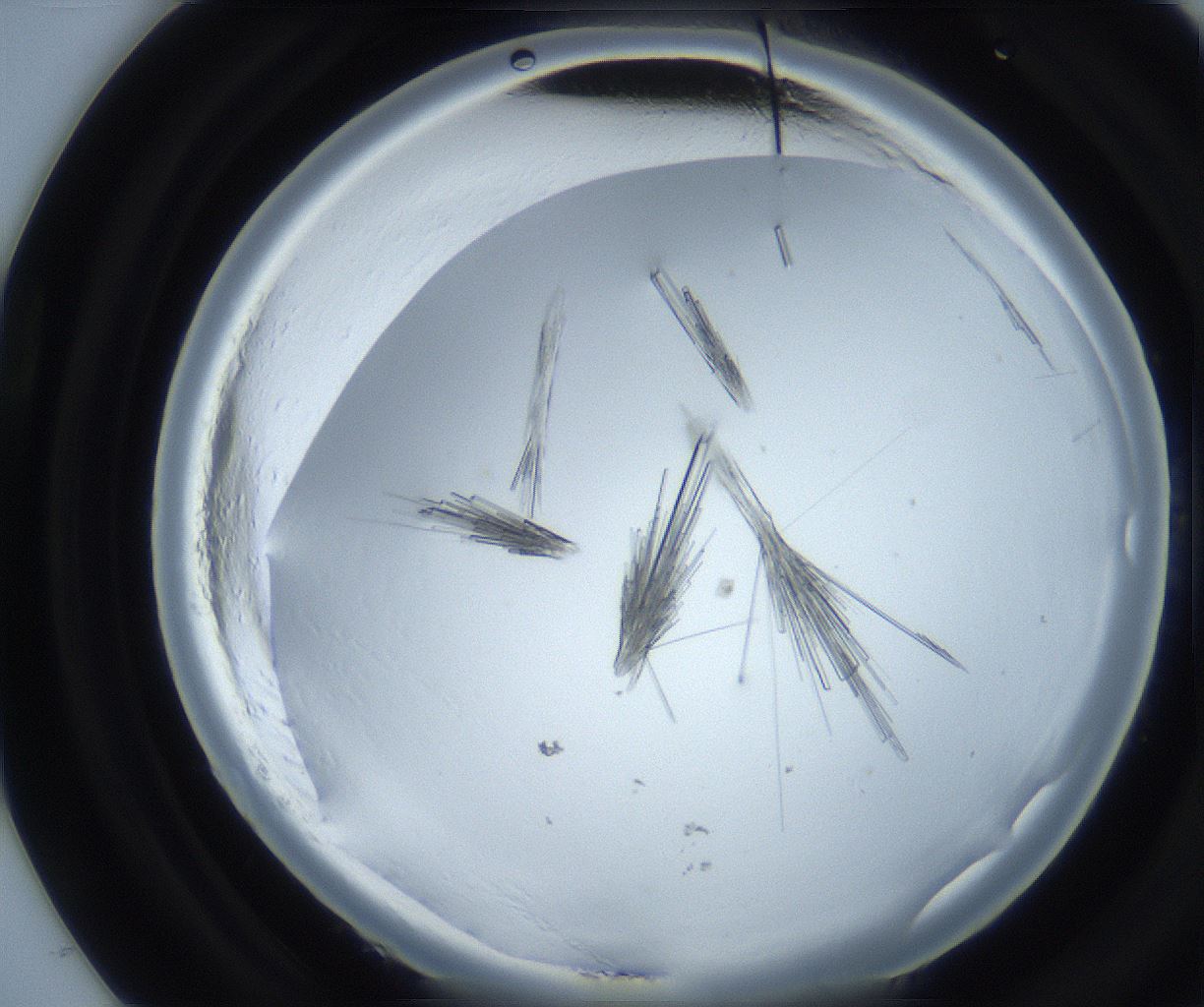
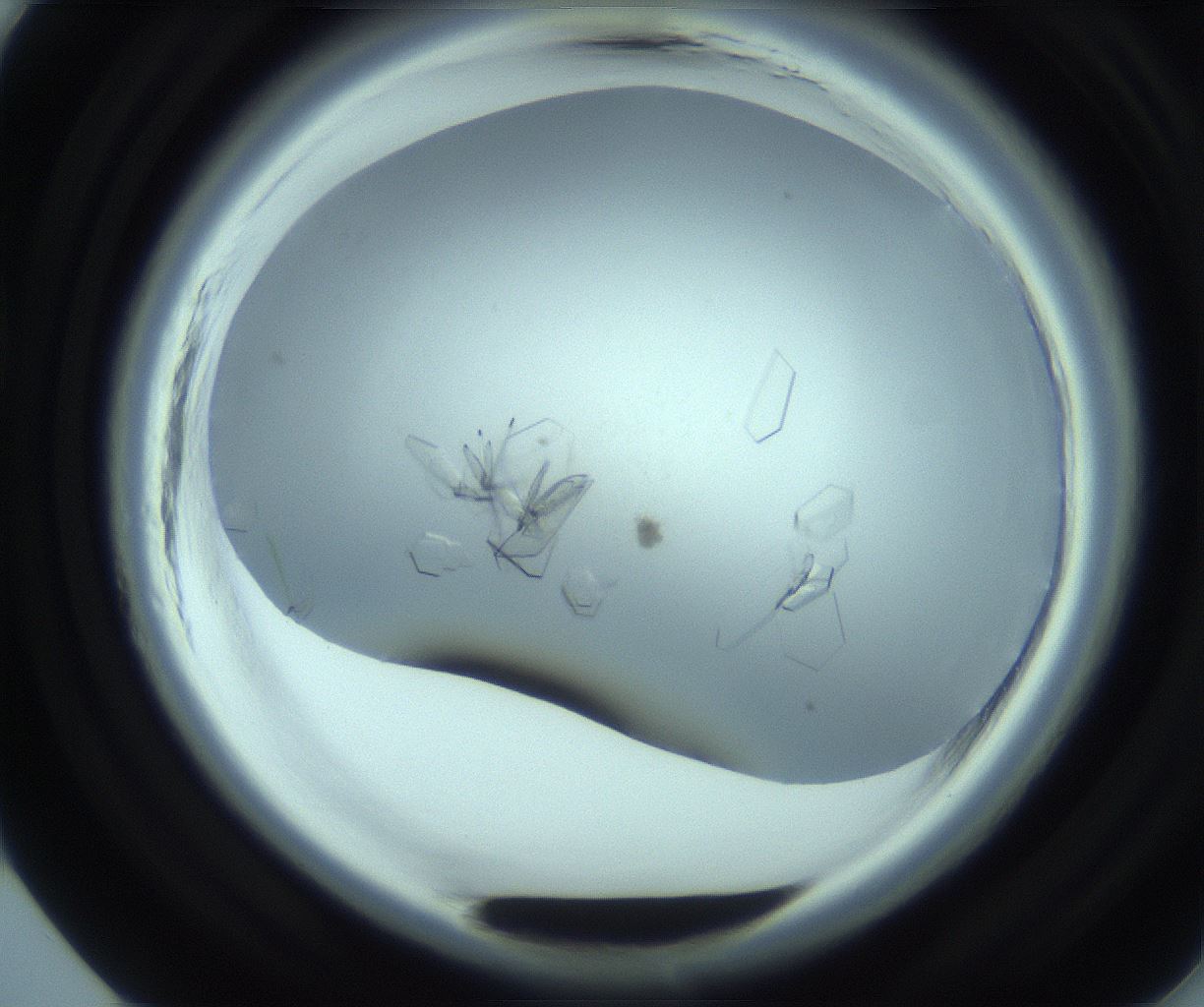
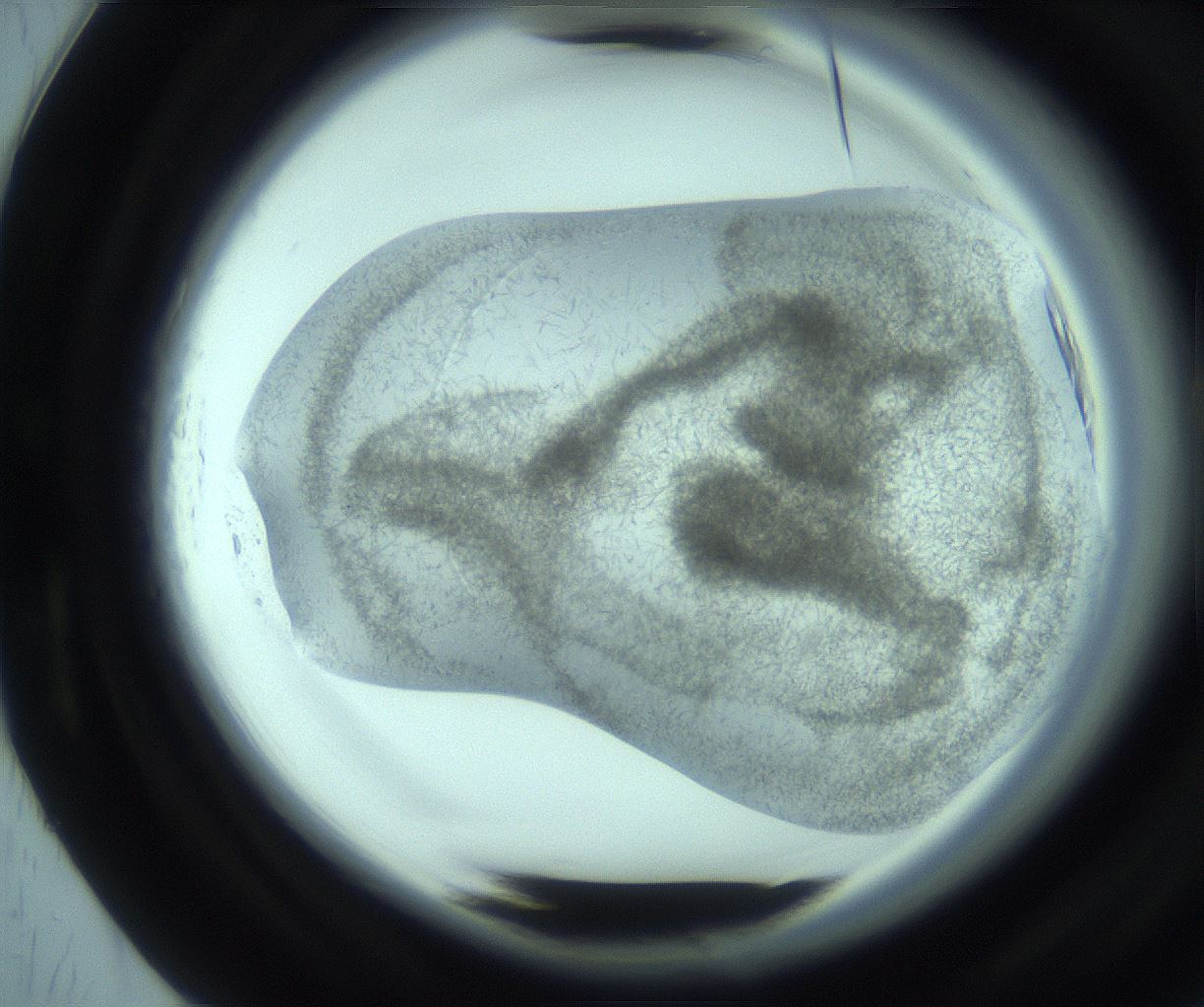
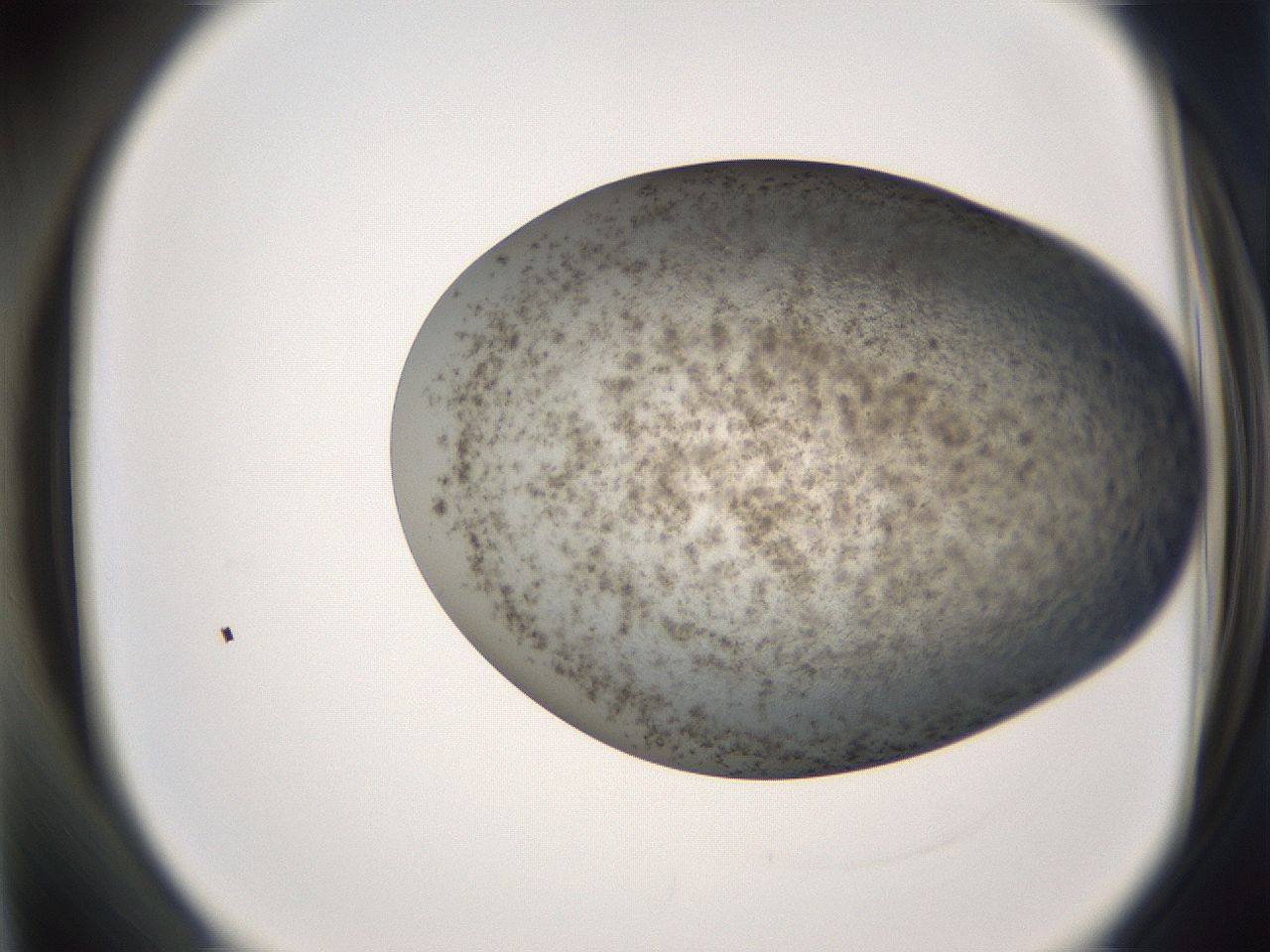
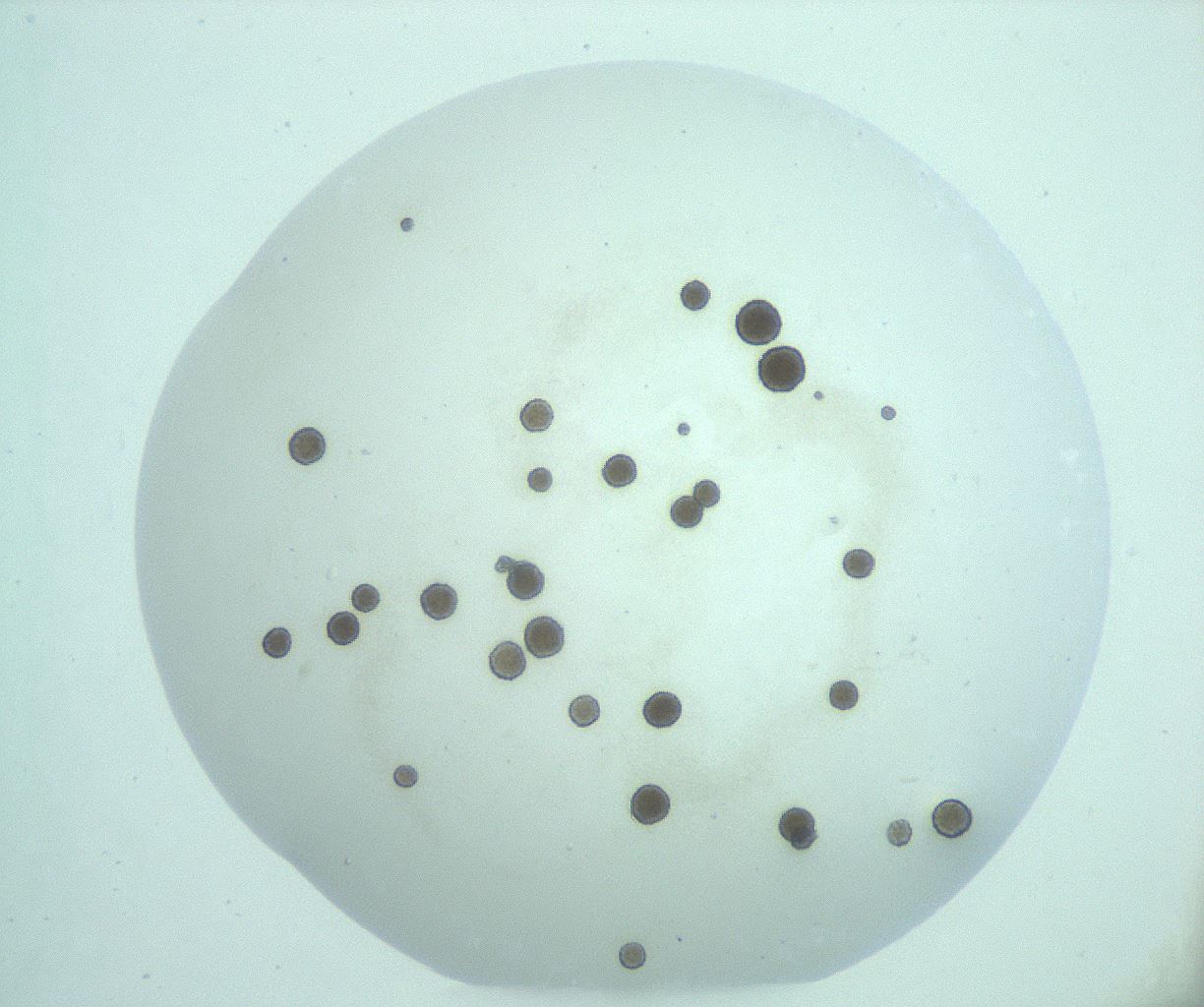
Sherlock 3, the latest Sherlock version, classifies crystals based on morphology into six classes from good diffraction to poor quality crystals: 3D, rods, plates, needles, microcrystals, and spherulites. This classification helps identify high-quality crystals suitable for X-ray diffraction analysis.
Morphology Classes |
Score |
Image Example |
|---|---|---|
3D |
0.9-1 |
|
Rods |
0.84-0.9 |
|
Plates |
0.78-0.84 |
|
Needles |
0.72-0.78 |
|
Microcrystals |
0.66- 0.72 |
|
Spherulites |
0.60- 0.66 |
|
Sherlock 3.1 includes the previous crystal classes—crystals, crystal-else, phase separation (previously named “others”), precipitates, clear, and contaminants—enhanced with morphology classifications ranging from 3D, rods, plates, needles, microcrystals, and spherulites.
All Sherlock versions work best with images captured using polarized and visible lightpaths at zoom levels around 70% to avoid images being too small or cropped.
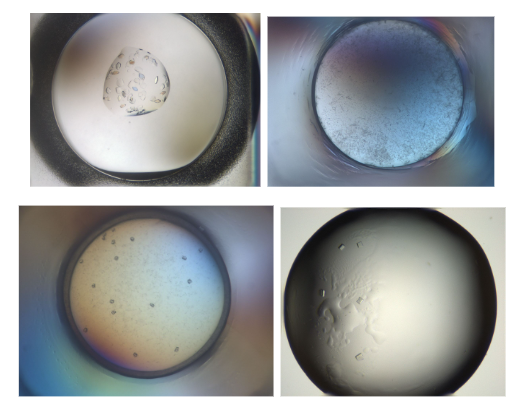
Sample Images That Work Best With Sherlock
The following sample images are considered not ideal for auto scoring accuracy. These are still supported, but may not give the most accurate scoring results.
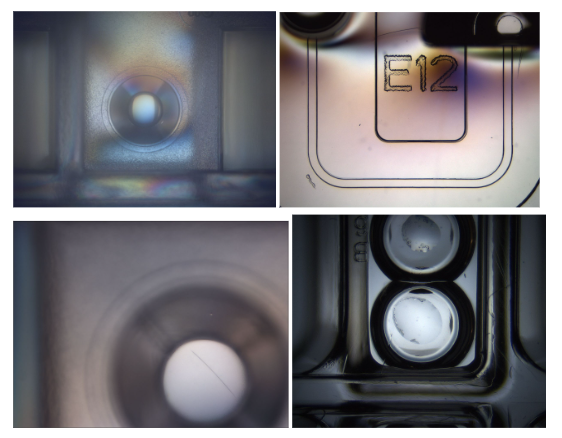
Sample Images Considered Not Ideal for Auto Scoring Accuracy
Sherlock: An Improved Crystal Detection
Sherlock provides you with improved accuracy and recall in identifying crystals when compared to MARCO (find out more about the AI-Based Auto Scoring Framework).
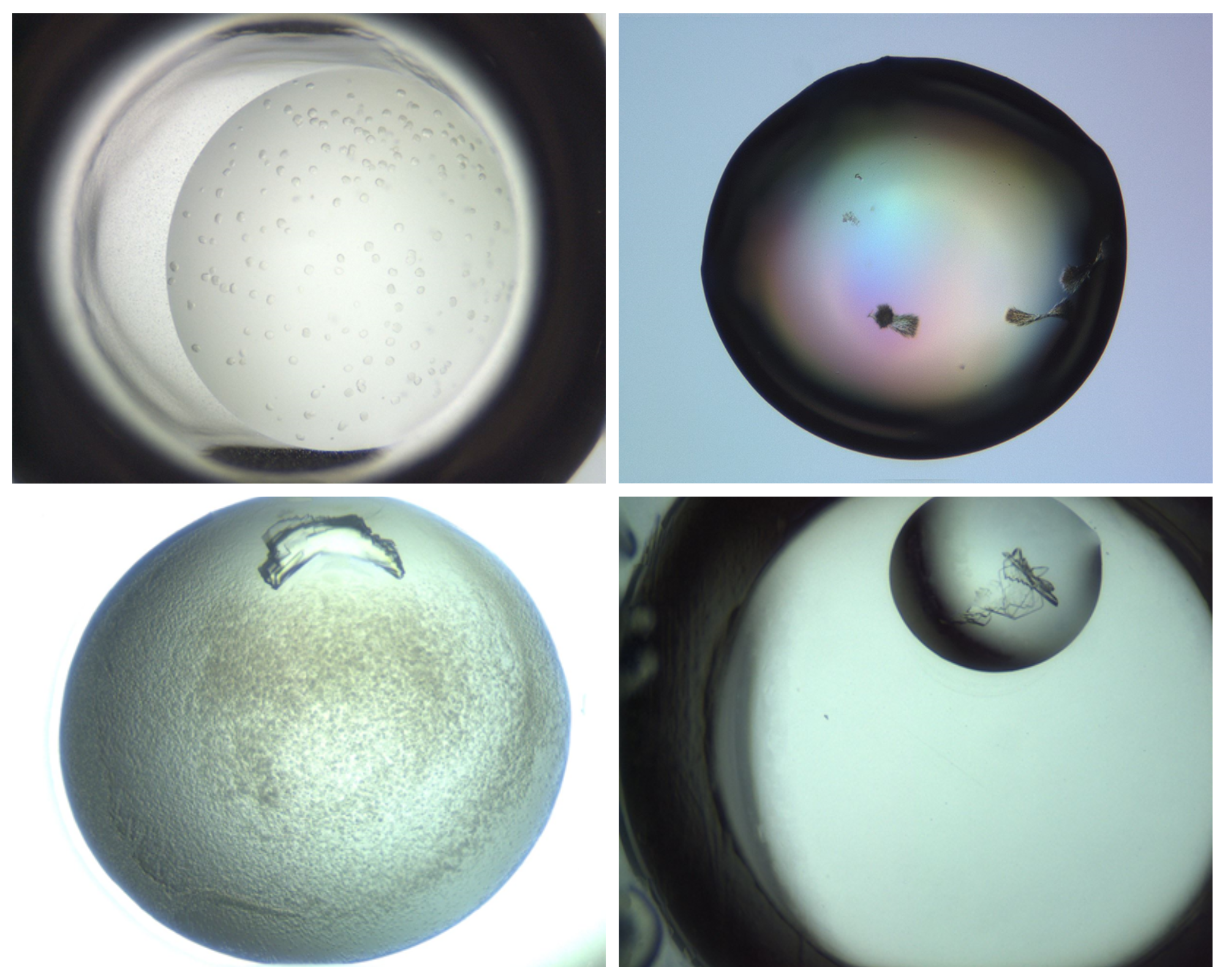
Images where Sherlock Outperformed MARCO*
*Crystals identified by Sherlock but missed by MARCO.
As we can see on the chart below, Sherlock 2 gains more accuracy and recall than MARCO and Sherlock 1 with our data set. With the new Sherlock 3, your crystals get further ranked by how good the crystal is, showing the 3D crystals at the top. Provided you choose to send images for training through ROCK MAKER, our AI models will continue to improve in overall accuracy and recall, while reducing false results.
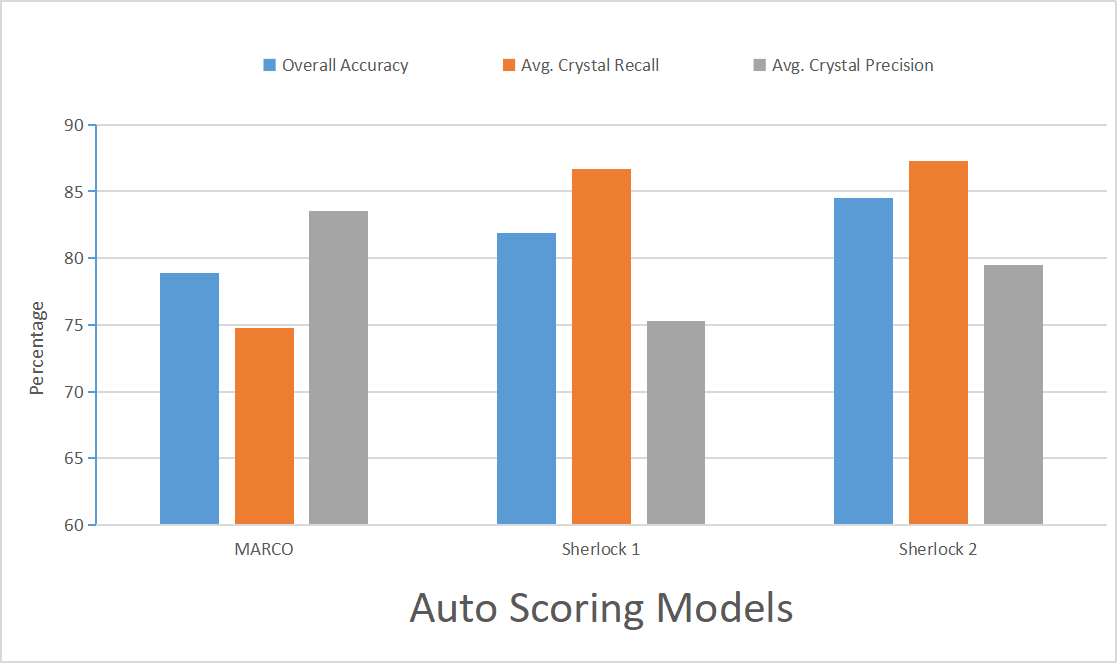
Results Compiled from Data Provided by 6 Different Customers
*Overall Accuracy measures the proportion of correct predictions when compared to human crystallographers.
*Crystal Recall measures the percentage of actual positive cases the model identifies correctly.
*Crystal Precision measures the true positive rate in the model. Higher crystal precision indicates higher true positive rates and lower false positive rates.
AI-Based Auto Scoring Framework
Our auto scoring infrastructure includes a self-updatable virtual machine (implemented in the Virtual Box) and within it all auto scoring model scorers, including Sherlock v3, Sherlock v2, Sherlock v1, and MARCO. The recommended version of Virtual Box to support Sherlock v3 is version 7.1.3. The virtual machine is often deployed on the ROCK IMAGER controlling PC. Our framework will ensure all newly captured images get scored with all enabled auto scoring models. It is important to note that running more than two models together comes with a time cost.
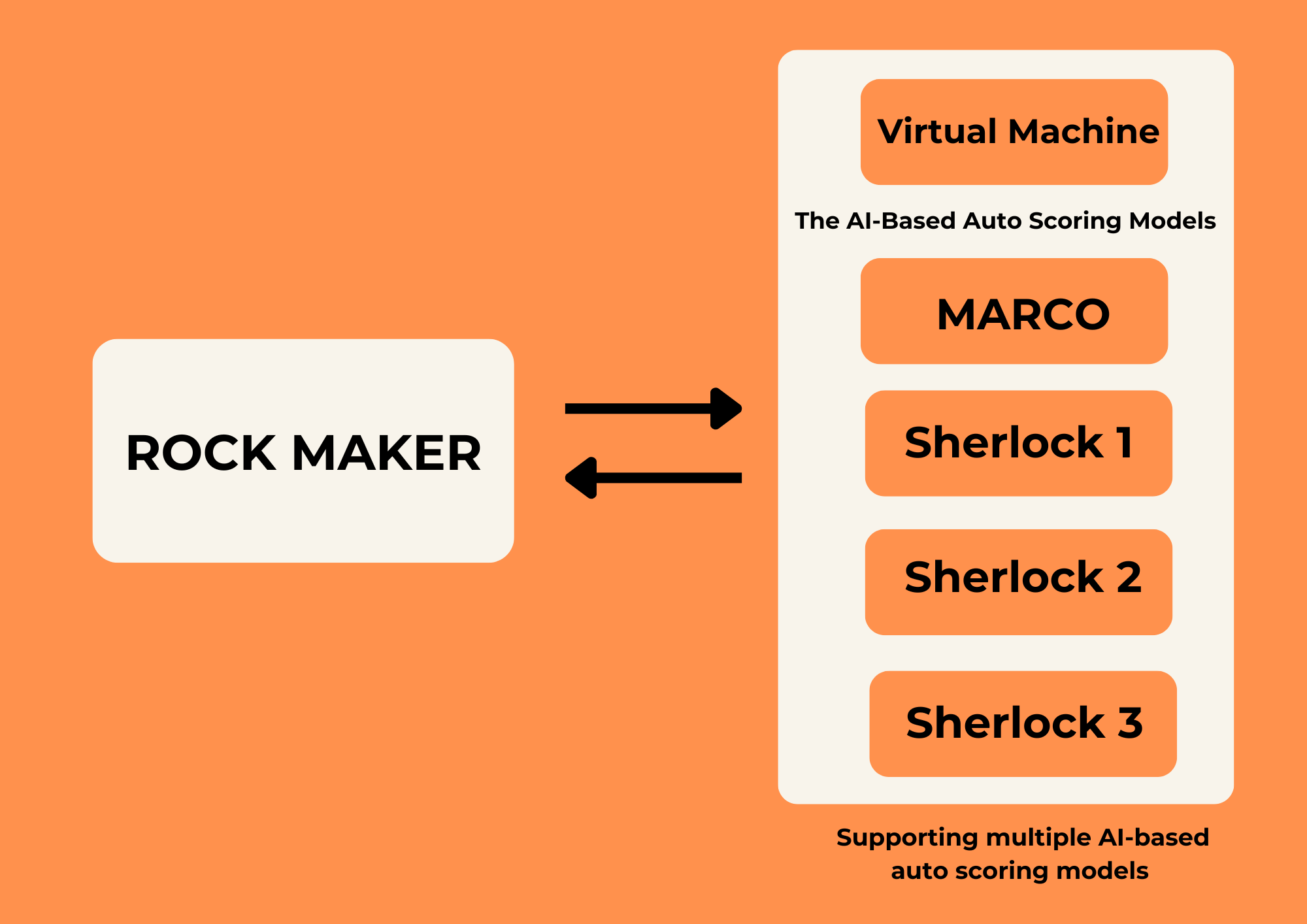
Auto Upgradable-Sherlock Framework
Switching AI-Based Auto Scoring Models
Important
Only administrators can execute this task.
Considering the time it takes to score the images, it is best to have up to 3 models enabled simultaneously, preferably MARCO and two Sherlock models of your choice. Once the latest model is available, you will get a notification email and can configure it from the Global Preferences submenu in the Settings menu.
To enable or disable any AI-based auto scoring models on your ROCK MAKER:
Open your ROCK MAKER and go to the Settings menu
 .
.Click the Global Preferences submenu. Then, click the Scoring tab.
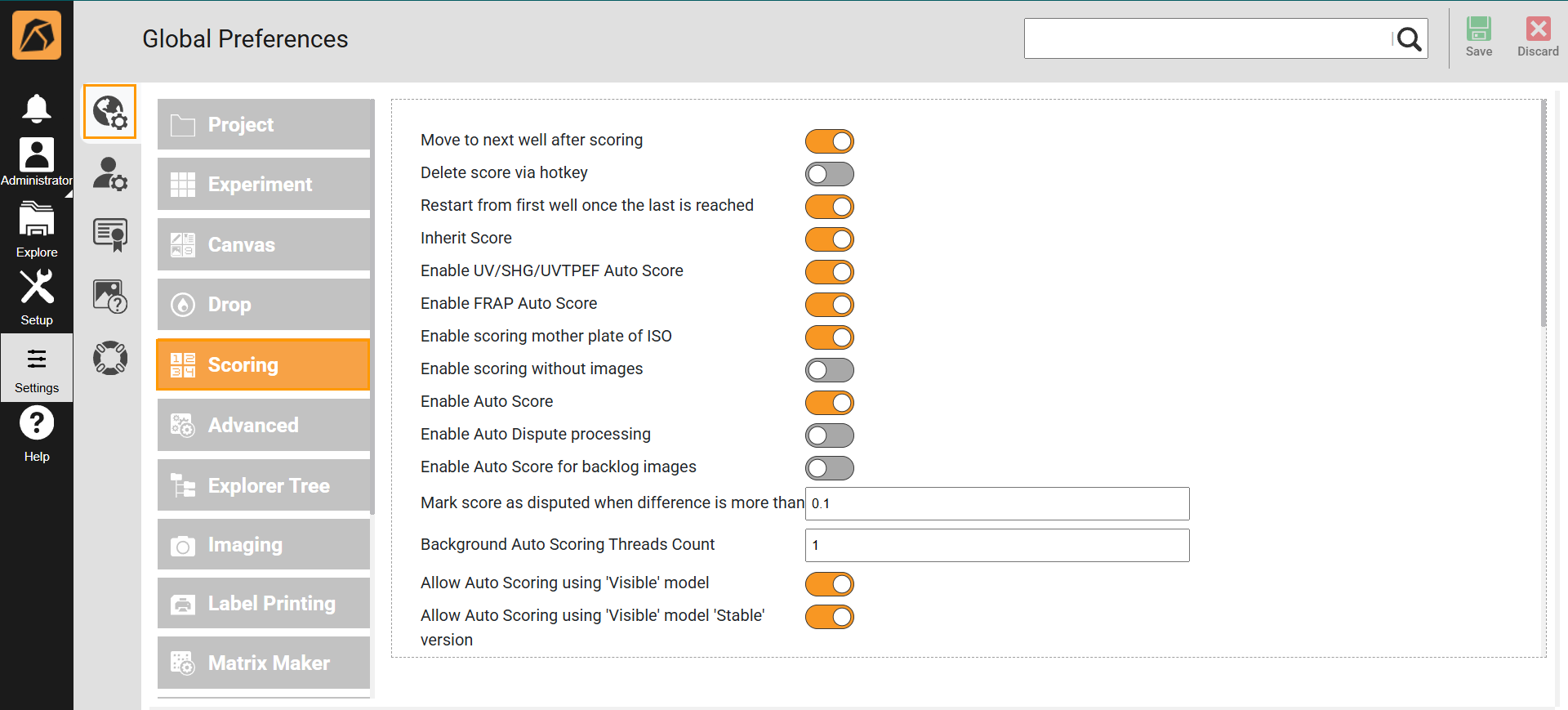
Global Preferences Submenu and Scoring Tab
Locate the auto scoring model(s) you want to enable or disable and click the toggle button
 .
.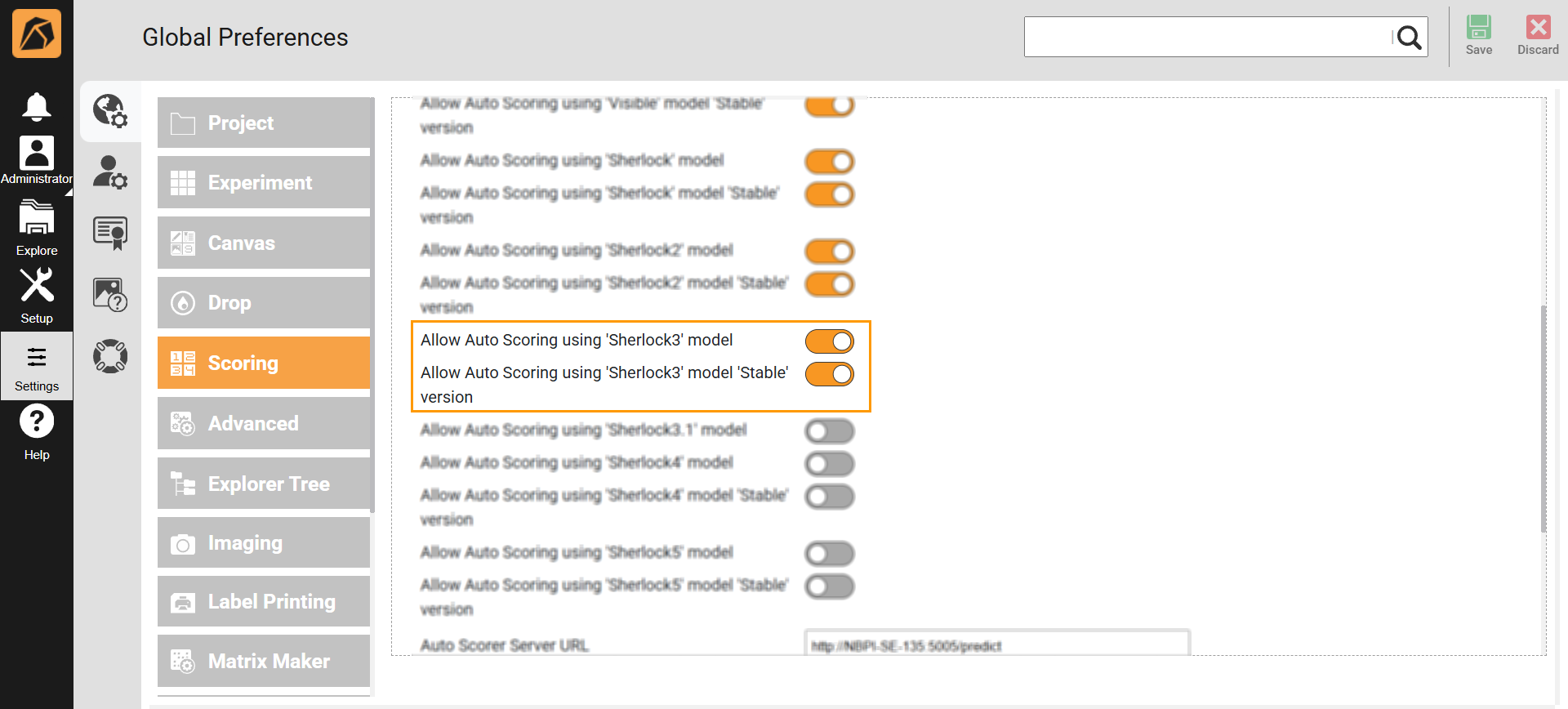
Locating AI-Based Auto Scoring Model
Click Save
 on the top right bar of the Global Preferences submenu.
How Does AI-Based Auto Scoring Work?
Once service is installed on your computer and enabled in ROCK MAKER, all upcoming inspections imaged using visible light path will automatically be scored by all selected auto scoring models.
Previous Sherlock versions score each drop into five classes: clear, precipitate, others, crystal, and crystal else, and will have respective probabilities associated with them where 1 (or 100%) is most likely to be a crystal and 0% is least likely to be a crystal. The probabilities are then converted to a final score and labeled by the ROCK MAKER.
In addition to the above scoring system, Sherlock version 3 introduces morphology-based scoring, categorizing each drop into six classes ranging from good diffraction to poor quality crystals: 3D, rods, plates, needles, microcrystals, and spherulites.
You can view the details of the scores from the Auto Score tab in the Score panel and the final score in either the canvas or the drop view.
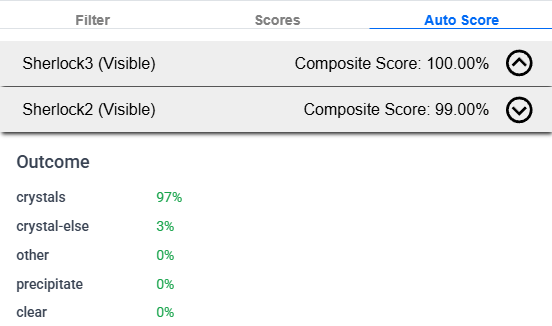
Previous Sherlock Detail
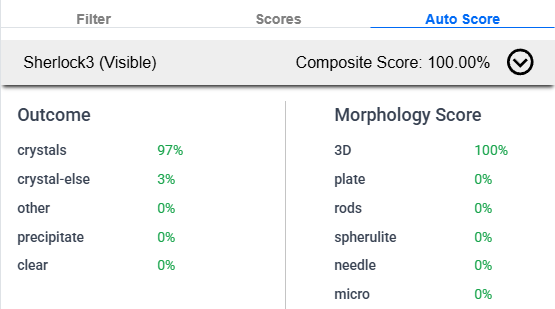
Sherlock Version 3 Detail
The composite score is calculated by combining the probabilities and a weight factor. The probabilities represent the confidence level of the scoring model for the corresponding classification. A drop marked 97% as a crystal (as displayed in the image above) would mean that the model is 97% confident over the existence of a crystal in that drop.
Auto Scores Status Dialog Box
Accessible from the Integrations section on the main page, the Auto Scores Status dialog box displays the auto scoring model’s status: reachable or not reachable.
Accessing Auto Scores Status Dialog Box
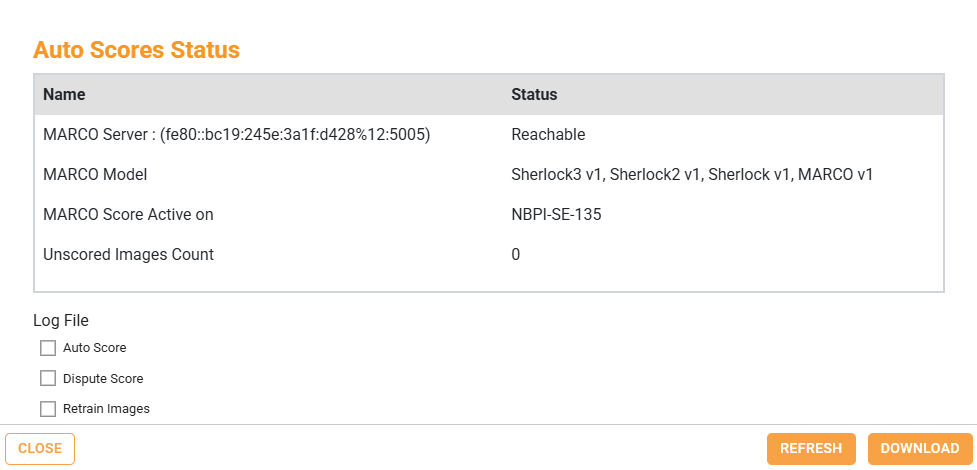
Auto Scores Status Dialog Box
This dialog box allows you to:
Select the log you want to download in the Log File section: Auto Score, Dispute Score, or Retrain Images.
Save the scoring log(s) as TXT files on your local drive using the DOWNLOAD button.
Update the information in the dialog box upon changes using the REFRESH button.
Exit the dialog box using the CLOSE button
 at the bottom right or
  on the top right corner.
Dispute AI-Based Auto Score
Although Sherlock makes great promises, it might not be perfect for all situations. Using your feedback, we will continue to improve the models and release them as we see the improvements. If you disagree with any of the auto scores, we encourage you to send us feedback: click the Dispute button  and the
Dispute Auto Score dialog box will appear. Fill in the form, and your suggestions and images will be sent to us upon clicking the OK button. It will not share the metadata of the images.
and the
Dispute Auto Score dialog box will appear. Fill in the form, and your suggestions and images will be sent to us upon clicking the OK button. It will not share the metadata of the images.
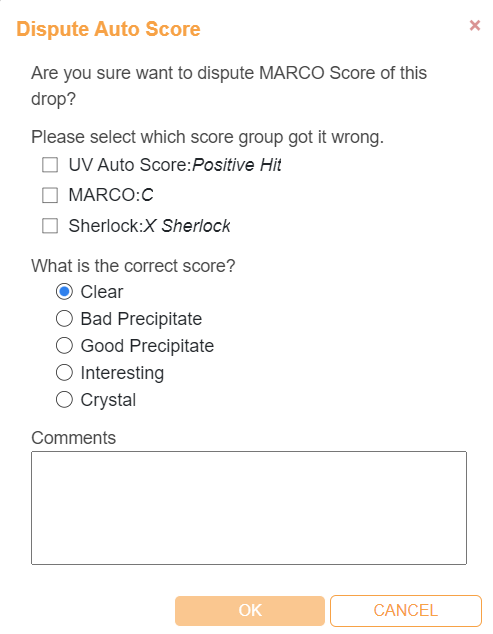
Dispute Auto Score Dialog Box
The Dispute icon on the top right corner of the drop image indicates that the auto score result has been disputed.
Disputed Auto Score
Related Topics: