Rotating a Screen Canvas
ROCK MAKER enables you to rotate your screen canvas design to 180 degrees from the Explore menu or screen experiment page. If you manually transfer well conditions from Falcon tubes to a deep well block positioned backward, the resulting screen will be rotated 180 degrees from the original design. For example, the conditions for well A1 will be located in H12, A2 in H11, and so on.
Prerequisites:
You have a custom layer with 96 well conditions on your screen.
The Screen: Allow screen experiment repair field in the Advanced tab of the Global Preferences submenu is active. Otherwise, contact your ROCK MAKER administrator.
Rotating Screen Canvas from the Explore Menu
From the Explore menu, you can rotate a single or multiple screens.
Rotating a Single Screen
To rotate a single screen:
Go to the Explore menu.
In the main explore panel, click a screen.
Locate the Screen Information panel on the right side, click
, and select Rotate Canvas.
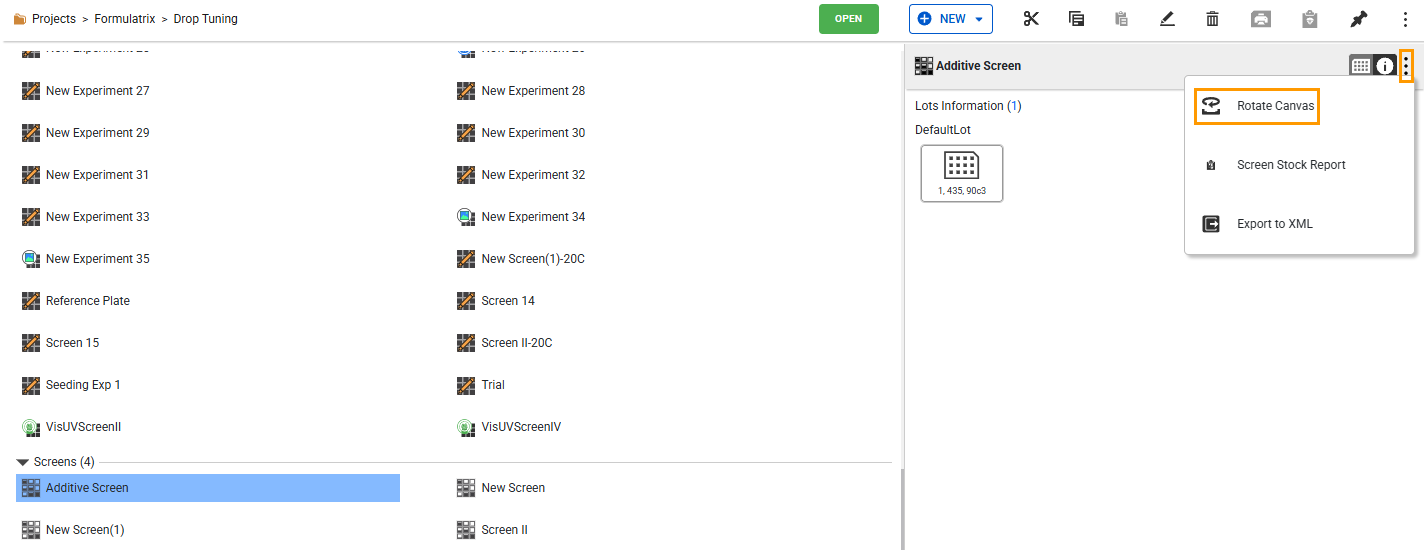
Rotate Canvas Option
In the Rotate Canvas dialog box, click YES, PROCEED.
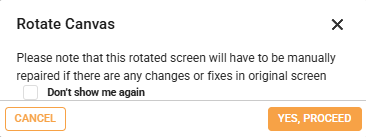
Rotate Canvas Dialog Box
Note
You can tick the Don’t show me again checkbox to prevent the dialog box from appearing in the future.
The process takes a few moments. Once it’s done, the rotated screen is saved as [Original Screen Name]_Rot180.

Rotated Screen
Rotating Multiple Screens
To rotate multiple screens:
Go to the Explore menu.
In the main explore panel, hold Ctrl on your keyboard while clicking multiple screens.
Locate the Screen Information panel on the right side, click
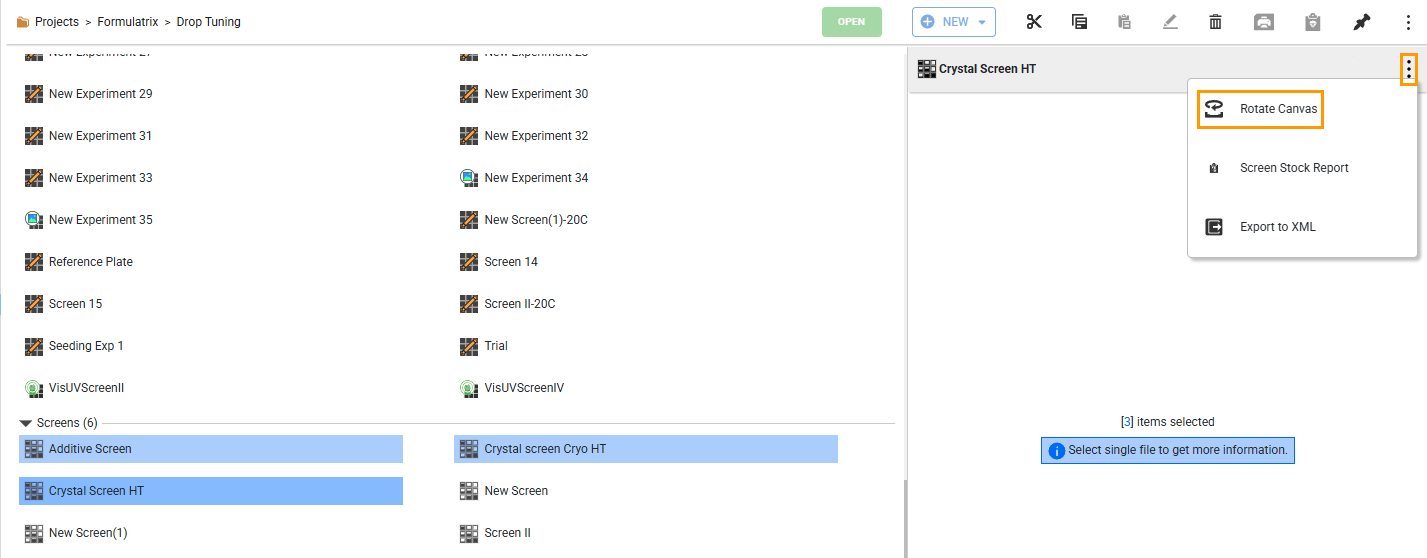
Rotate Canvas Option with Multiple Selected Screens
In the Rotate Canvas dialog box, click YES, PROCEED.
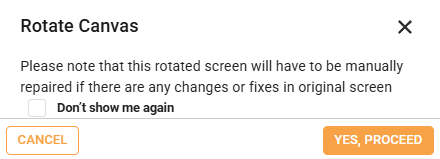
Rotate Canvas Dialog Box
Note
You can tick the Don’t show me again checkbox to prevent the dialog box from appearing in the future.
The process takes a few moments. Once it’s done, each rotated screen is saved as [Original Screen Name]_Rot180.
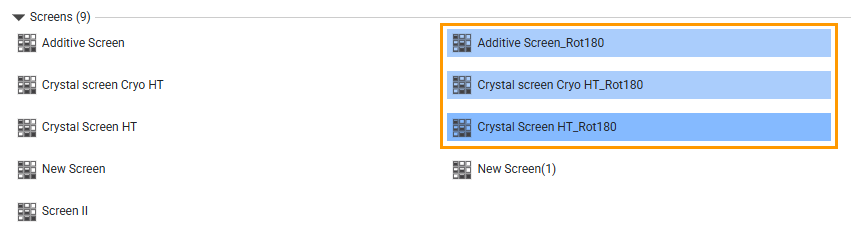
Rotated Screens
Rotating Screen Canvas from the Screen Experiment Page
To rotate the screen canvas from the screen experiment page:
Open a screen. The Design submenu in the Canvas menu opens by default.
Click the More button
 and select Rotate Canvas.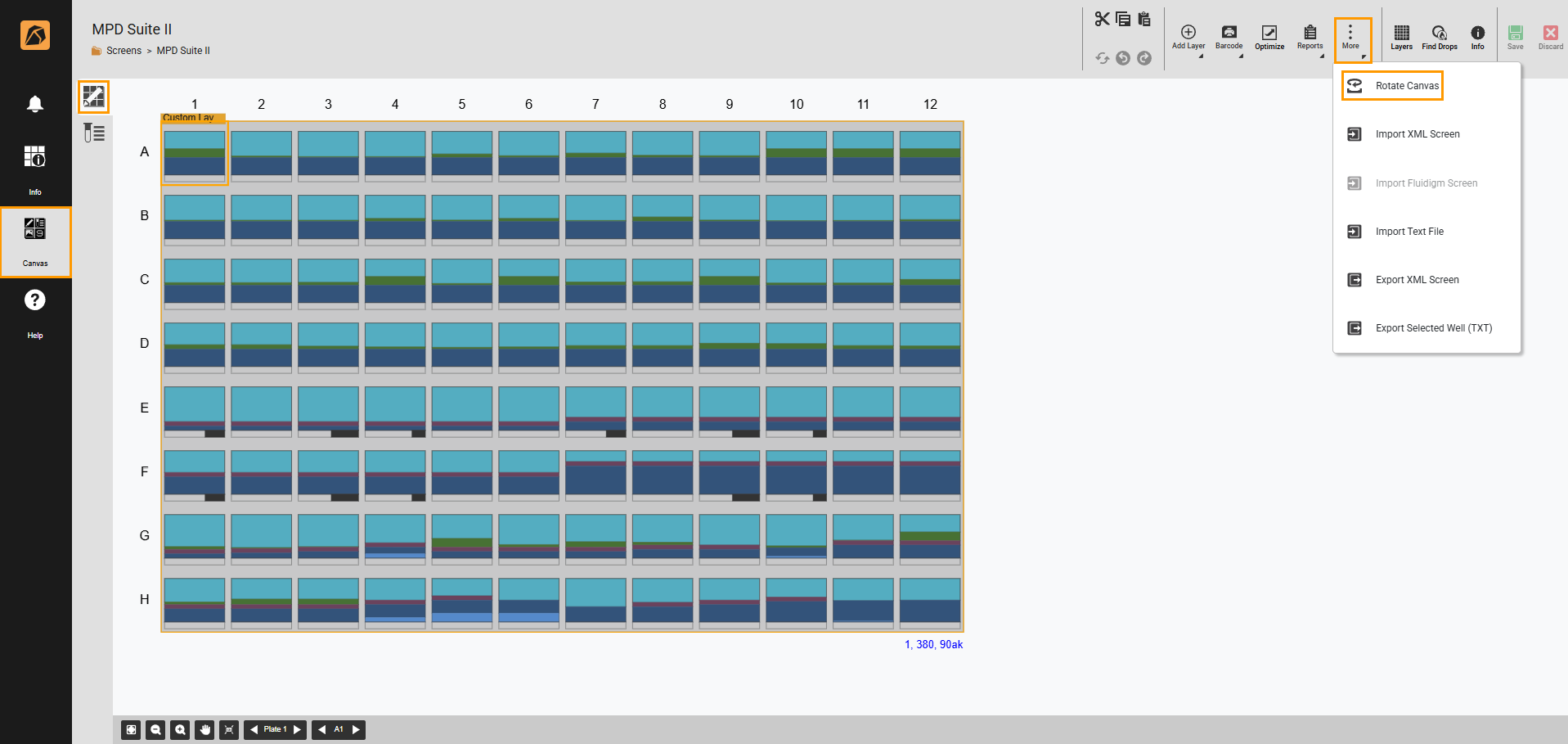
Rotate Canvas Option
In the Rotate Canvas dialog box, click YES, PROCEED.
Rotate Canvas Dialog Box
Note
You can tick the Don’t show me again checkbox to prevent the dialog box from appearing in the future.
The process takes a few moments. Once it’s done, the rotated screen opens in a new tab and is saved as [Original Screen Name]_Rot180.
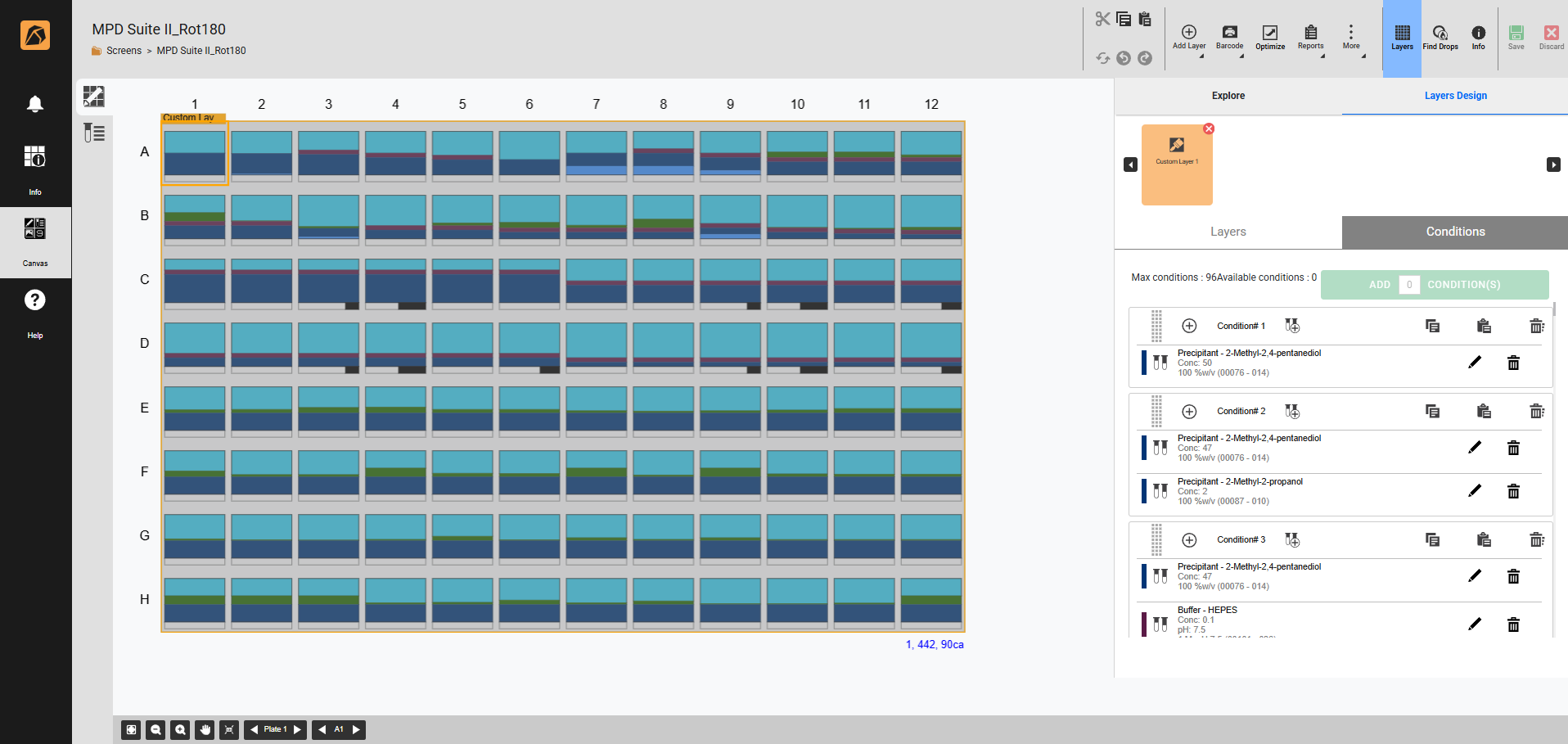
Rotated Screen