What’s New in This Release?
ROCK MAKER Version 4.11 comes with some exciting new features: seamlessly drag and drop layers onto your canvas without going through too many clicks; Rock Maker Control Panel allows a quick health-check of your Rock Maker services and configurations; you can now design and dispense Fragment Screens using Rock Maker-NT8 integration. Managing your images in the image store now becomes a lot more enjoyable, with a revamped user interface to allow a much smoother filtering process.
Drag-and-Drop
On the experiment and screen experiment pages, the Explore tab makes it easy to add a screen, fragment screen, protein, or seed to wells or drops with just a drag-and-drop.
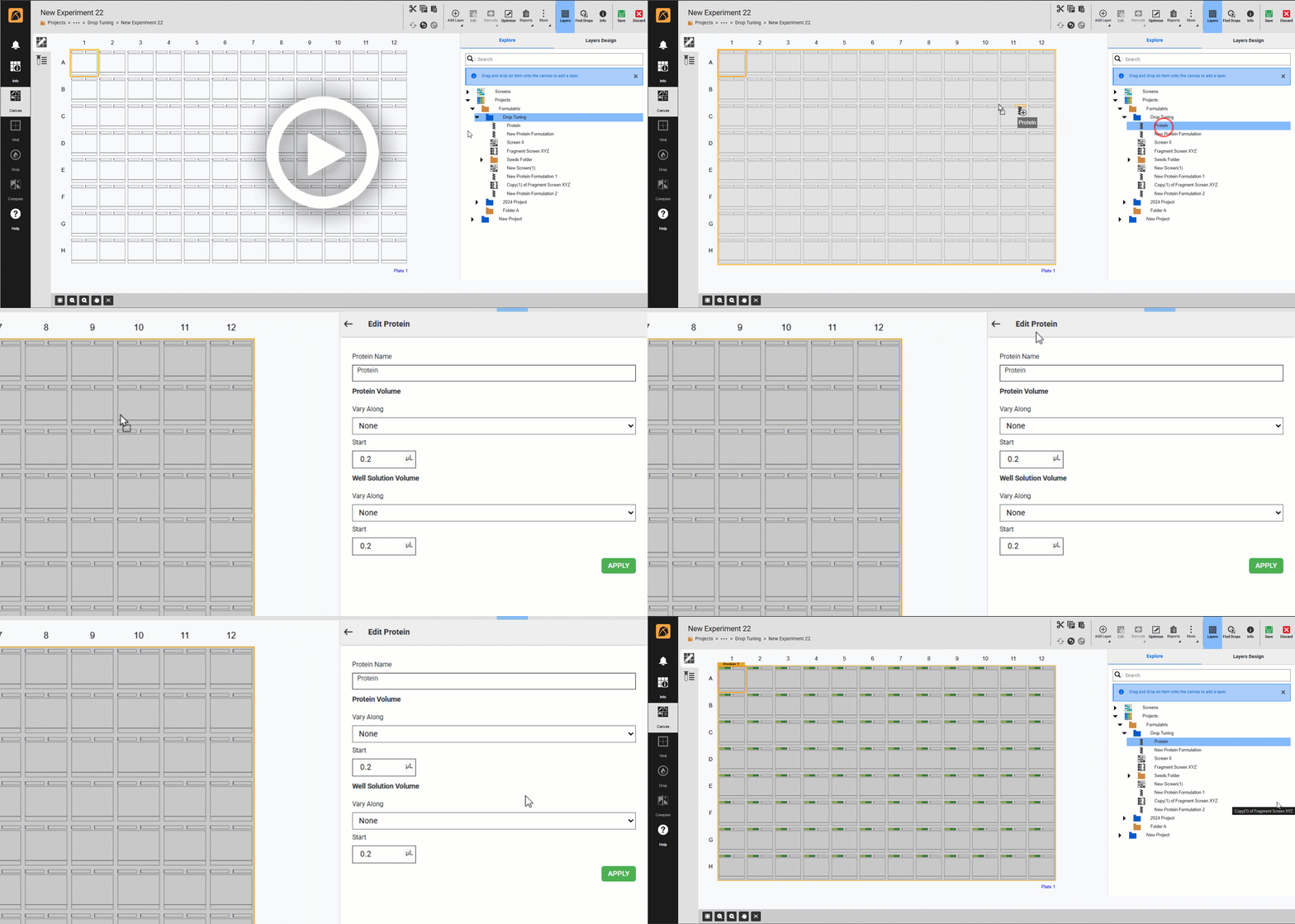
Drag-and-Drop
Rock Maker Control Panel
The Rock Maker Control Panel offers easy access to service updates and Windows settings, allowing you to manage Rock Maker Service and SMTP configurations for email alerts. Get notified any time your Rock Maker Service stops working to quickly diagnose issues related to your experiment-viewing experience.
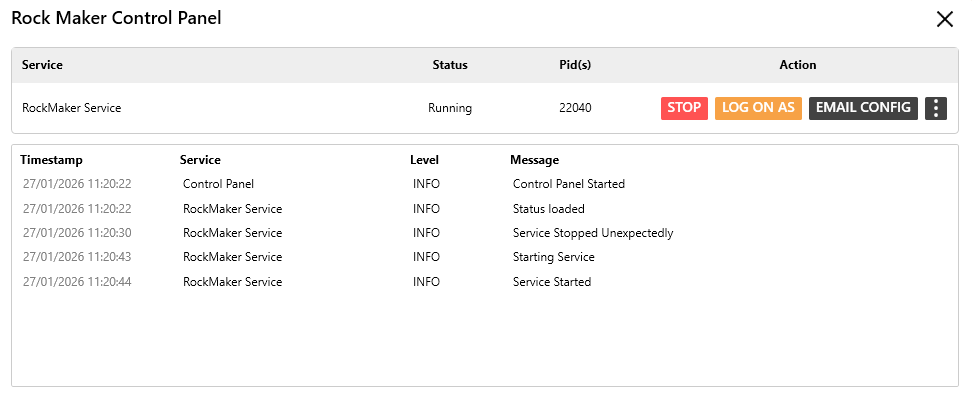
Rock Maker Control Panel
[ROCK MAKER-NT8 Integration] Fragment Screen Dispensing Support
ROCK MAKER-NT8 integration now supports fragment screen dispensing to your plate drops. Conveniently design fragment screen experiments in ROCK MAKER and send them for dispensing to the NT8 to seamlessly dispense fragment screen over your plate.
Image Management Task
The simplified filtering feature in the Image Management Task tab of the Setup menu now offers an even more intuitive user experience, allowing you to easily define filters to obtain desired results when running a task.
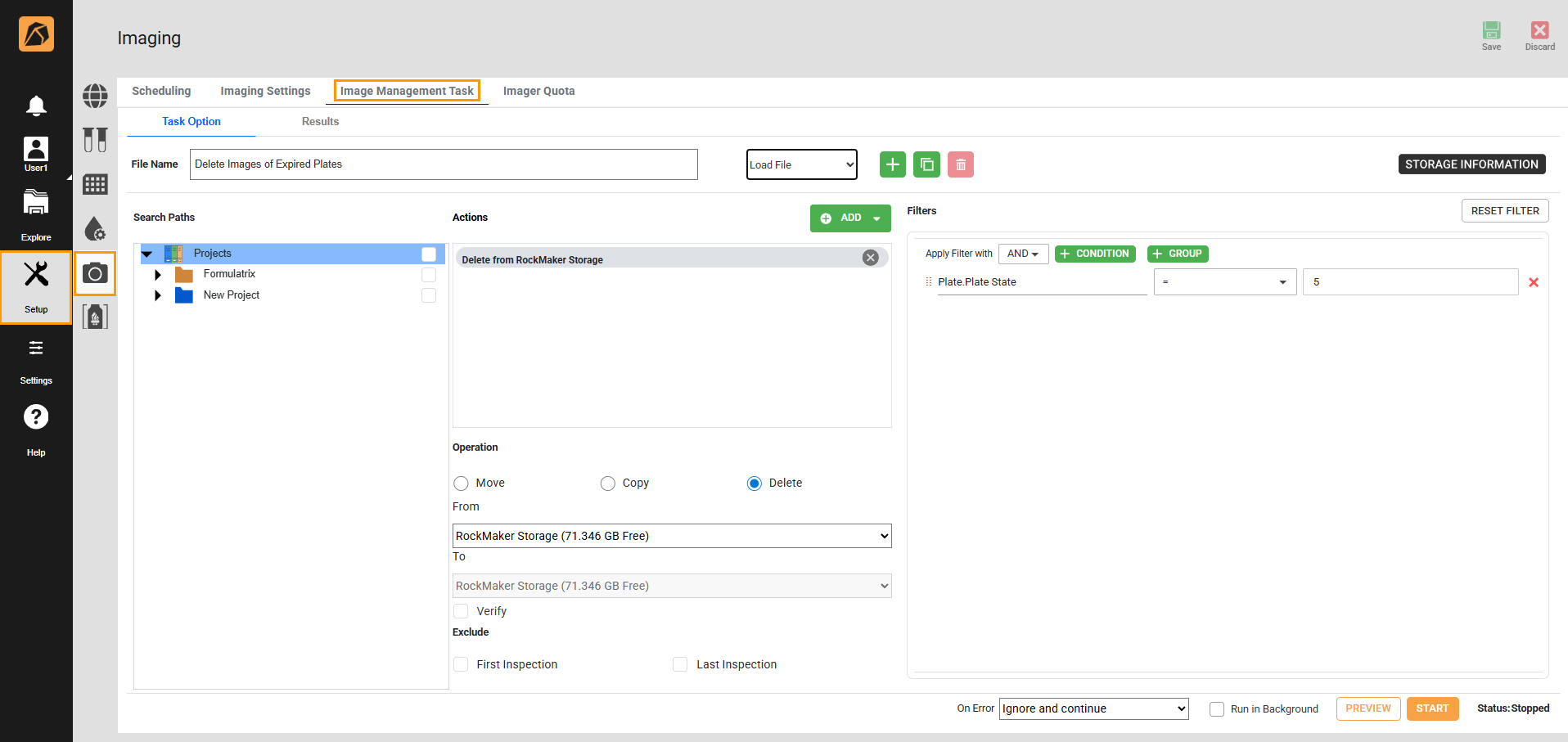
Image Management Task
Info on Drop Images
Now you can quickly view well ingredient information for each drop using the Info toggle button, available in the Tool Options section of the Tools button. When enabled, it displays an overlay of well information on each drop in the Drop menu of the experiment page.
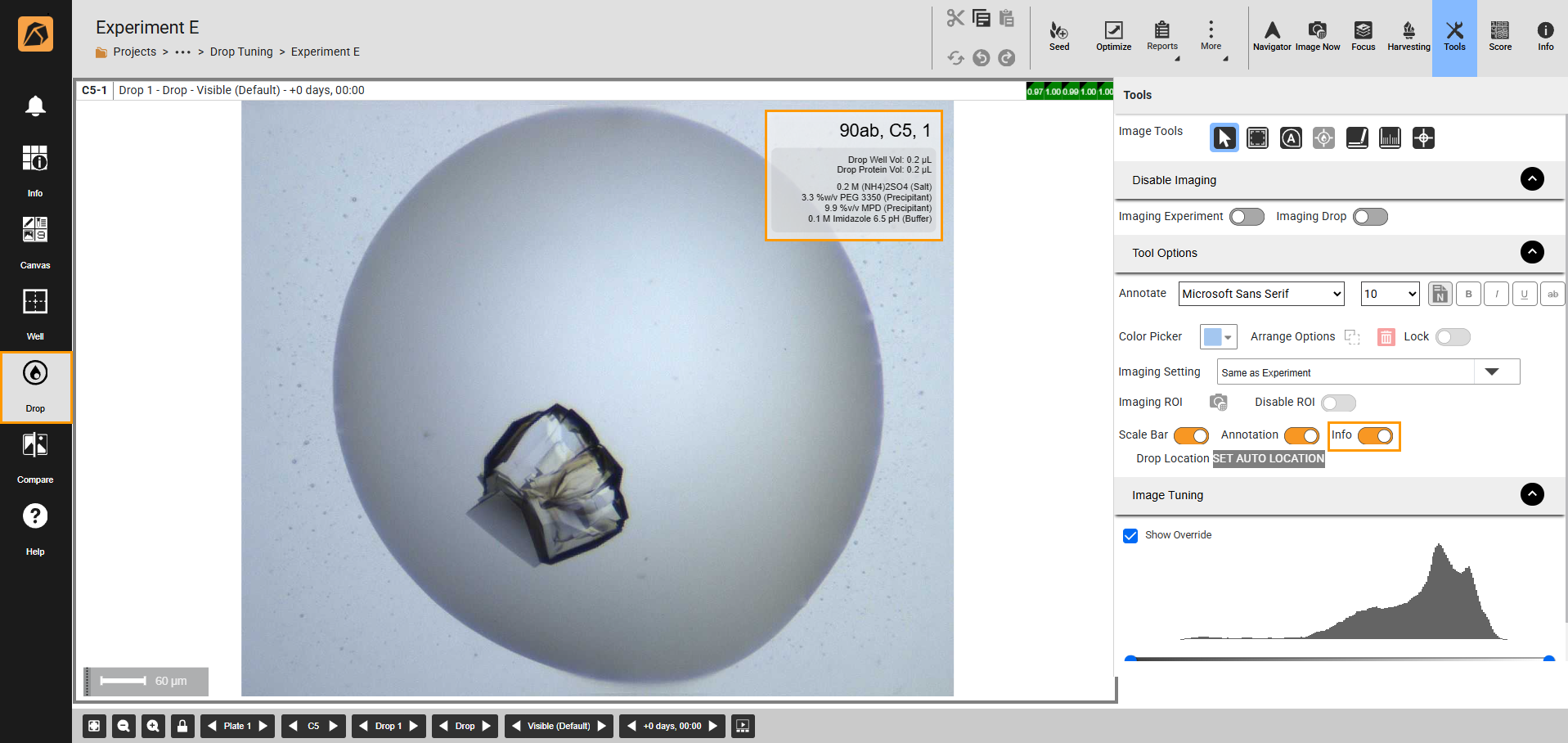
Info on a Drop Image
Detail View
The Detail View, accessible from the View dropdown in the top-right bar of the Explore menu, lets you view your content with corresponding details in a top-down list layout. It displays File Name, Date Created, Last Imaged, Owner, and Date Dispensed information, helping you quickly access information directly from the Explore menu.
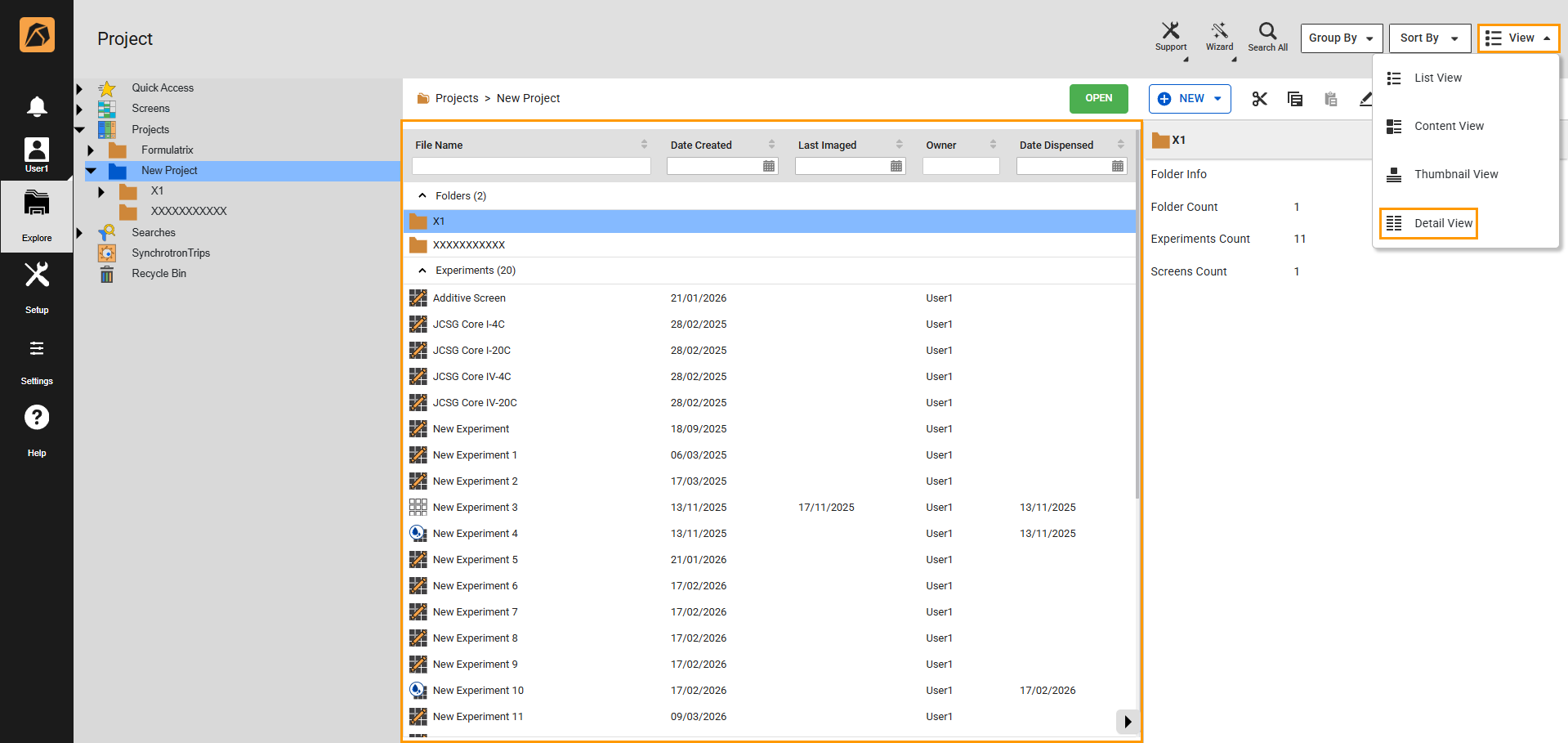
Detail View
Experiment Information Label
The label printing feature now offers more flexible options for selecting what information to display. You can set this through the Print Experiment Info option, accessible from the Barcode button on the top bar of the experiment page.
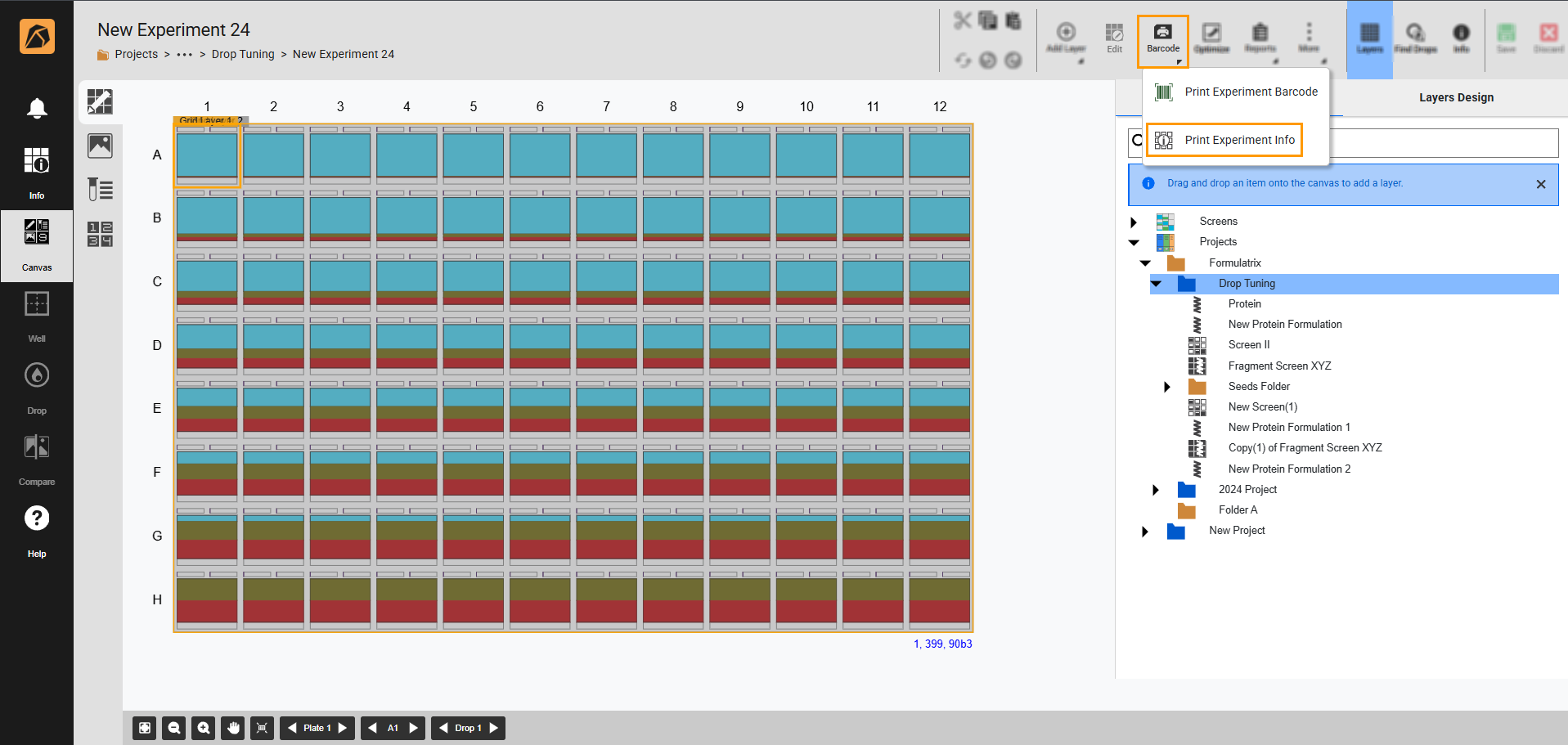
Print Experiment Info Option
Other Improvements
ROCK MAKER version 4.11 also introduces the following features and improvements.
More flexibility for uploading a batchload experiment file, including new parameter support (e.g. Protein/Ligand concentration and molecular weight).
Canvas Map in the Navigator panel of the Drop menu on the experiment page, showing the current position within the plate.
Improved loading performance of the Canvas menu on the experiment page, offering a faster experience.
Updated vendor screens in the database in a fresh installation.
Right-click feature for multiple selected items, allowing more accessible file management.
A more informative and detailed Explore info side panel, now displays Protein, Screen, and Ingredient information.
ROCK MAKER version 4.11 also delivers bug fixes for a better user experience. See Release Notes to find out more.