Drop Menu
The Drop menu will only be active when you have an imaged experiment. Accessible from the experiment page, Drop displays a high-resolution image of a selected drop.
Tip
You can also access the Drop menu by double-clicking an image in the Canvas menu and you will be automatically directed to the Drop menu.
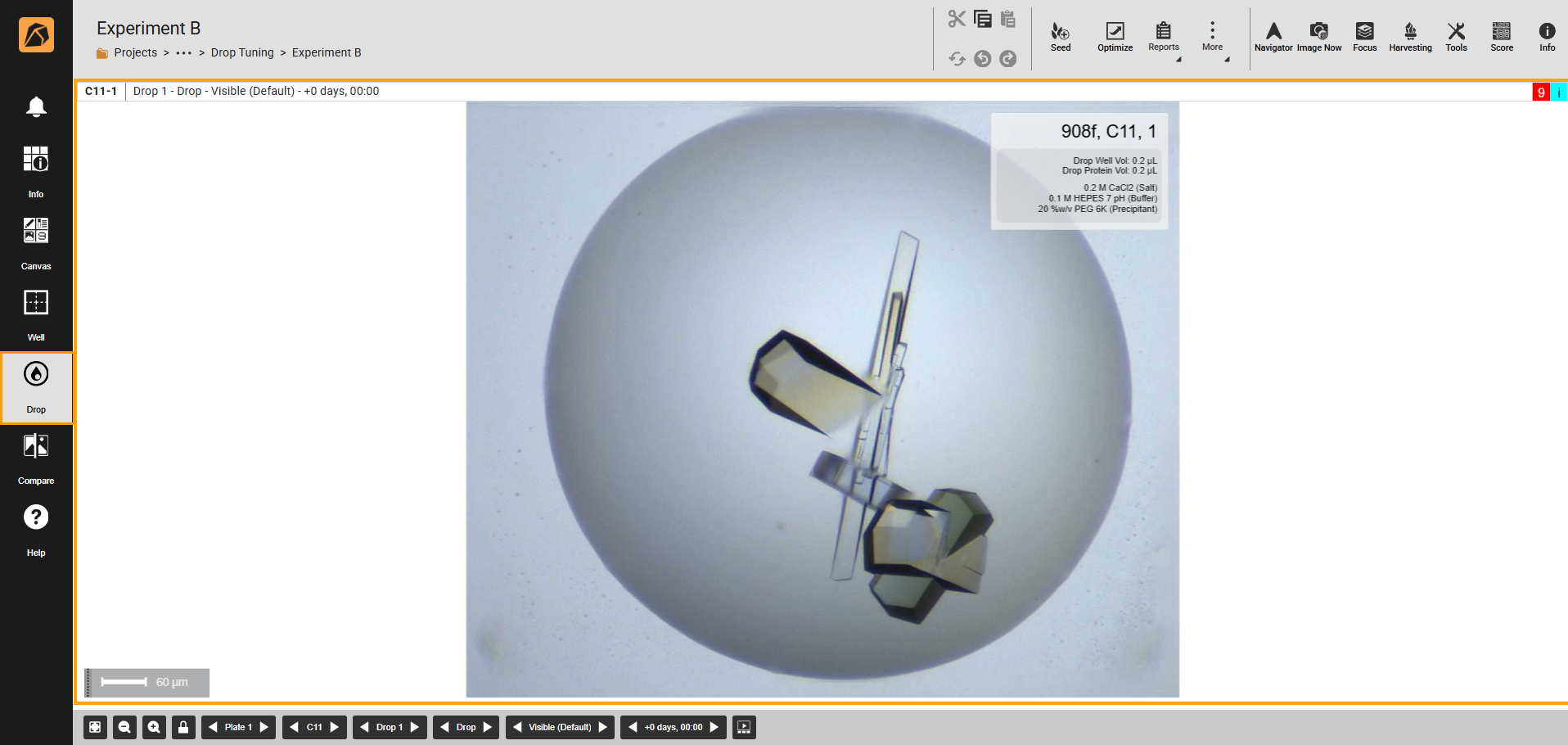
Drop Menu
Top Bar Buttons
Button |
Icon |
Description |
|---|---|---|
Combo Action |
|
Cuts |
Seed |
|
Creates a seed from a selected well(s) in your experiment. |
Optimize |
|
Optimizes existing experiments and screens with single or multiple drop(s). Go to Optimizing Experiments to find out more. |
Reports |
|
Generates a report from the available options. Go to Generating a Report to find out more. |
More |
|
Selects Manage Imaging, Save, Export POI, Export XML Screen, or Export Selected Well (TXT). |
Navigator |
|
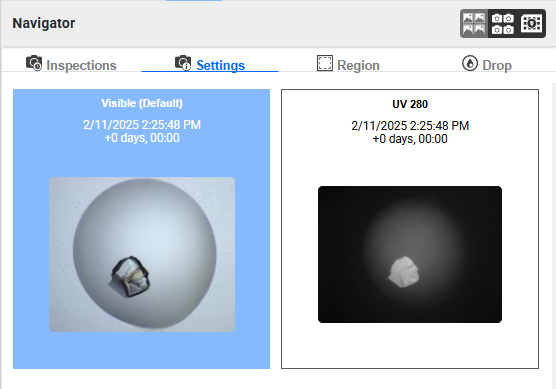
Navigates through your images using Inspections, Settings, Region, or Drop options. The Navigator panel is available on the right side of your ROCK MAKER window on click. Read more about Using Navigator Button.
|
Image Now |
|
Initiates an on-demand imaging session. |
Focus |
|
Displays all focus-level images of a selected drop. |
Harvesting |
|
|
Tools |
|
Modifies images using Image Tools, Tool Options, and Image Tuning. To find out more, go to Using Image Tools. |
Score |
|
Scores images. Go to Scoring Images for further information. |
Info |
|
Displays experiment information, including plate, ingredient, imaging settings, and imaging schedule. |





Bottom Bar Buttons
Button |
Icon |
Description |
|---|---|---|
Best Fit |
|
Adjusts the display of your experiment page to fit your screen. |
Zoom Out |
|
Zooms out your software window. |
Zoom In |
|
Zooms in your software window. |
Lock |
|
Applies the set zoom level when zooming in or out and when navigating to other drops. |
Plate |
|
Navigates from one plate to another in an experiment. You can click the left and right arrows or the Plate button to select a plate. |
Well |
|
Navigates from one well to another in an experiment. If you have multiple plates in an experiment, the Well button displays the corresponding wells of a selected plate. |
Drop |
|
Navigates from one drop to another in a well. |
Region |
|
Navigates from one region to another in a drop. |
Imaging Settings |
|
Navigates to any available imaging settings. |
Inspections |
|
Navigates to any available inspections. |
Slide Show |
|
Displays a slide show of drop images. |





Related Topic: