Chip Cleaning
The Chip Cleaning feature helps prepare chips for operation by running a stand-alone cleaning cycle without a full protocol. Run the cycle before and after sample processing to minimize reagent cross-contamination. You can run Chip Cleaning from the standalone wizard in the Tools menu or Editor page, or let it run automatically during protocol execution.
Compatible Cleaning Agents
0.1–0.5N NaOH (Sodium Hydroxide)
6M Guanidinium Hydrochloride
8M Urea
3% Hydrogen Peroxide
0.5% Sodium Hypochlorite
Important
Incompatible reagents can damage the chips or the instrument. Please consult the chemical compatibility or contact support@formulatrix.com for assistance. FORMULATRIX is not responsible in whole or in part for any damage caused by failure to comply with the procedures outlined in this document.
Prerequisites
You have set up the cleaning stations.
Ensure no profiles are running on the instrument.
To clean the chip:
Choose from the following options:
For maintenance or standalone chip cleaning:
Go to Tools, and select Chip Cleaning.
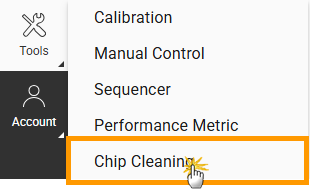
Click Chip Cleaning in the Tools Menu
Under the Station panel, click Edit
 on a cleaning station card and specify the cleaning settings.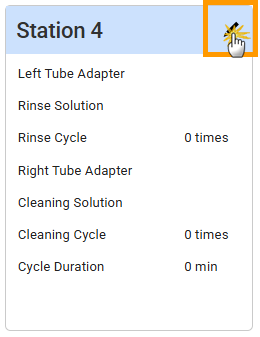
Click Edit on the Cleaning Station Card
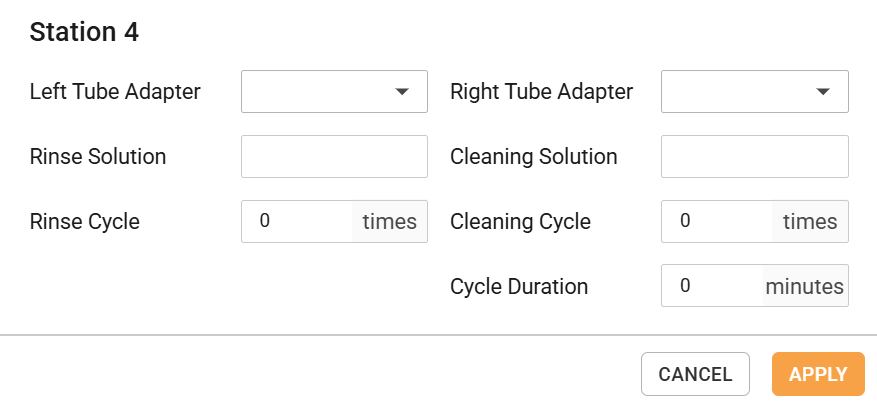
Cleaning Station Settings
Expand the Deck panel, and click
 on a nest to add the chip rack based on the physical deck layout. Then, select the chips to clean.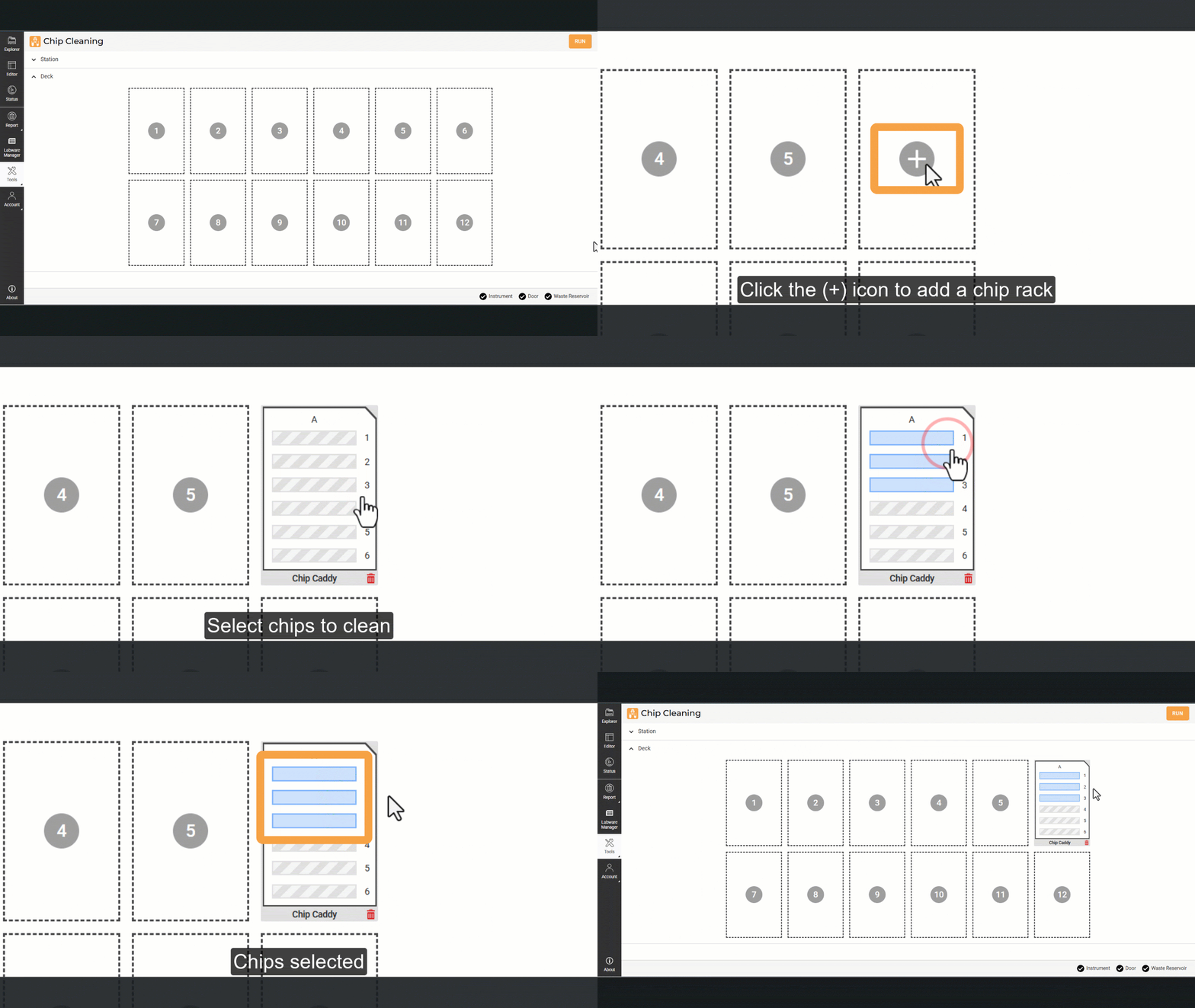
Defining the Chips to Clean
Continue to step 2.
To clean chips associated with the current protocol:
On the Editor page, click Chip Cleaning
 .
.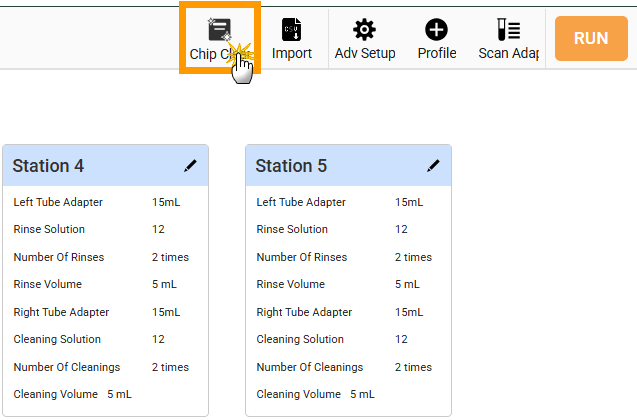
Click Chip Cleaning on the Command Bar
Click UPDATE to sync the configuration based on the current protocol.
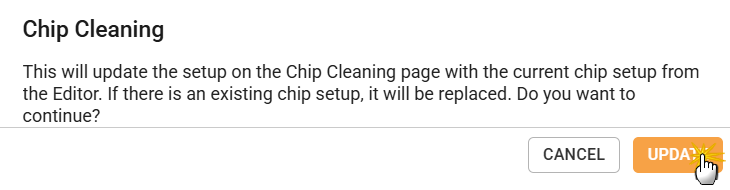
Chip Cleaning Setup Dialog
Continue to step 2.
OPTIONAL: Modify the chip selection by following one of these steps:
Click Add
to add more chips to the available nest.Click an active chip to remove it.
Click the Delete
 button to remove a rack.
Drag a rack to reposition it to the available nest.
Click RUN to start chip cleaning. Monitor the chip cleaning status on the Runtime Status page.
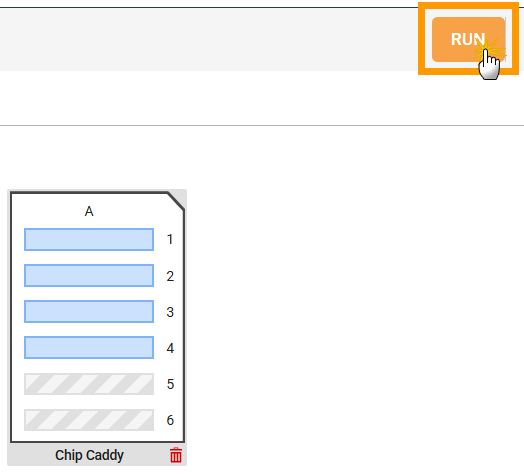
Click RUN on the Chip Cleaning Page
Note
You can pause or stop the cleaning process at any time.
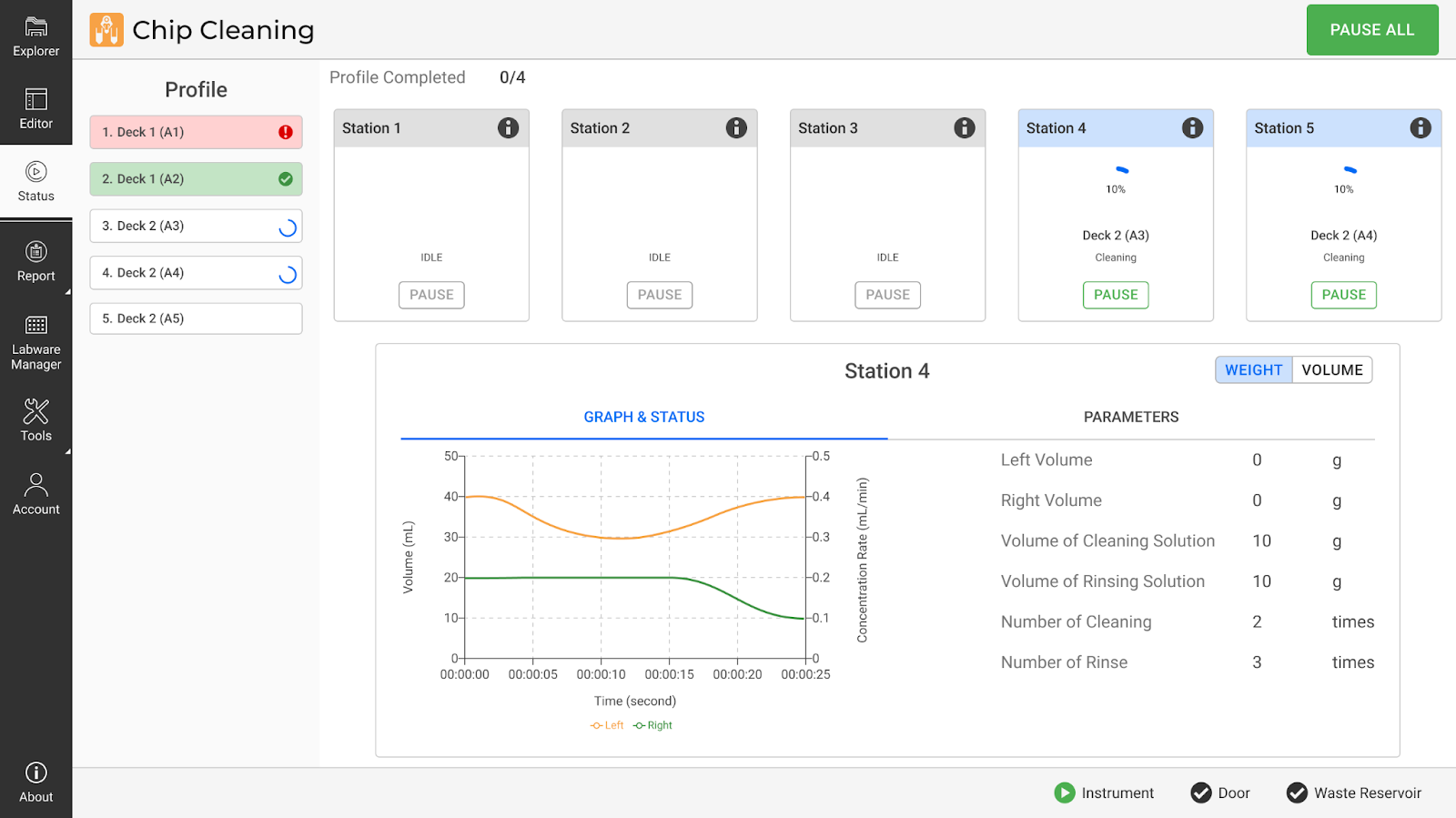
Chip Cleaning Status Page
Click CLOSE to complete the process and go back to the Chip Cleaning page. Click SUMMARY to view and/or download the chip cleaning report.
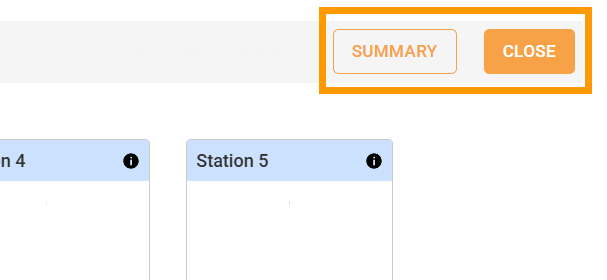
Chip Cleaning is Complete
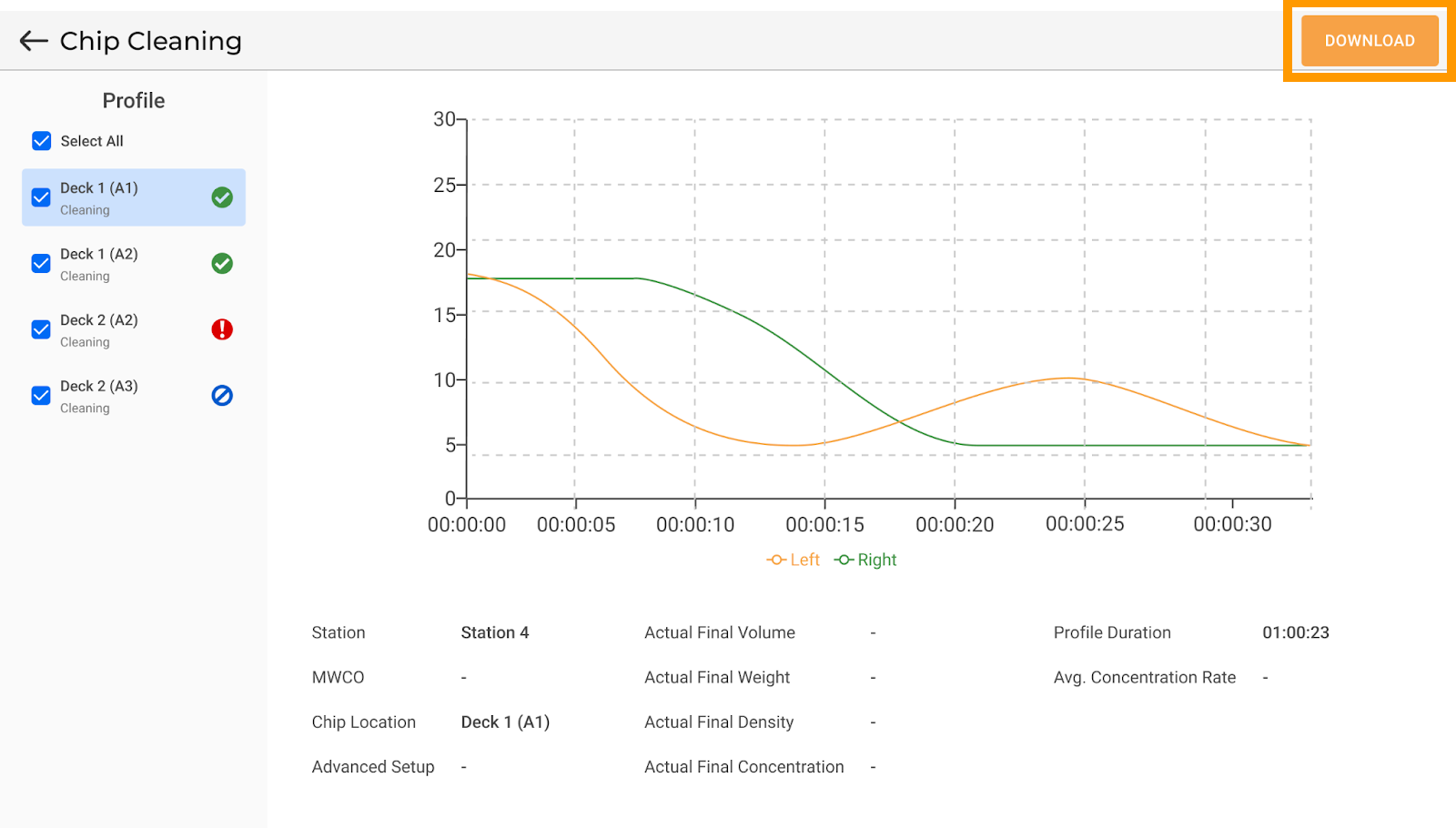
Chip Cleaning Report
Once complete, the chip is ready for use or storage. Inspect it for any physical damage before proceeding.