Using the Advanced Setup
The Advanced Setup feature allows you to define chip settings in a profile, including cleaning, mixing, and pressure control. You can customize these settings or create different setups for specific profiles. The Advanced Setup is accessible from the Editor page or during profile creation.
Overview
The Advanced Setup settings are divided into the following tabs:
General:
Chip Cleaning: Enable/disable chip cleaning before sample processing.
Note
New chips must be cleaned before use. Disable this setting only if the chips will be cleaned in a different profile.
Mixing: When enabled, aµtoPULSE periodically circulates the sample to minimize concentration gradients and prevent localized clogging. Specify the following settings to determine the sample circulation.
Mixing Every: Set the time interval between each mixing cycle.
Mixing Cycle: Define the length of each mixing cycle (in pumps).
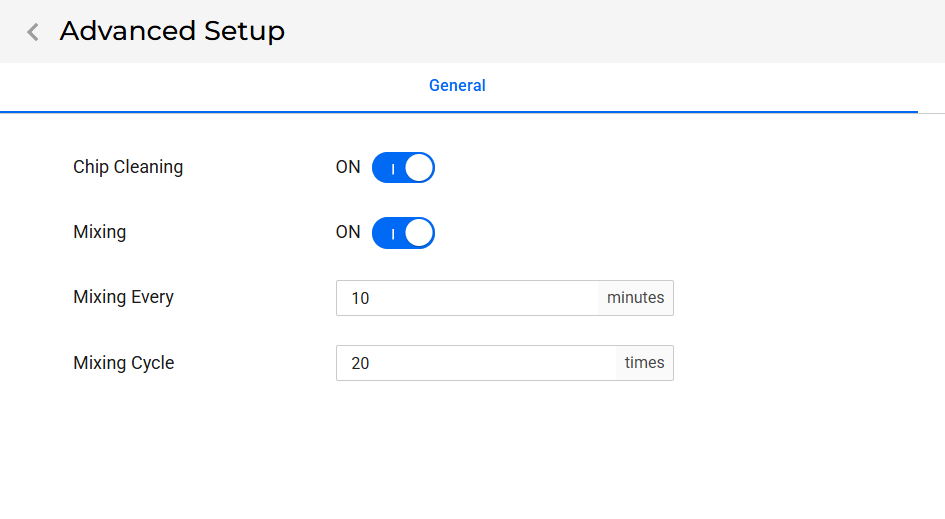
General Tab
Cycle:
Diaphragm Pressure: Set the chip’s diaphragm pressure (in psi) to drive liquid flow at the membrane inlet (feed pressure).
Time Multiplier: Factor used to adjust the duration of each diaphragm stroke in the chip. Increasing the value makes each stroke longer.
Note
Thicker fluids need a higher multiplier to achieve optimal performance and recovery.
Return Valve Pressure: Set the return valve pressure (in psi) to control the membrane outlet pressure (retentate pressure). Specify the value for each kDa.
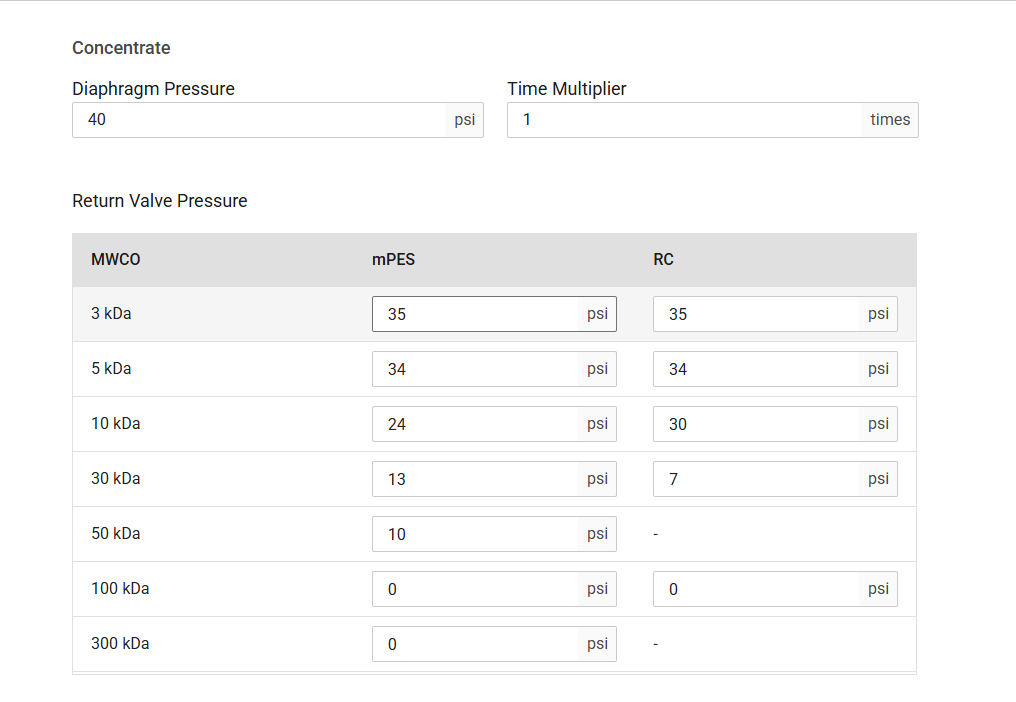
Cycle Tab
Creating a New Setup
Choose from the following options:
From the Editor page:
Click Adv Setup on the Command Bar.
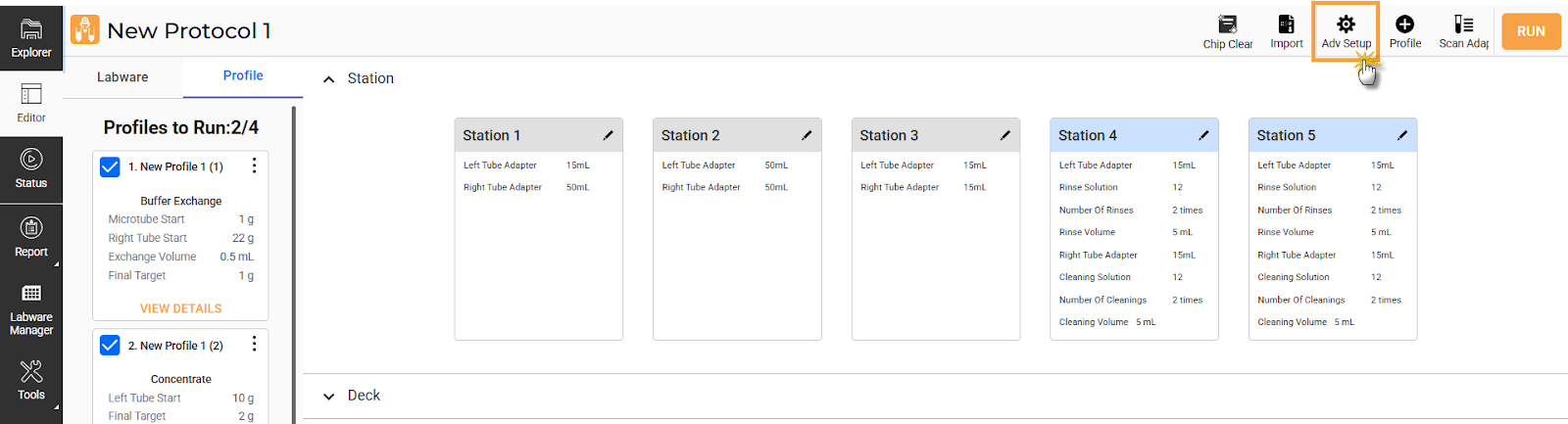
Click Adv. Setup
Select a setup from the available options, then click EDIT.
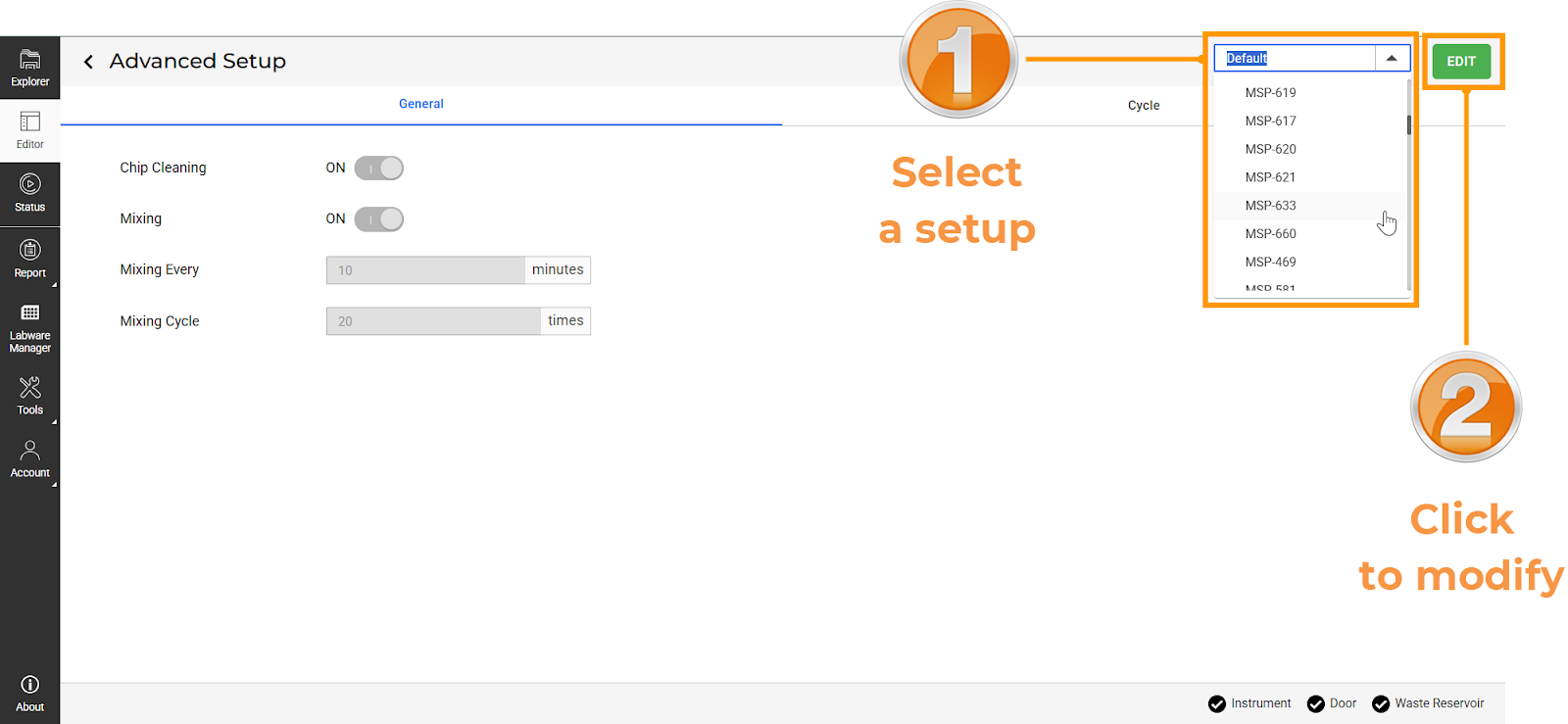
Edit an Available Setup
OPTIONAL: Open a profile, select a setup, and click Edit
 .
.Note
Advanced Setup in the Profile Editor page allows you to change or modify the setup for the current profile.
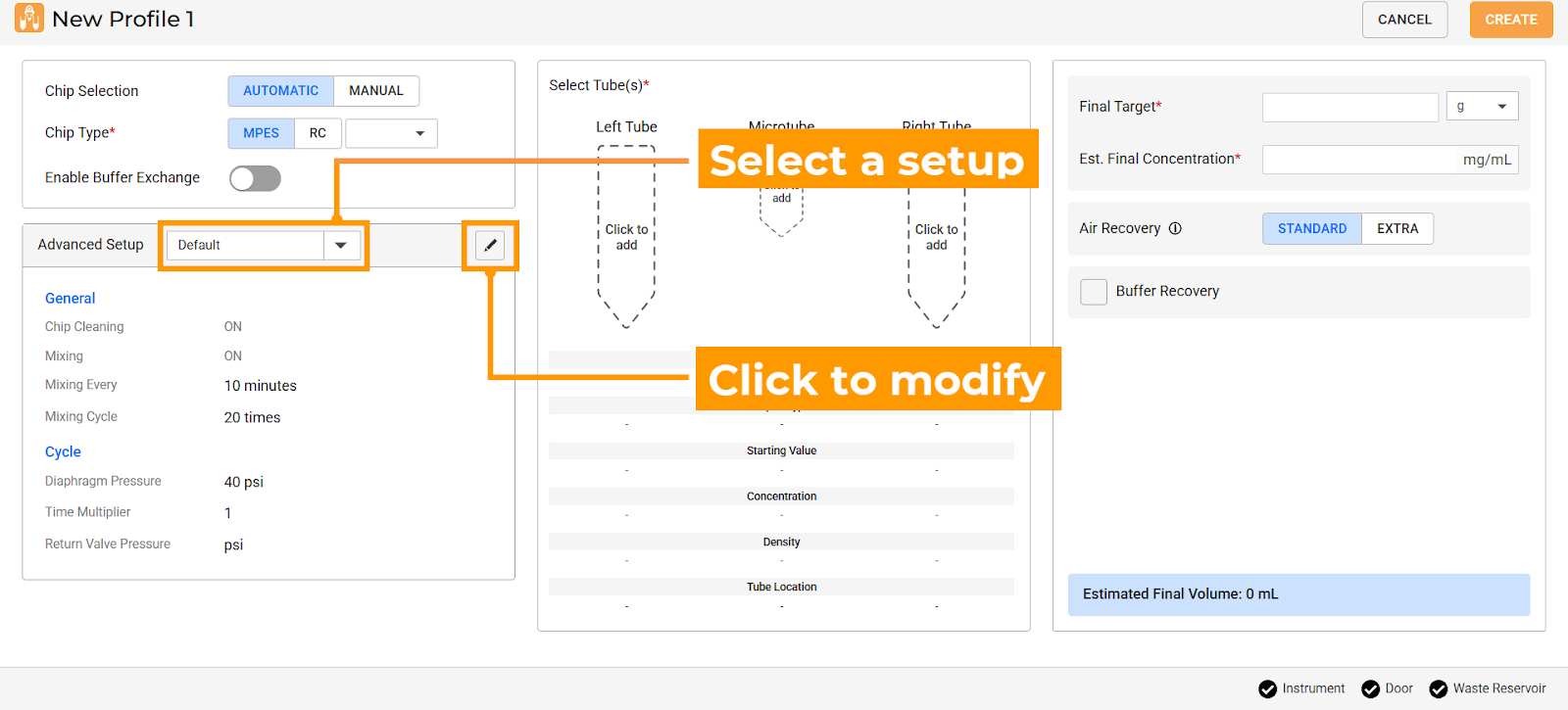
Advanced Setup Menu
Note
The initial setup, Default setup, is automatically applied to new profiles. It cannot be edited or removed, but you can create new setups by saving a copy.
Open the General tab, define the chip’s cleaning and mixing settings.
Open the Cycle tab, specify the chip’s pressure-control settings.
Enter a new name and use SAVE AS to create a new setup.
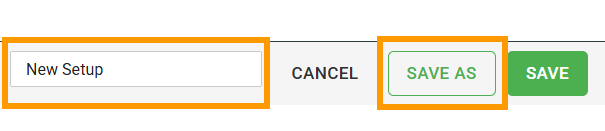
Save a New Setup
Repeat steps 1–4 to create more setups.
Managing Existing Setups
To modify a setup:
Open a protocol, and click Advanced Setup.
Tip
Select a profile in the Editor page to directly modify its setup from the Advanced Setup panel.
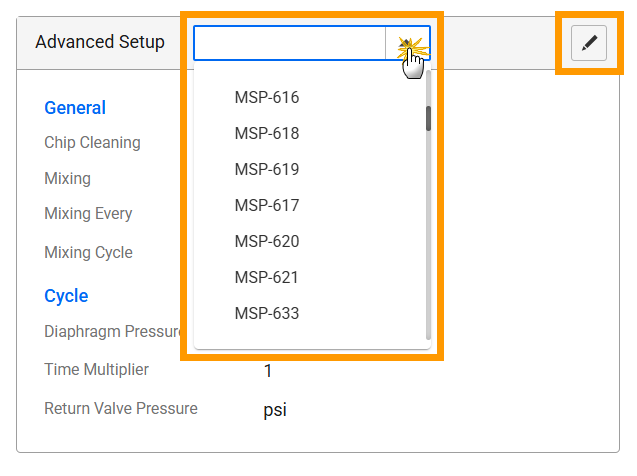
Advanced Setup Panel
Select a setup you want to edit. Click EDIT.
Adjust the settings as needed, then click SAVE.
To delete a setup:
Open Advanced Setup from the Editor page.
Select a setup from the list, then click DELETE.
Important
Setups that are assigned to an existing profile in any protocol cannot be deleted.
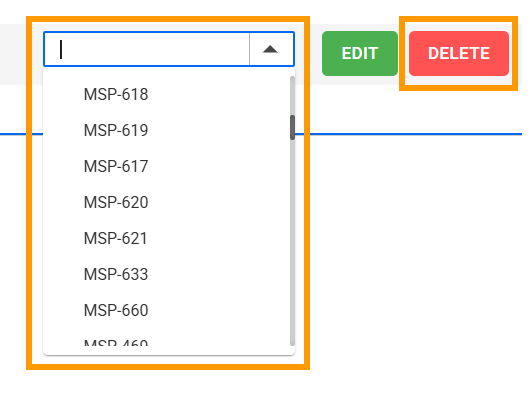
Delete a Setup