Configuring and Monitoring Incubator Environment
Configuring Environment Parameters
Open Cellmatic Suite and go to Environment Monitor > Incubator > Settings.
On the Incubator Settings window, set the parameter for Temperature, CO2, and Humidity.
Below is the threshold value for each parameter:
Temperature: range 25 to 40°C
CO2: range 0 to 10%
Humidity: range 87 to 93%
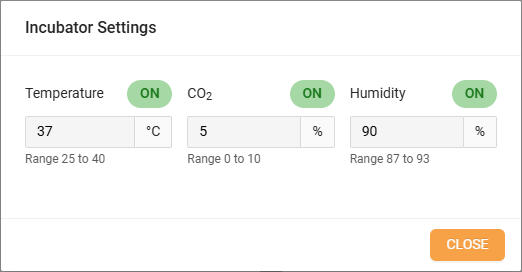
Incubator Environment Settings
Click OK to save your configuration.
Monitoring Environment
Cell Suite
Open Cellmatic Suite and click Environment Monitor > Incubator.
The Incubator monitoring page provides two viewing options: Real-Time and Range, along with three parameter checkboxes for monitoring Temperature, CO2 levels, and Humidity.
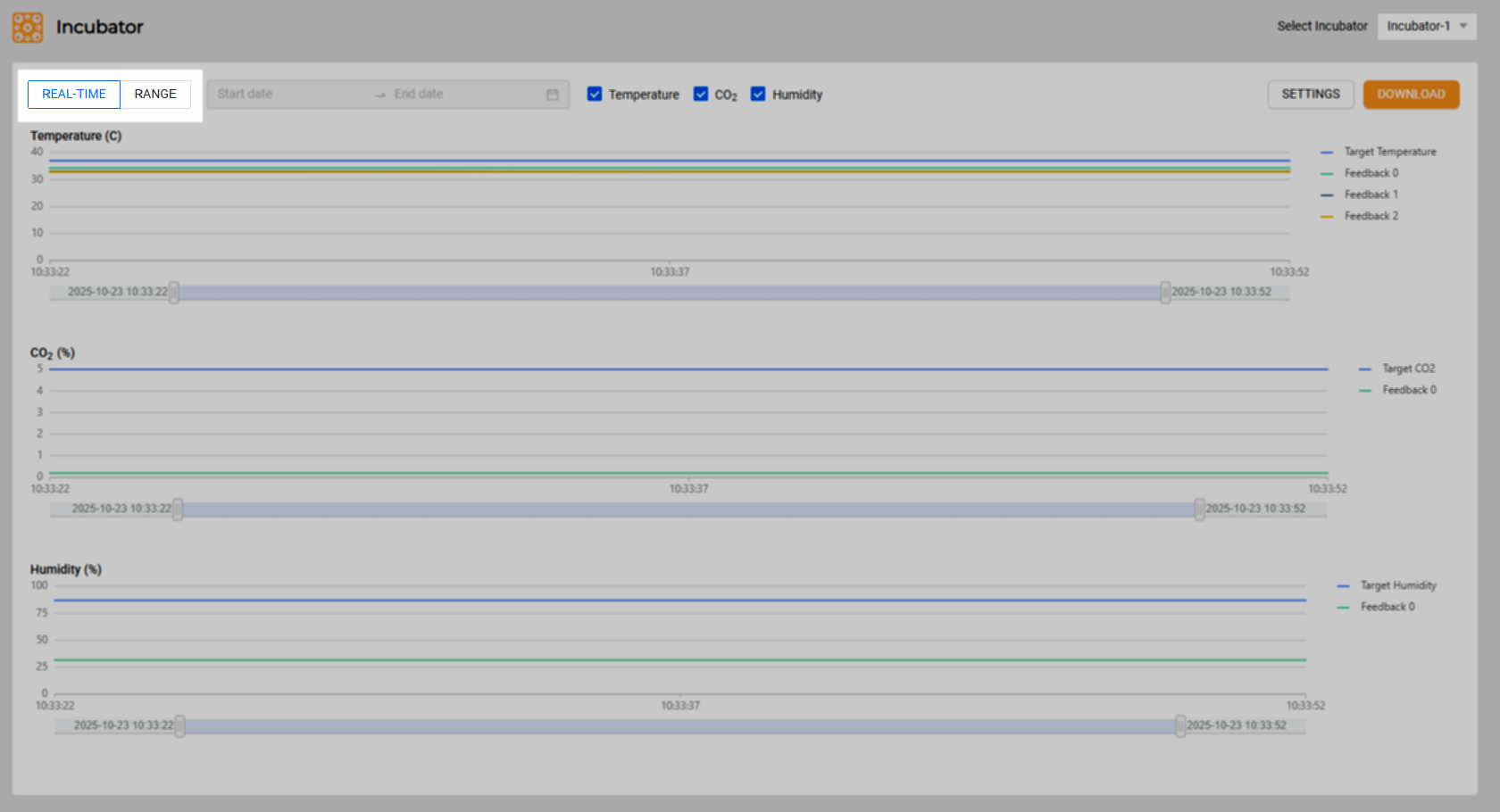
Real-Time and Range Display Options
Real-Time: Displays the environmental parameters in real-time, providing continuously updated data for instant and up-to-the-minute information.
Range: Presents historical data according to selected data, a timeframe of up to seven days.
To access all available parameters, select the specific parameter you want to monitor. Upon selection, the system generates a graph displaying the data related to your chosen parameter.

Display Monitor
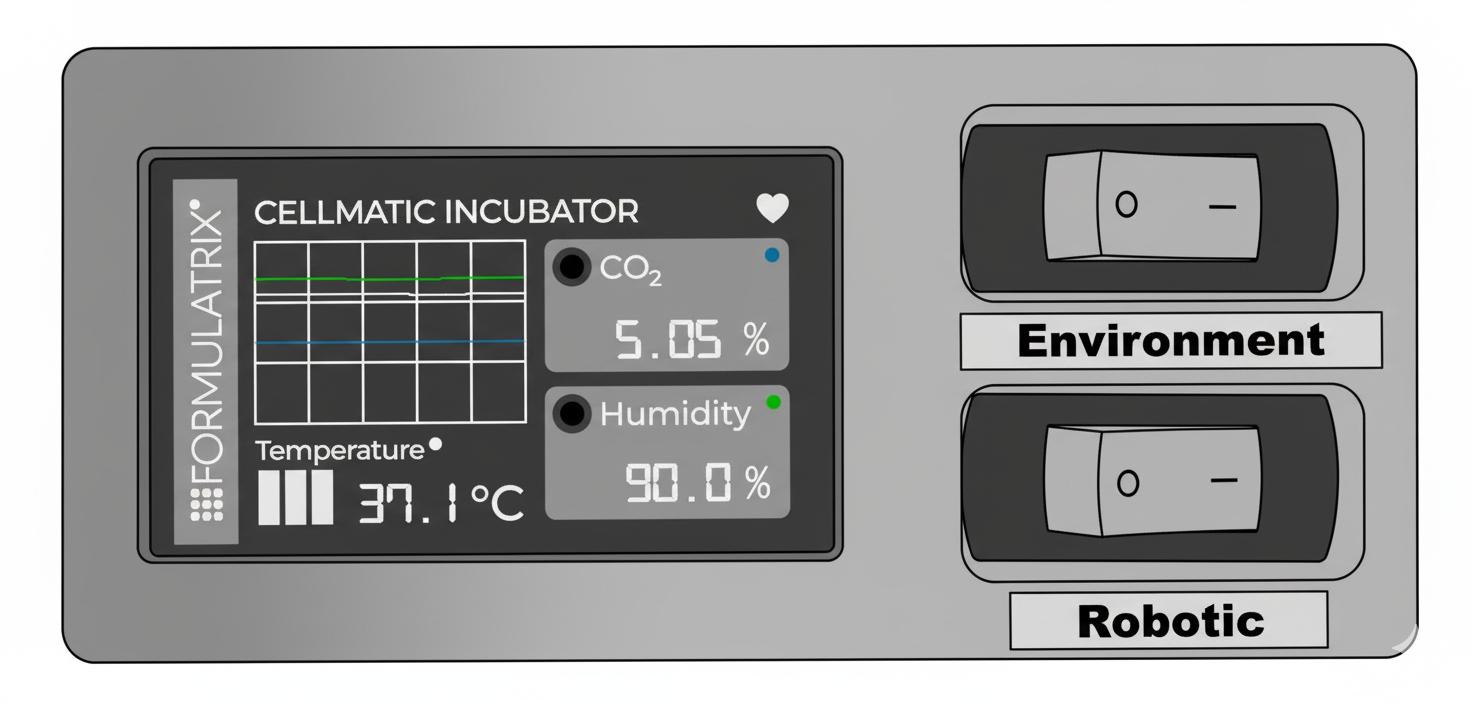
Alternatively, you can monitor the Incubator’s parameters on the display monitor at the top of the cabinet. It provides real-time, constantly updated information on temperature, CO2 levels, and humidity.
Related Topics