Emptying Plate Waste Bin
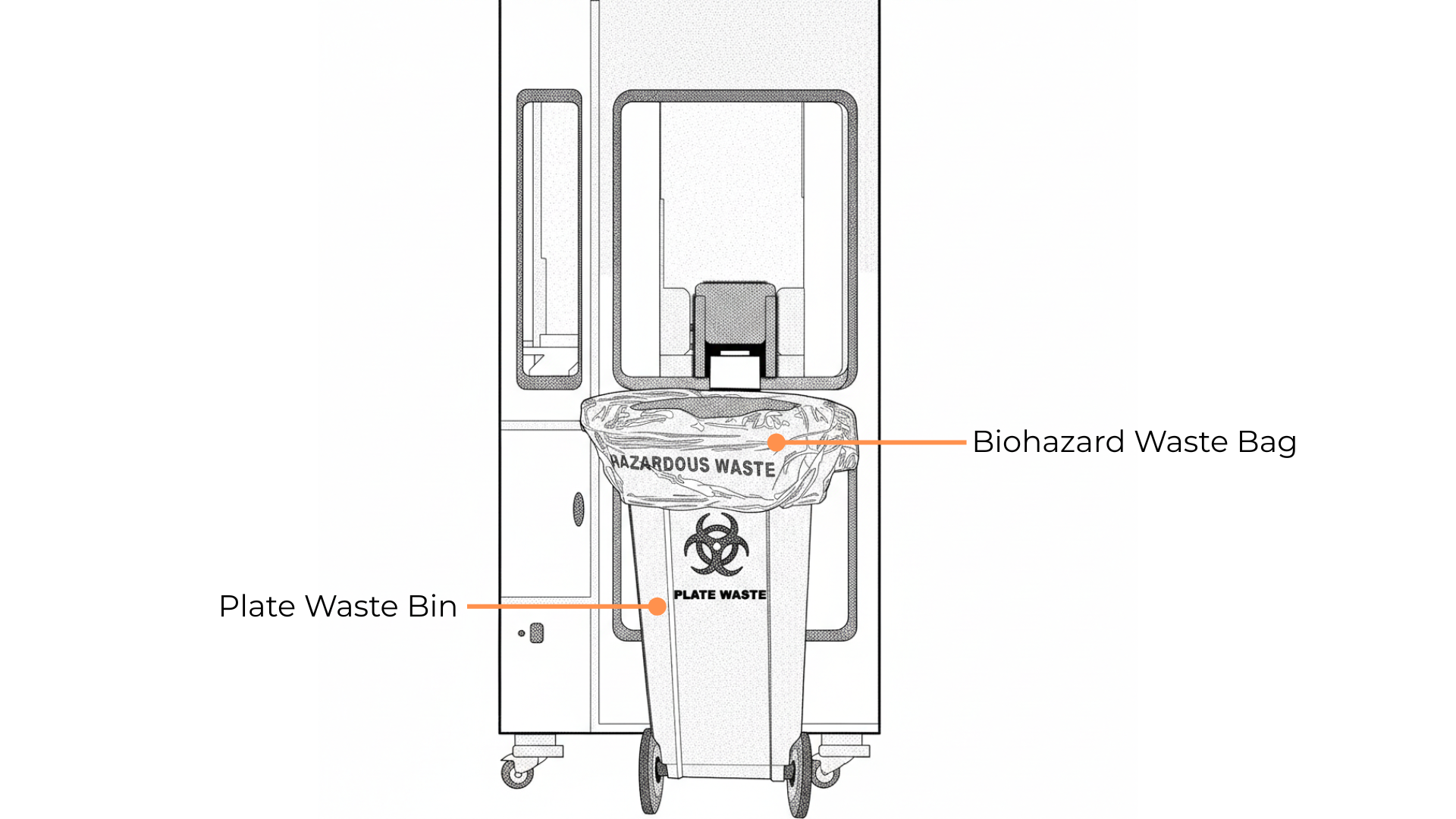
The Plate Waste Bin
Required Items:
1 Ea - 15 gallon (60.96 x 83.82 cm) biohazard waste bag
1 Ea - 70% ethanol spray
Prerequisite:
Wear PPE. At a minimum, gloves should be worn.
To empty the Plate Waste Bin:
Section 1: Replacing and disposing of the plate waste bag
Make sure FLO is in an idle state (the LED strip above the instrument is displaying a moving ring of rainbow colors).
Remove the used biohazard waste bag from the Plate Waste Bin and replace it with a new one.
Note
Disinfect the waste chute with 70% ethanol if necessary.
Dispose of the used biohazard waste bag following the hazardous waste procedures.
Section 2: Resetting the Plate Waste Status via the Cellmatic Suite Software
Select Dashboard > Instruments, and select Update in the Waste Container table to open the Update Waste Container State window.
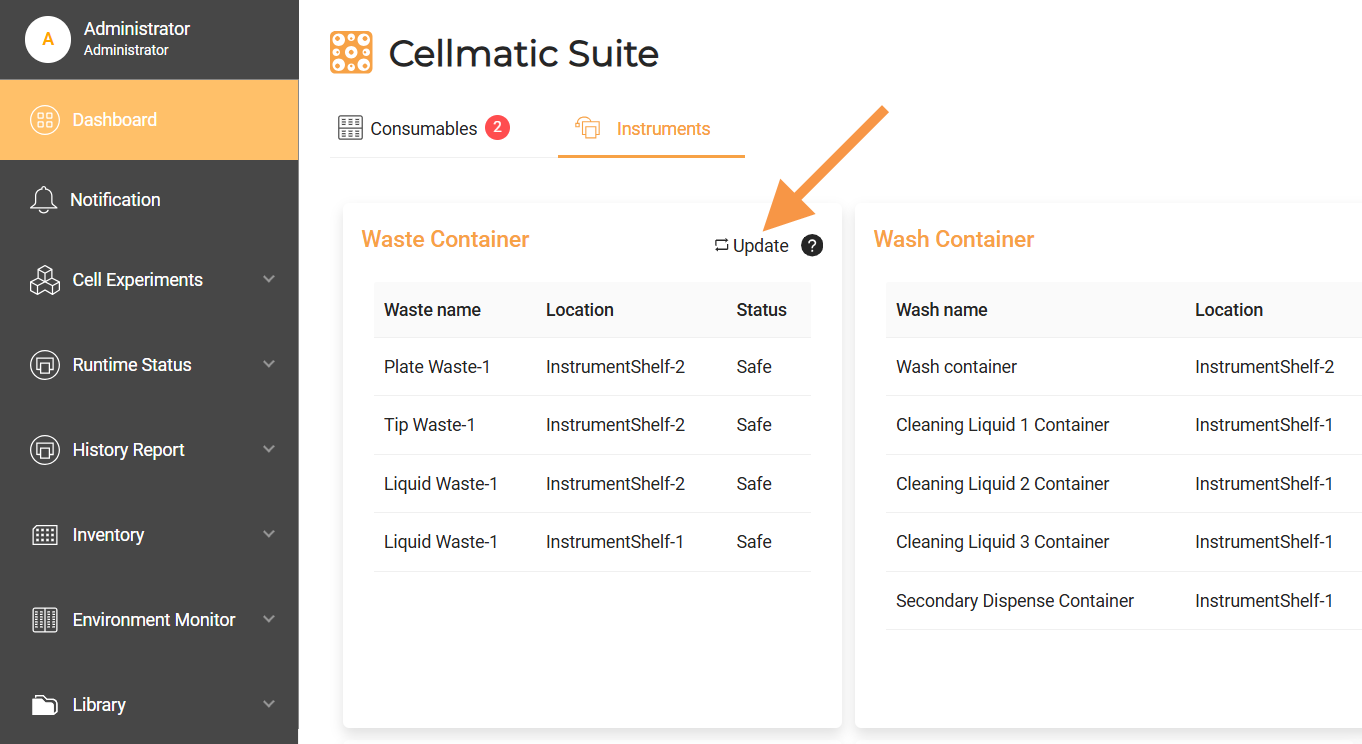
Updating the PlateWaste Status in the Waste Container Table
Select PlateWaste > YES. The PlateWaste status updates to Empty.
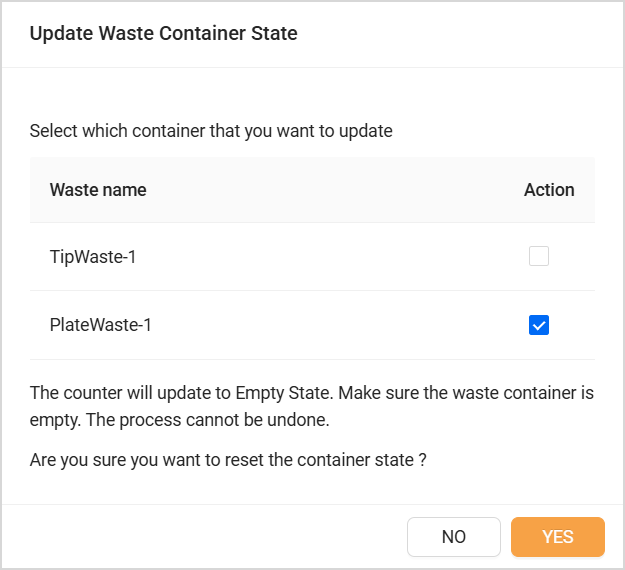
Selecting the PlateWaste Container to Reset
Related Topics