Welcome to the Cellmatic Help
The FORMULATRIX Cellmatic is an automated cell culture system that uses self-directed, plate-handling Rovers and other integrated instruments within environmentally-controlled cabinets to automate the process of maintaining and growing adherent cells and cell lines. Cellmatic feeds, passages, plates, and treats cells, as well as imaging cells to analyze for confluency, concentration, and viability.
The Cellmatic system is also the only automated cell culture system on the market that is integrated with a scheduling and controlling software, Cellmatic Suite, developed by the same manufacturer as the hardware. Instead of interacting directly with the various instruments and scripting particular actions, Cellmatic users choose profiles in Cellmatic Suite and then set experiment, or protocol, parameters. From there Cellmatic Suite schedules all tasks, monitors progress, sends notifications, and controls the instruments performing each task. The system intuitively interweaves tasks for multiple protocols across multiple cell lines, all progressing simultaneously toward an end result: cells pooled to a reservoir, cells plated to a 96- or 384-well plate, cells passaged to one-well plates.
In Cellmatic, reservoirs and microplates replace the flasks of manual cell culture. This is an engineering development in service of a practical goal: higher throughput, fewer passages producing more cells. Accordingly, this user manual tends to describe ulture tasks in one-well plates. However, this is not definitive or restrictive. Cellmatic can culture cells in four-well and eight-well plates and expand into one-well plates, or not, according to your protocol needs.
FORMULATRIX’s software and hardware engineers are continuously developing and improving the system, pushing out updates based on your feedback year after year, ensuring that your investment meets your future needs. We work with you to develop the profiles and protocols you need to do your research.
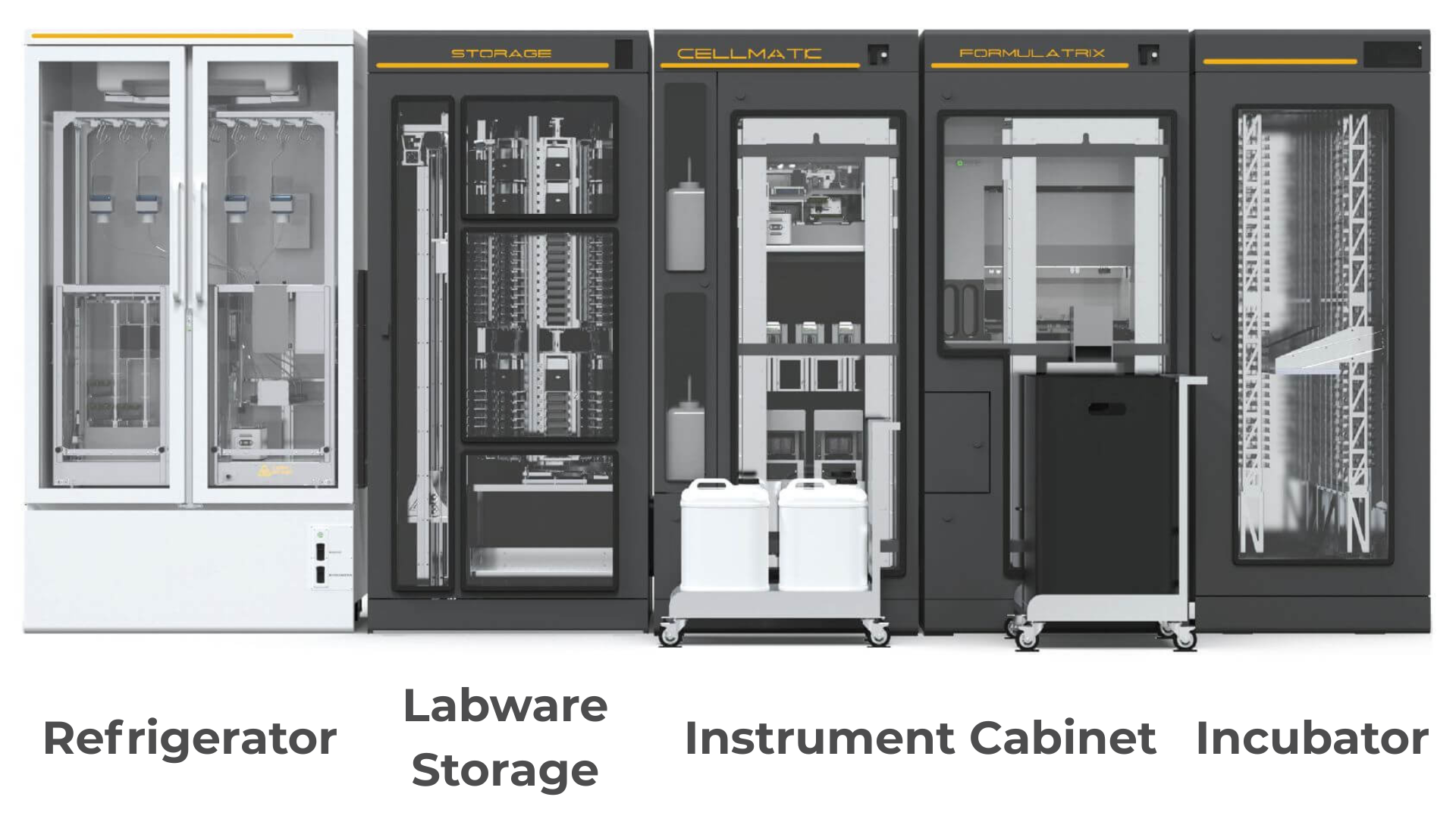
Cellmatic - Cell Culture System
Intended Use
Important
The equipment is intended for installation in ordinary, non-Hazardous or Classified, indoor laboratory locations, and shall be installed in accordance with the latest Edition of the National Electrical Code, NFPA 70, where the ambient temperature does not exceed 40°C (104°F) maximum.
Cellmatic is designed to support routine and advanced cell culture workflows in the laboratory with improved consistency, efficiency, and traceability. Its primary intended uses include:
Cell Maintenance
Automates essential tasks such as routine imaging, scheduled media exchange, and standardized scheduled passaging to maintain healthy cell cultures with minimal manual intervention. It also offers clump passaging for iPSC maintenance. There are several triggers to proceed the passaging task, such as confluency threshold, date and time, and user action.
With the imaging task, allow the user to monitor growth using the confluency analyzer
Plate Assay Preparation
Enables users to create and manage plate-based assays with precise seeding, treatment, and monitoring protocols.
Cell Counting
Provides a cell counting procedure to prepare cell number-based seeding for the assay plate.
Experiment Documentation
Maintains a comprehensive digital record of experimental history, including images, media exchange logs, and passaging activities, ensuring complete traceability and reproducibility.
Automated Reagent Dispensing
Supports precise dispensing of reagents and media directly from an integrated refrigerator, ensuring that fresh media is available as needed.
Get to know more about Cellmatic - automated cell culture system
Explore the Cabinet Overview to get a clear picture of how each cabinet works within the system.
Check out the Instrument Overview to understand the role and function of every instrument within the system.
Read the Software Overview to discover the features available.
Contacting Us
Our contact information is available at the bottom of every page. Please feel free to contact us at any time for support or with feedback about this help file.