Homing the Elevator
Open Cellmatic Suite > Instrument Control > FleetManager-1. The Rover Dashboard page should appear.
Select the Elevator tab and select the elevator that you want to home. The Elevator Detail panel should appear on the right.
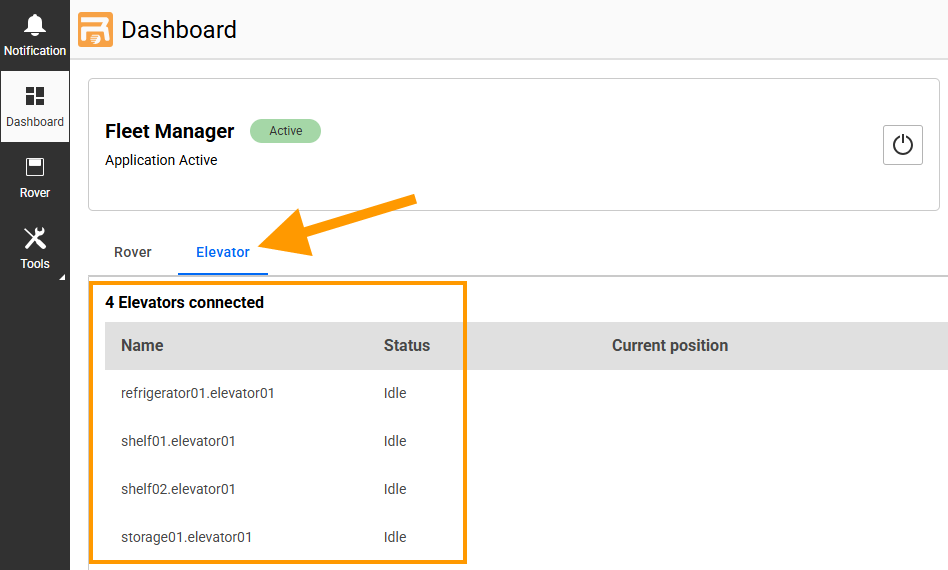
Selecting the Elevator Tab
Select the Three Dots icon
 on the Elevator Detail panel and select Manual Homing > Homing Down.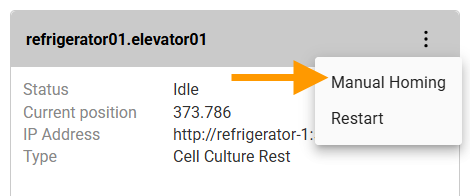
Selecting the Manual Homing
Related Topics
Putting Rovers In/Out of the System Through the Rover Load Port Door <Putting_Rovers_In_Out_of_the_System_Through_the_Rover_Load_Port_Door>.html`__