Instrument Cabinet 2
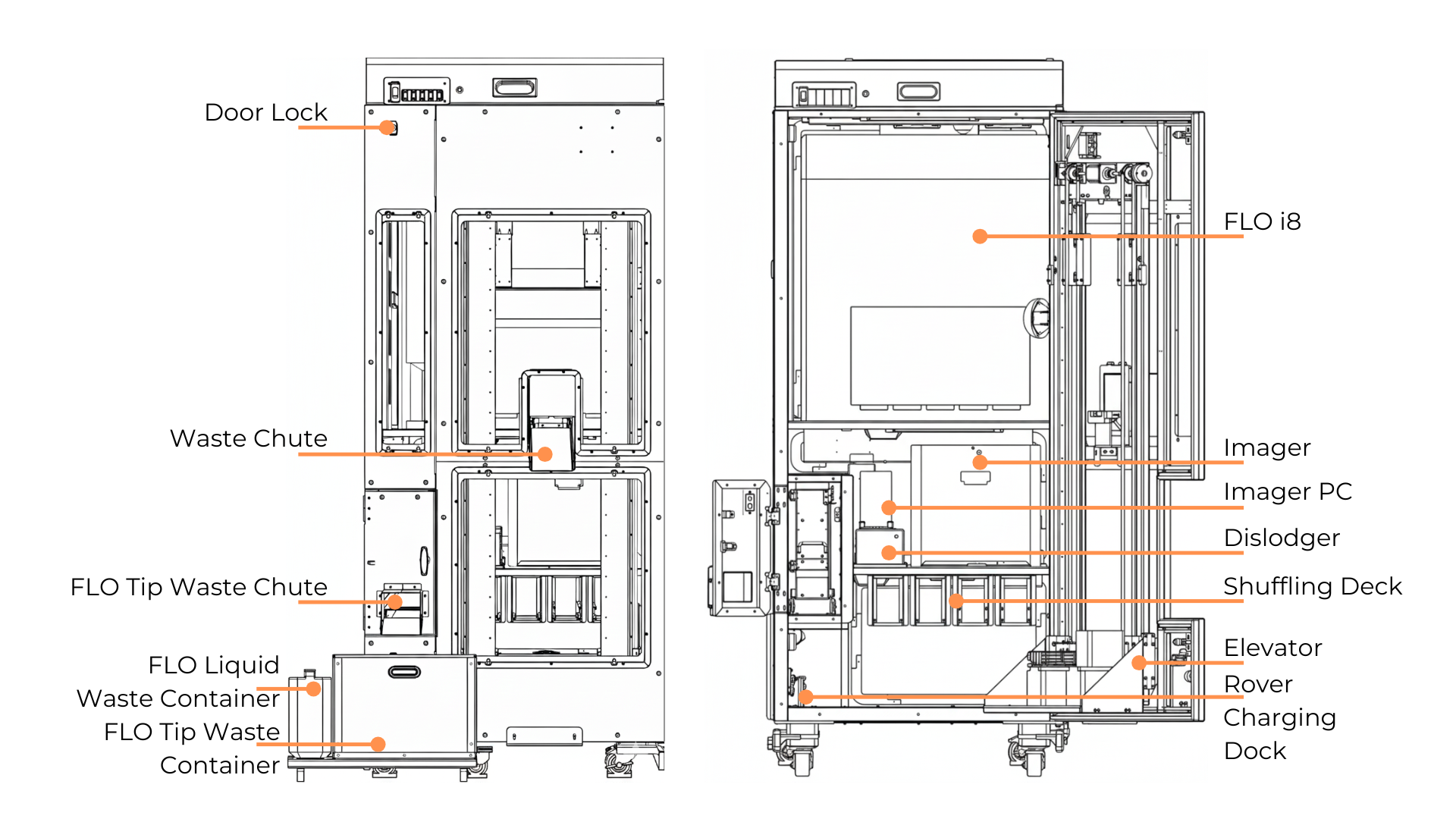
The Instrument Cabinet 2 Parts Overview
Instrument Cabinet 2 contains three floors:
First floor is equipped with two rover charging docks.
Second floor includes the Cell Imager, along with the Imager PC and Dislodger.
Third floor is equipped with FLO i8 liquid handler.
Disposal systems are also available in Instrument Cabinet 2:
On the left side of the Imager is the FLO tip waste chute, which directs ejected FLO tips into the FLO tip waste container.
In the middle of the Instrument’s door is a waste chute that allows the system to eject used plates, such as mother plates and post-passaging plates, into an external trash bin.
The waste bin status can be monitored on the upper left of the Instrument page in the Cellmatic Suite. It includes four indicators representing the bin’s current fill level: Empty, Safe, Almost Full, and Full. This status is determined by tracking the number of discarded tips and plates. Once the predefined threshold for either item is reached, the status is updated automatically.
Note
Empty regular emptying, decontamination, and sterilization of all solid and liquid waste containers.
Buttons on Instrument Cabinet 2
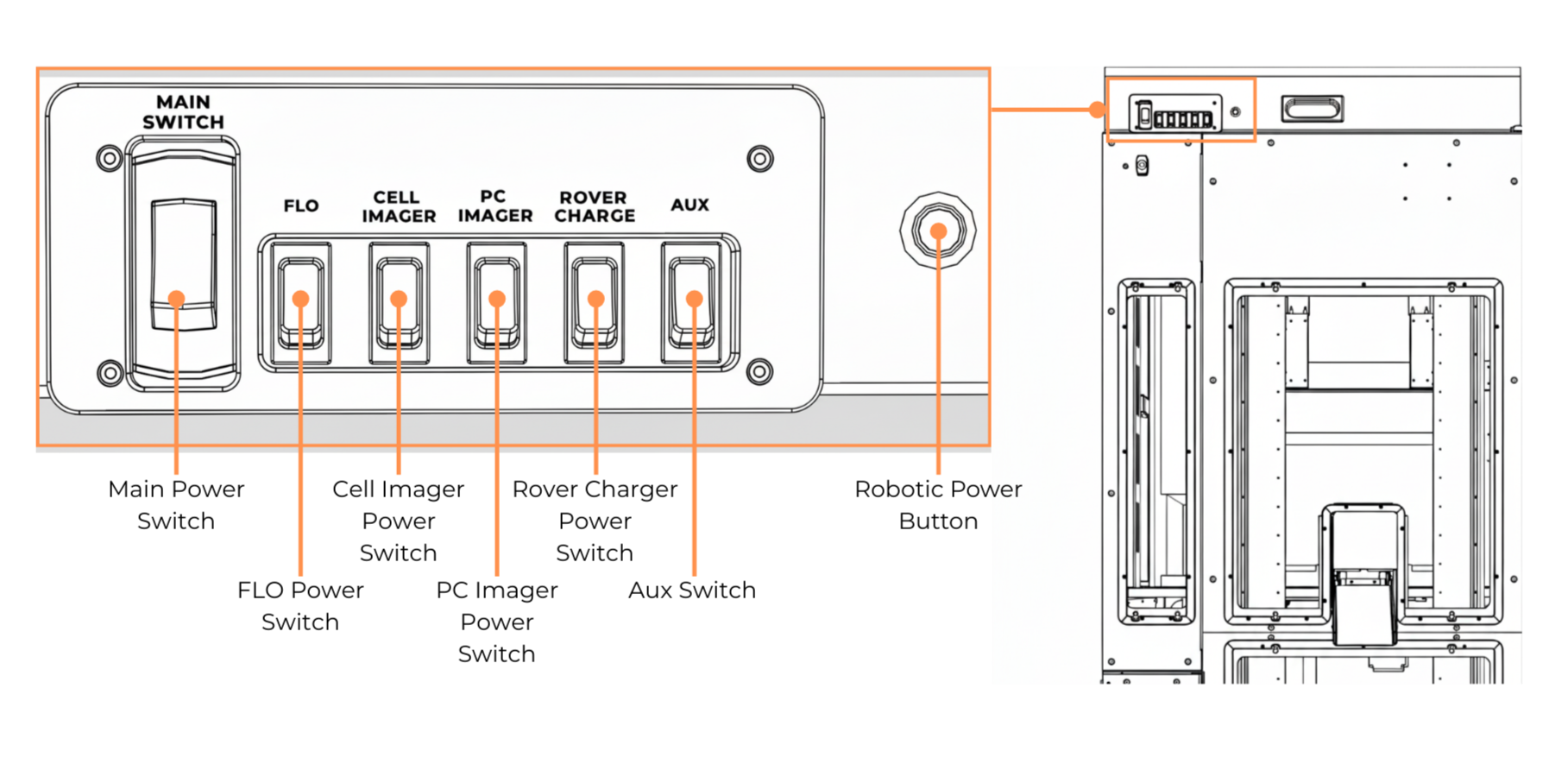
Buttons on Instrument Cabinet 2
Button |
Function |
|---|---|
Main Power Switch |
Turns ON/OFF the Instrument Cabinet 2 environment. |
FLO Power Switch |
Turns ON/OFF the FLO i8. |
Cell Imager Power Switch |
Turns ON/OFF the Cell Imager. |
PC Imager Power Switch |
Turns ON/OFF the PC Imager. |
Rover Charger Power Switch |
Turns ON/OFF the rover charging dock. |
Aux Switch |
Turns ON/OFF the ionizer fans. |
Robotic Power Button |
Turns ON/OFF the robotic system.
|
Related Topics: