Instrument Cabinet 1
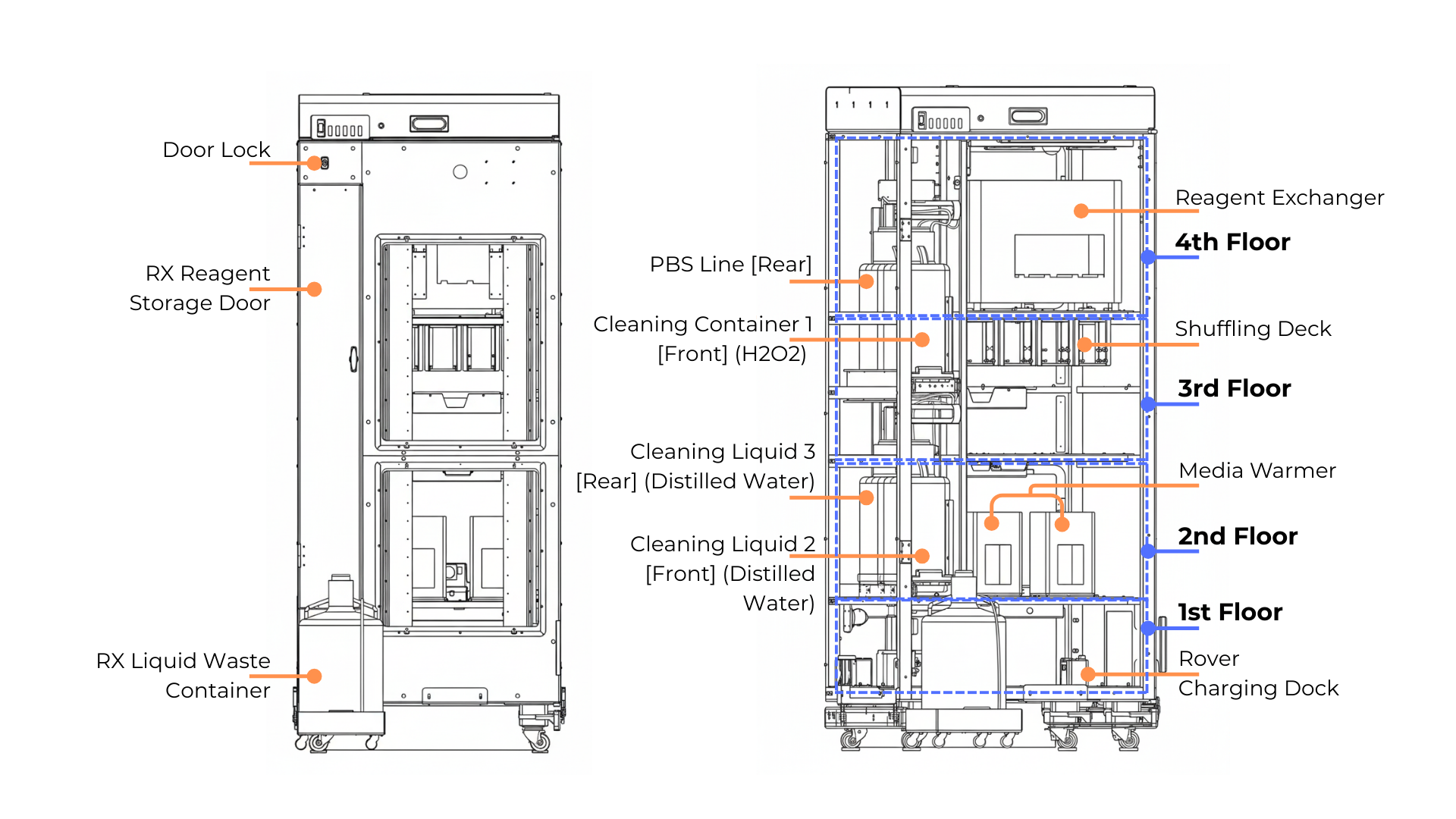
The Instrument Cabinet 1 Parts Overview
Instrument Cabinet 1 contains a total of four floors, accessed by an elevator that moves upward and downward to guide the Rover to the required floor. Each floor contains different systems and purposes:
First floor is equipped with three rover charging docks and one ionizer fan.
Second floor houses two Media Warmers and one shuffling deck.
Third floor features a shuffling deck and an empty slot for future expansion.
Fourth floor contains one Reagent Exchanger (RX) liquid handler.
On the left side of Instrument Cabinet 1, there is also a separate chamber containing the Reagent Exchanger (RX) liquid supply, which holds four liquid containers plumbed to the RX for washing purposes.
Container |
Description |
|---|---|
Secondary Dispenser Line |
Located at the rear top, this line delivers wash solution like PBS to the Secondary Dispenser Chip of the Reagent Exchanger for washing plates containing cells. |
Cleaning Container 1 |
Positioned in front of the Secondary Dispenser Line, this container holds Hydrogen Peroxide (H₂O₂) or other disinfecting reagent, used for sterilizing the liquid paths in the RX. |
Cleaning Container 2 |
|
Cleaning Container 3 |
The RX waste line runs out through the RX Liquid Supply to an external waste container. The RX cleaning process begins by rinsing residual media or reagents with distilled water, followed by sterilization with hydrogen peroxide (H₂O₂) or other disinfecting reagent , and concludes with additional rinses using distilled water to remove any remaining chemicals.
Buttons on Instrument Cabinet 1
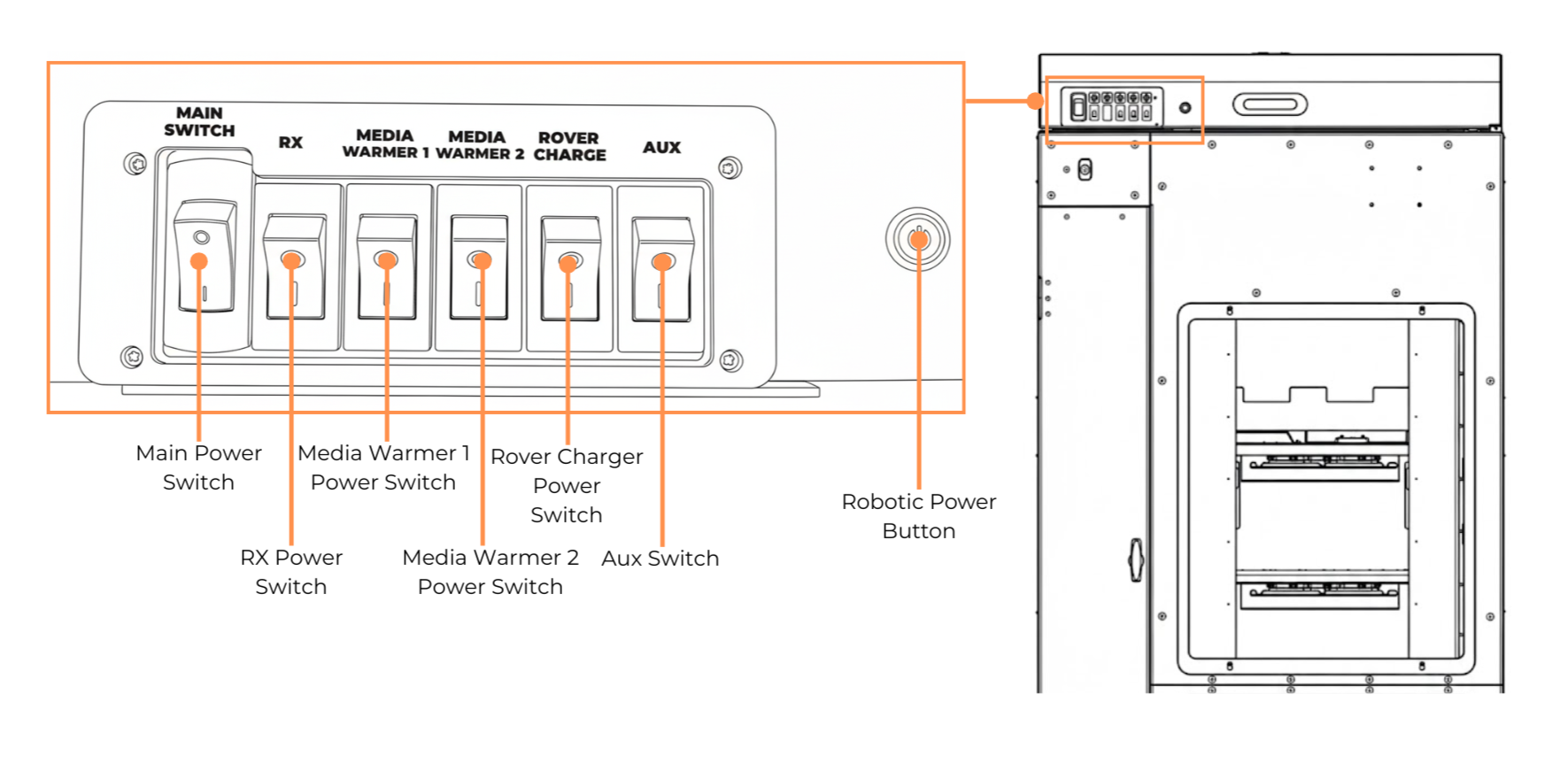
Buttons on Instrument Cabinet 1
Button |
Function |
|---|---|
Main Power Switch |
Turns ON/OFF the Instrument Cabinet 1 environment. |
RX Power Switch |
Turns ON/OFF the Reagent Exchanger (RX). |
Media Warmer 1 Switch |
Turns ON/OFF the Media Warmer 1. |
Media Warmer 2 Switch |
Turns ON/OFF the Media Warmer 2. |
Rover Charger Power Switch |
Turns ON/OFF the rover charging docks. |
Aux Switch |
Turns ON/OFF the ionizer fan. |
Robotic Power Button |
Turns ON/OFF the robotic system.
|
Related Topics: