Creating Method Template
Users can save their frequently used cell culture methods as templates on the Method Template page. This allows the users to load the template whenever they create an experiment with identical methods. Hence, it streamlines the process because the users don’t need to create a new cell culture method from scratch.
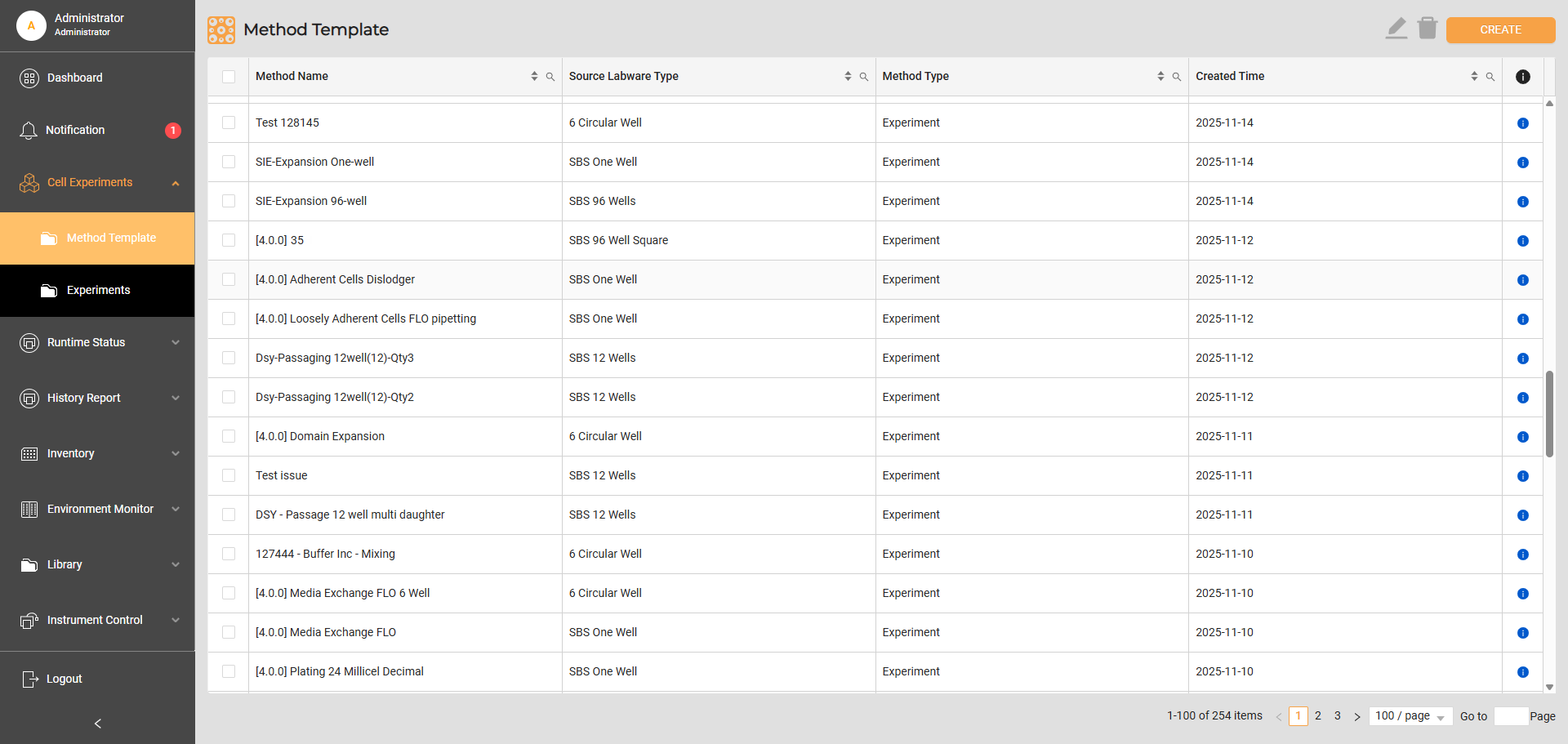
Method Template
There are two ways to create a cell culture method template:
Go to Cell Experiments > Method Template and select Create in the top right corner.
Create a new experiment on the Experiment page, then select Run and add a new method to store the template.
When creating a new template, users must define the source labware type for the experiment: 1-, 4-, 8-, 24-, 96-, or 384-well plates. Defining the correct labware type ensures the system correctly validates the stages and task parameters, preventing errors in the source plate selection.
Additionally, users can edit the templates in the method library to match their experiment requirements. Editing the templates will not affect ongoing experiments using them.
Daughter Plate Preparation Method
Seeding cells into a coated plate requires prior preparation to ensure the plate is ready for use. Currently, Cellmatic only supports the preparation of coated plates through a process known as the Daughter Plate Preparation method, while the actual coating of the plates must be done manually outside the system.
The Daughter Plate Preparation method involves incubating the coated plate in the Incubator and performing media exchange.
To create the Daughter Plate Preparation method:
Go to Cell Experiments > Method Template, and select Create in the top right corner. The Create Method Template page should appear.
Write a descriptive name in the Method Name field.
Select the labware type from the Source Labware Type field.
Check the This method is to prepare coated plate prior seeding checkbox.
Select a task and enter the parameters.
In the Proceed to next stage when dropdown, lower right column, select the condition after completing the parameters.
Select Save to store the method. The new method should appear in the Method Template table with Daughter Plate Preparation as the method type.
Related Topics: