Schedule Viewer
Schedule Viewer
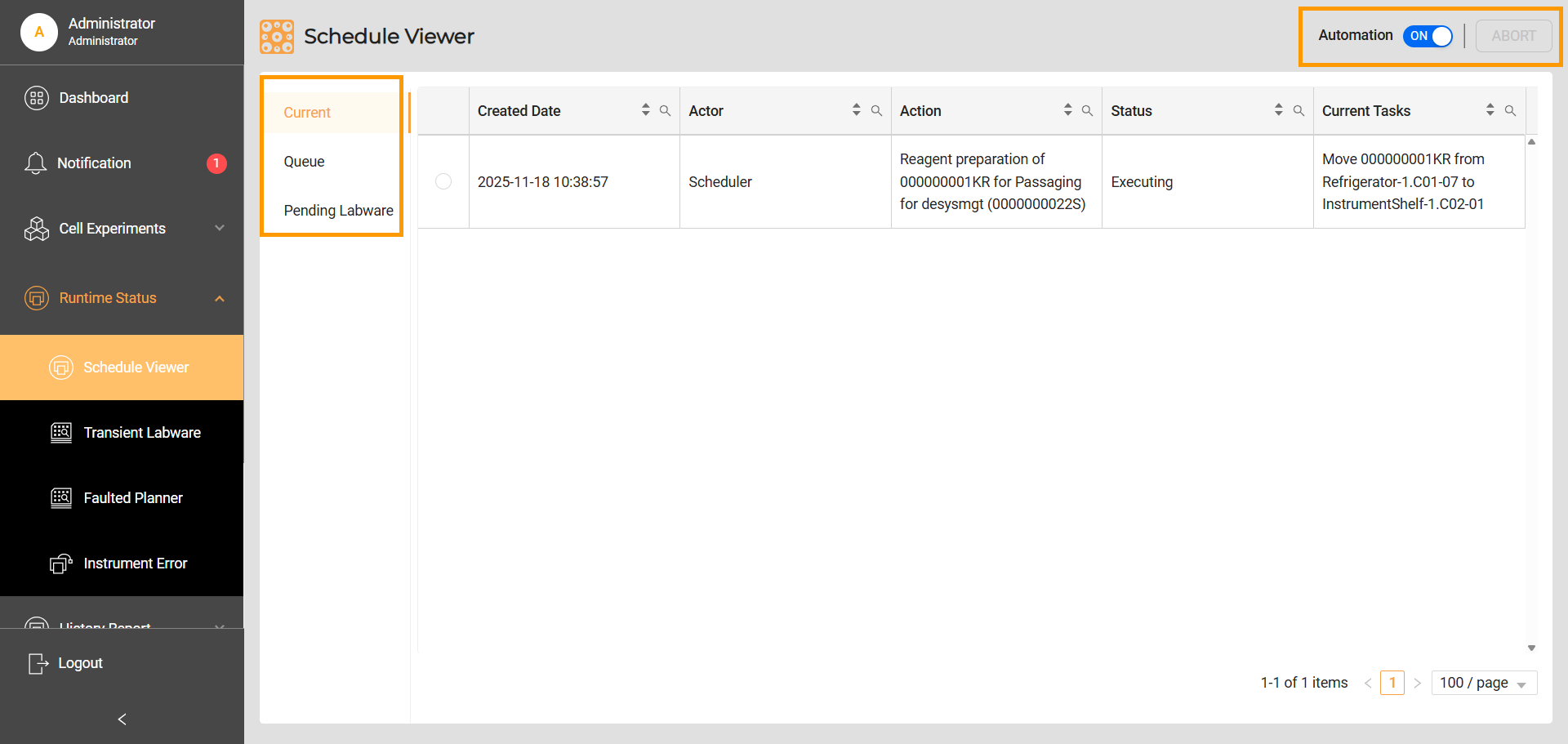
The Schedule Viewer provides comprehensive, real-time visibility into the system’s task management. It is divided into two main tabs: Current and Queue.
Current: Displays a list of active tasks or maintenance activities. Once these tasks are completed, they are automatically removed from the list.
Queue: Displays a list of all overdue tasks awaiting execution. Each task has an estimated execution time, and it moves to the Current tab upon execution.
Pending Labware: Displays a list of queued labware waiting for available locations in the load port. The system prioritizes borrowed labware over retrieved labware when assigning locations.
Automation Controls
Automation Toggle: Located in the top right corner, this toggle is set to ON by default, allowing for the automatic execution of tasks. Users can switch it OFF to pause all tasks, facilitating maintenance activities such as refilling cleaning solutions or emptying waste bins.
Abort Button: This feature allows users to stop any ongoing task. Upon selection, the task will complete its current operation, and the labware will be safely returned to its original location.
Cancel Waiting Button: This button allows the user to cancel the labware that is waiting for an available location in the incubator load port. The button is only available in the Pending Labware tab.
Related Topics: