Loading and Unloading Labware
A. Loading and Unloading Labware via Labware Storage
Prerequisite:
Wear PPE prior to accessing Labware Storage.
To load and unload labware:
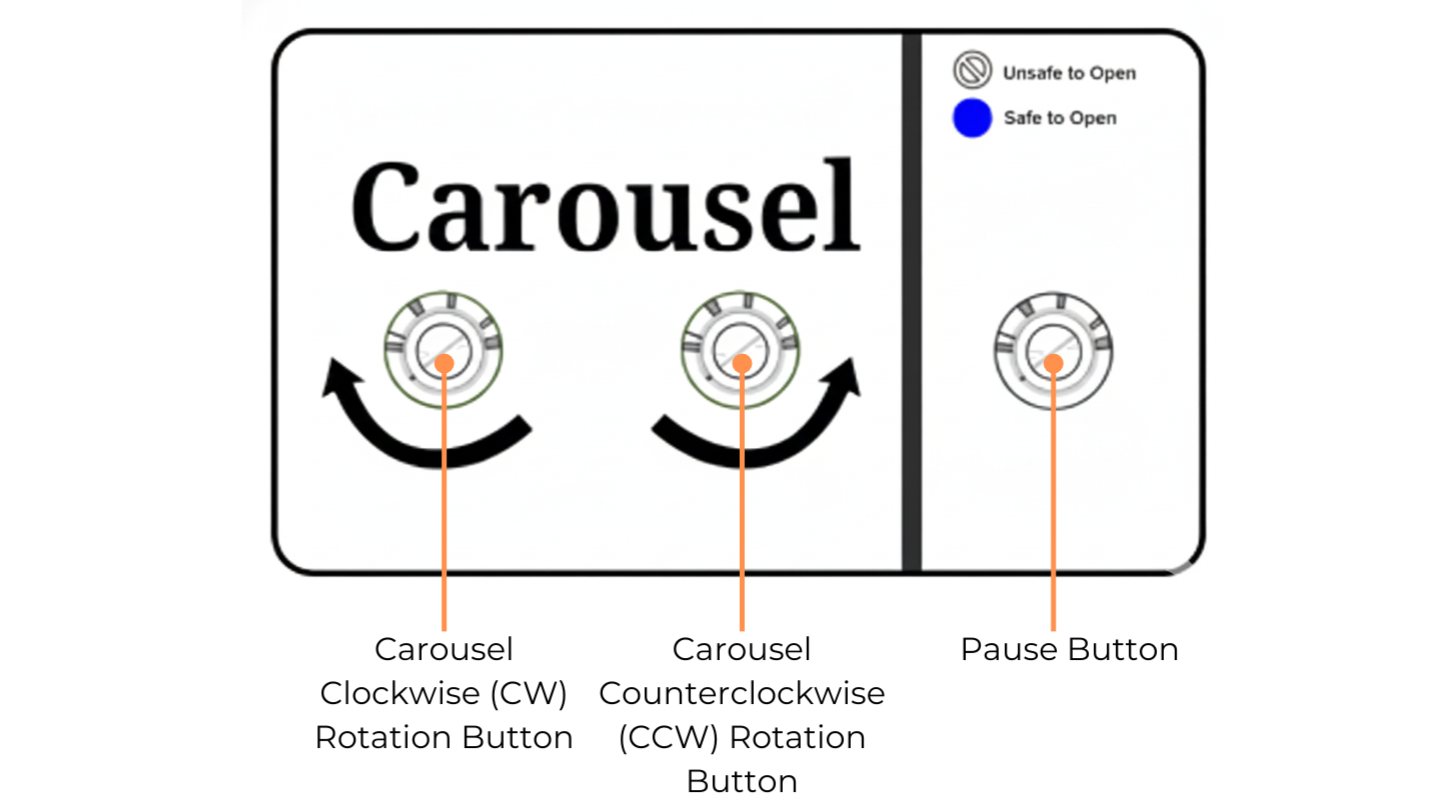
Buttons on the Labware Storage
Press the Pause button to pause active tasks that require Labware Storage. The pause button light should blink blue. This may take a few minutes while active tasks are paused.
Once the pause button turns solid blue, use the Carousel CW/CCW Rotation buttons to rotate to the desired column.
Wait until the rotation is complete before opening the upper or lower storage windows.
Important
The carousel will not rotate while the Upper or Lower Storage windows are open.
Load or unload labware. Refer to the location below when inserting or retrieving the labware.
Upper Storage
The slots are for tip caddies, empty troughs, or deep well blocks.
Lower Storage
The short slots are for microplates with reagents or empty ones.
The tall slots are for troughs or deep well blocks.
When completed, close the window and press the Pause button. The blue light turns off, and the labware storage automation resumes. The elevator automatically scans the columns accessed by the user, and then the Cellmatic Suite updates the retrieved labware status to Removed.
B. Loading and Unloading Labware with Cells via the Incubator Load Port
Prerequisite:
Wear PPE prior to accessing the incubator load port.
To load/unload labware with cells:
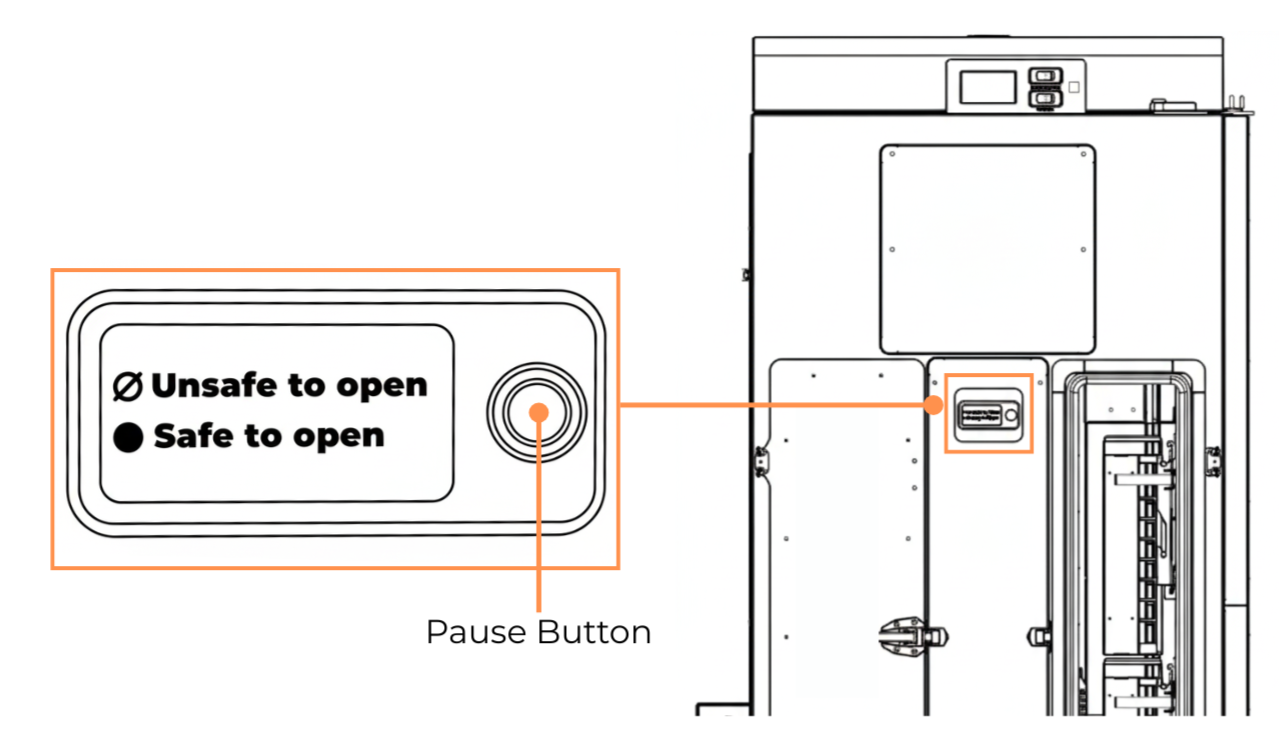
Pause Button
Press the Pause button. The blue light should blink, and the system is pausing the active tasks that require the Incubator.
Once the pause button turns solid blue, turn the handle to unlock and open the load port door.
Pull the load port handle.
Load or unload labware with cells.
Loading labware with cells: Insert the caddy with microplates with the barcode facing the elevator. Verify that the caddy’s shafts properly sit in V-grooves.
Unloading labware with cells: Retrieve plate(s) from (or with) the caddy from the load port.
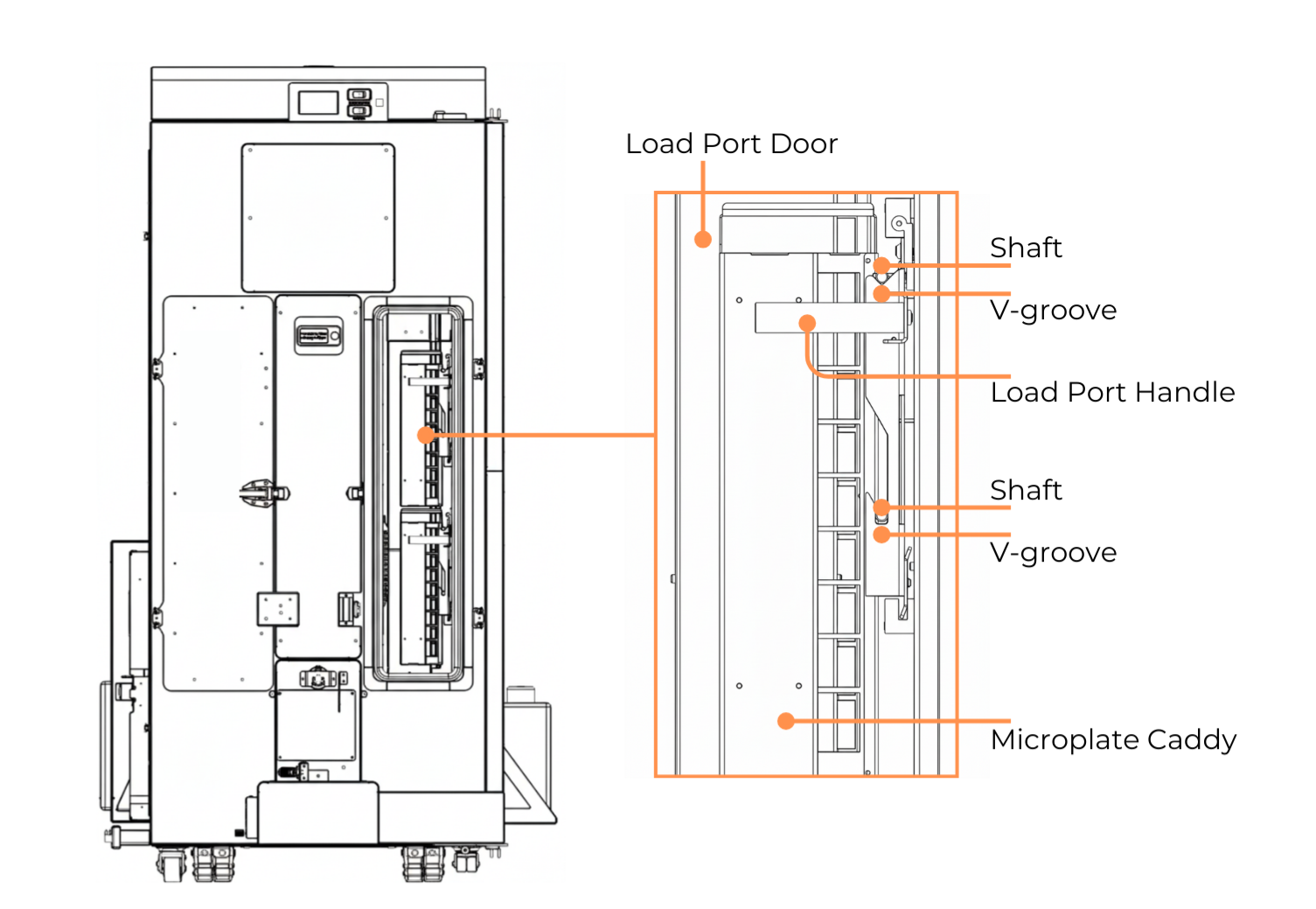
Loading a Microplate Caddy into the Incubator Load Port
Push the load port handle until a clicking sound is heard.
Close the load port door and turn the handle to lock it.
Press the Pause button to resume active tasks. The button should turn off, and the elevator automatically scans the microplates in the caddy.
Related Topics: