Borrowing Labware
The Borrow Labware feature allows users to temporarily retrieve experiments or labware with cells from the system for close inspection or other purposes without disrupting the experiment schedules. Borrowed experiments or labware must be returned to the system at least one hour ahead of time to ensure that ongoing processes or transport tasks are completed before they are returned. Users can also enable a reminder—disable by default—to notify them when the plate is due for return.
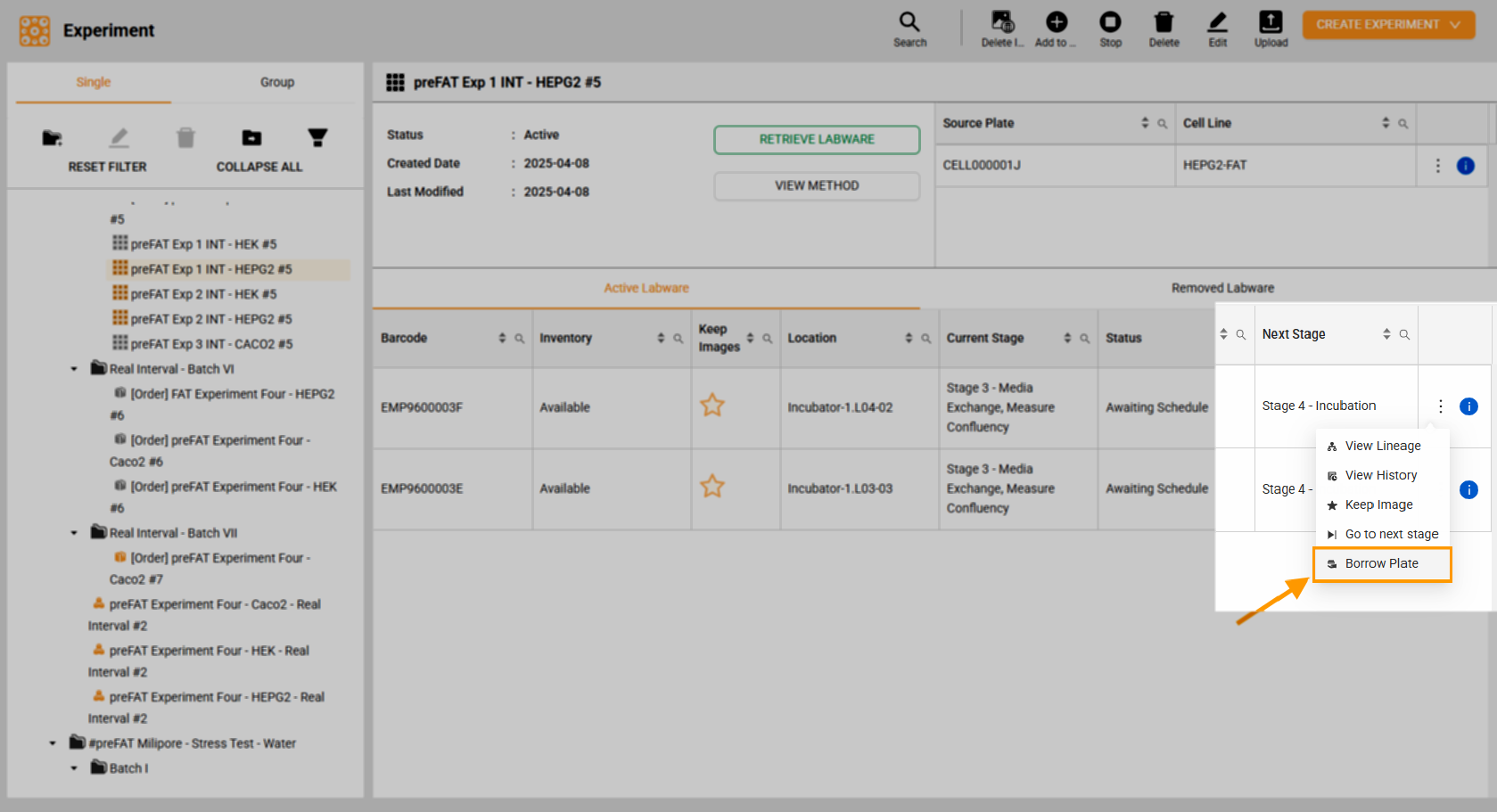
Borrow a Plate
Conditions for Borrowing
Allowed Conditions:
The plate status is Idle or Awaiting Schedule.
The plate involved in a media exchange task can be borrowed after completion.
The plate with an error stage status can be borrowed once returned to their original location in the Incubator.
Restricted Conditions:
The plate is involved in a coated plate preparation.
The plate is engaged in passaging, pooling, or plating tasks.
The plate with the status Completed, Canceled, or Failed can only be retrieved, not borrowed.
The plate is running its last stage and task.
To Borrow Labware:
Borrow Experiment Labware
Note
Select this option to temporarily retrieve one or more experiments from the system at once. Each experiment can include one or more labware. This option appears only when users select a folder or a group of experiments in the Tree Folder panel.
Navigate to Cell Experiments > Experiments, and select the desired experiment folder in the Tree Folder panel.
Mark the checkbox of the desired experiment.
Click Borrow Experiment Labware.
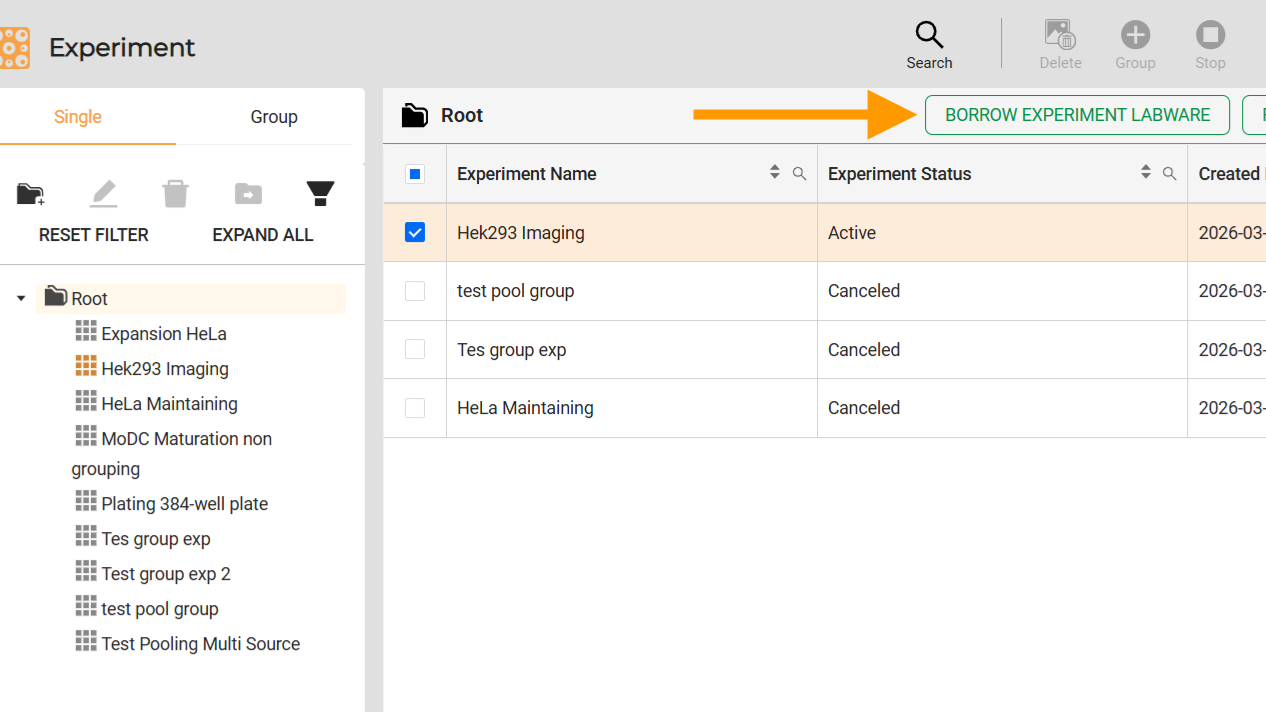
Borrow Experiment Labware Button
Borrow Labware
Note
Select this option to temporarily retrieve one or more plates within an active experiment. Users must select the desired active labware to activate this button.
Navigate to Cell Experiments > Experiments, and select the desired experiment folder in the Tree Folder panel.
In the Active Labware tab, mark the checkbox of the desired labware.
Click Borrow Labware.
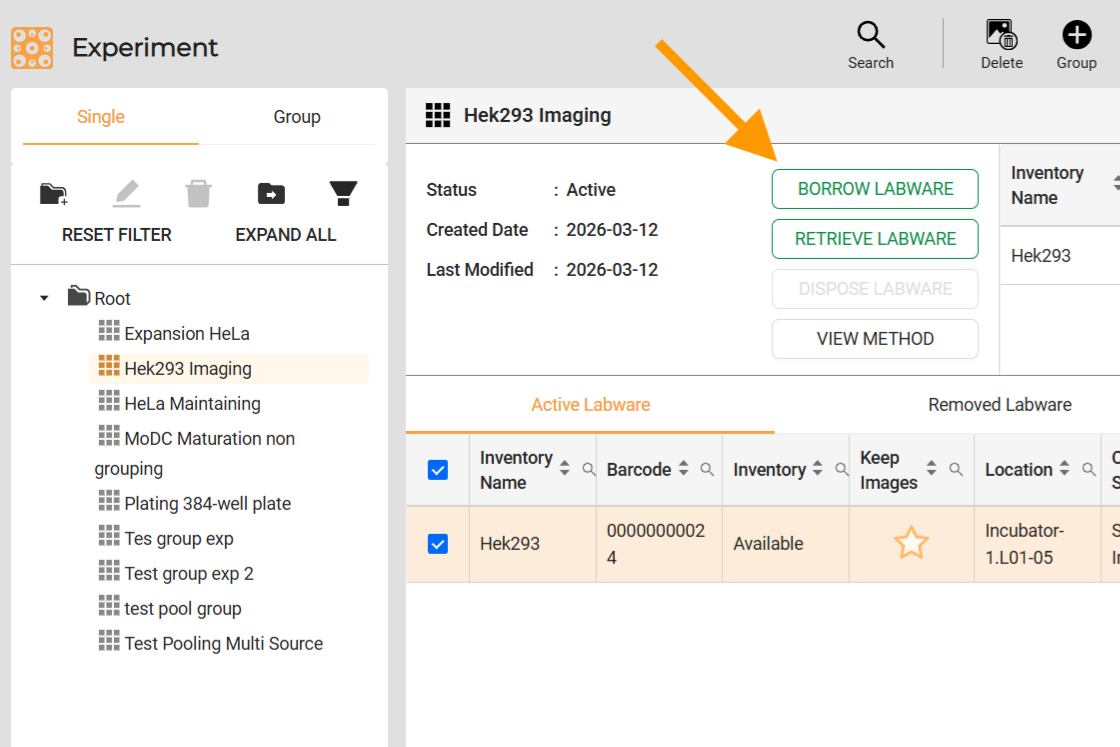
Borrow Labware
Once the labware is borrowed, its status changes to Paused, and the system transports it to the incubator load port. Users can take it once it’s ready. If the incubator load port doesn’t have an available slot, the borrowed plate will be transported to the load port out in Labware Storage.
If the labware fails to be returned by the designated return time, the system automatically marks it as Removed, ending its maintenance process. If the user decides to discontinue the maintenance, the labware can be manually removed from the system during the borrowing period.
Important
The Borrow Labware feature differs from the Move Labware feature on the Inventory page. Moving a plate to the incubator load port using the Move Labware feature will not change the stage’s status. This remains true even when the Labware Status indicates Unavailable and the location shows Outside of the System on the Inventory page.
If a plate with cells is moved to the incubator load port via the Move Labware feature, and the experiment schedule begins before the plate is returned, the system automatically removes the plate from the experiment, and the experiment status updates to Canceled.
Related Topics: