Adding a Culture Reagent to the Library
The Culture Reagent Library is a database for culture reagents, active reagents used in the system. Some culture reagents premixing is done manually outside Cellmatic to get the optimal formulation. When adding new culture reagents to the library, define the composition by inserting the percentage of premixed components. This helps you track your reagents.
The culture reagents are stored in various vessels, such as bottles, bags, automation reagent reservoir, and deep well blocks.
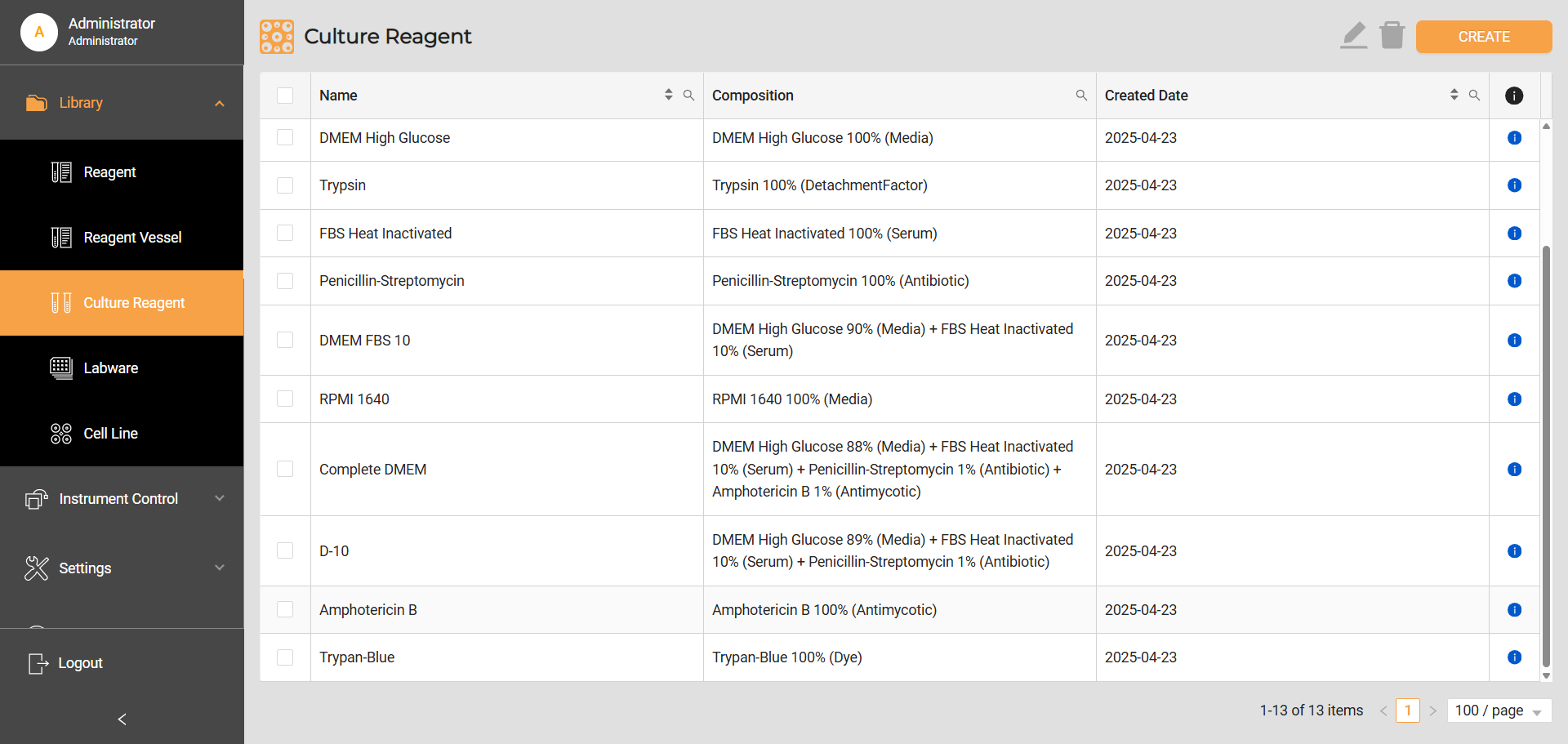
Culture Reagent Library
To add a culture reagent to the library:
Go to Library > Culture Reagent, and click CREATE button on the top right corner.
On the Create Culture Reagent page, write a descriptive name for the culture reagent.
In the box below Name, click the left column to display a list of reagents from the Reagent Library. Select the reagent and click OK to add it to the composition.
For each added reagent, insert its corresponding percentage value. This signifies its proportion within the overall mix. To add a new field, click the yellow plus icon on the right. Then, repeat steps 3 and 4 to add different reagents as the ingredients. Make sure the total percentage volume across all reagents equates to 100%.
Note
To create non-premixed culture reagents, using 100% reagent as it is, follow the instructions in the Reagent Library section.
Click SAVE to add the new culture reagent within the library.
Related Topics