Labware Storage
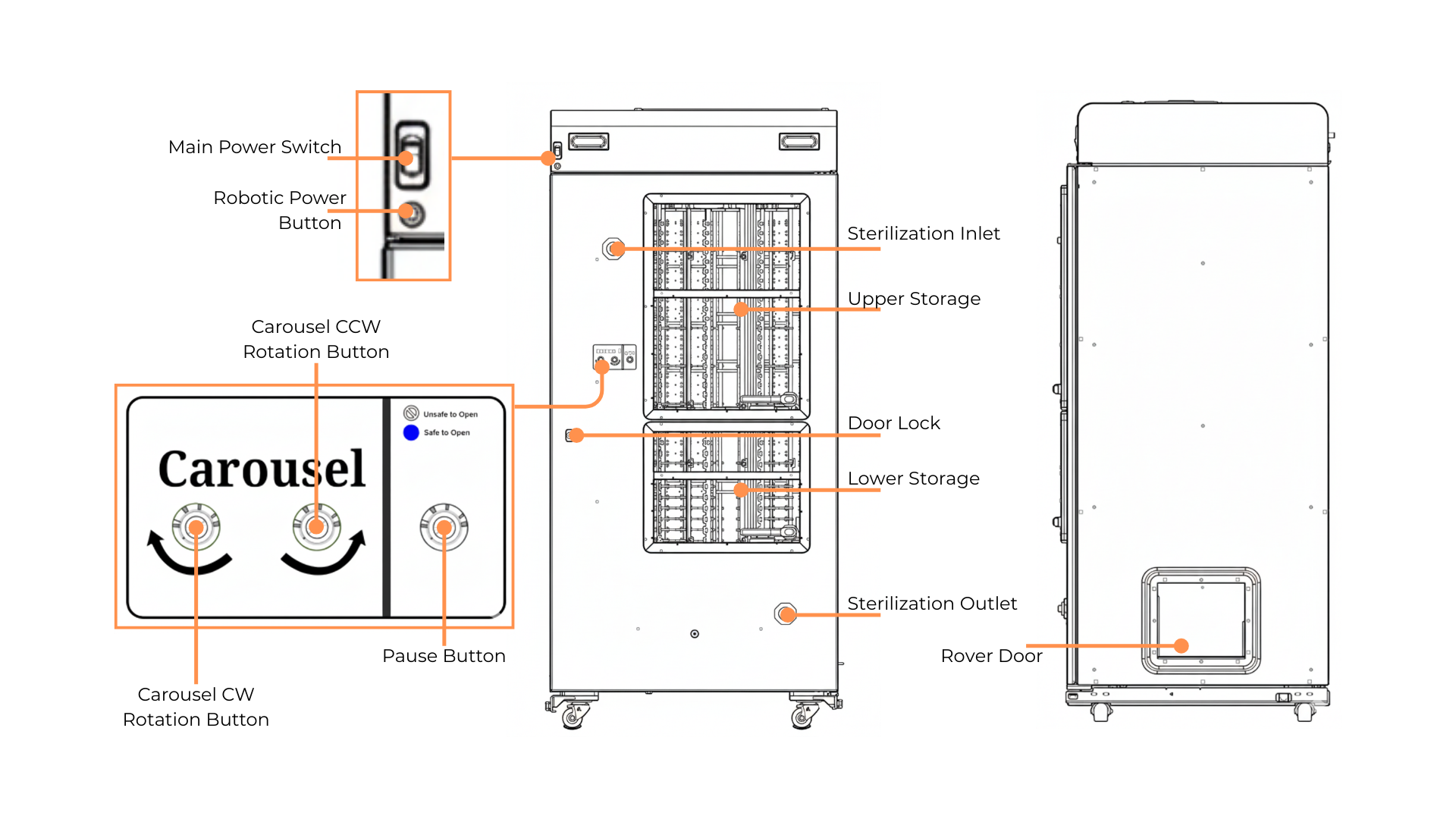
The Labware Storage Parts Overview
The Labware Storage cabinet is used to store tip caddies and empty labware. It contains two carousel sections, each equipped with a sliding window for easy labware loading. Once labware is placed inside, the elevator automatically scans its barcode. Depending on the workflow, this either verifies labware already registered in the software or prompts the user to register it. The labware can then be kept in the carousel for future use or transferred by the elevator to the Rover.
Two sections in the carousel, Upper and Lower Storage, can accommodate in total 8 Falcon caddies, 54 tip caddies, and 62 SBS plates. However, each section can be set up with different slot arrangements to suit storage needs. The table below shows possible configurations and their capacities.
Section |
Capacity |
Supported Labware |
|---|---|---|
Upper Storage |
OR
|
|
Lower Storage |
OR
|
Note
Please contact cell.support@formulatrix.com if your labware of interest is not yet defined in the system.
Buttons On Labware Storage
Button |
Function |
|---|---|
Main Power Switch |
Turns ON/OFF the Labware Storage’s Environment system. |
Robotic Switch Button |
Turns ON/OFF the Refrigerator’s robotic system.
|
Pause Button |
Switches between automatic and manual mode, and also shows the current state and safety condition of the system.
|
CCW Rotation Button |
Rotates the carousel counterclockwise (CCW). |
CW Rotation Button |
Rotates the carousel clockwise (CW). |
Related Topics: