Adding a Reagent Vessel to the Library
The Reagent Vessel Library displays a prioritized list of reagent containers for cell culture protocols, such as Dispense, Media Exchange, Passaging, Plating, and Pooling. When adding reagent vessels to the tasks, you can set which vessel you would prefer the system to utilize according to your needs.
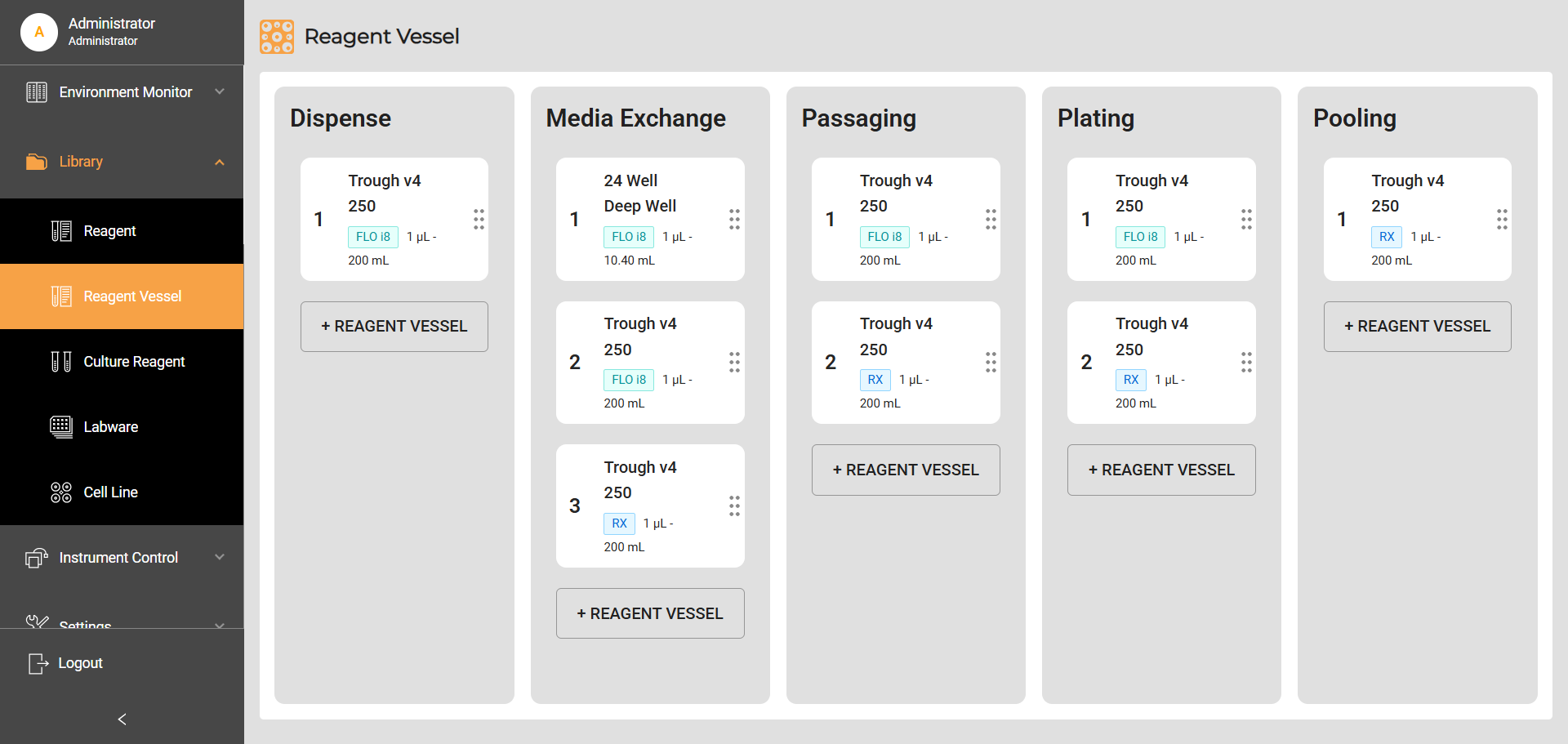
Reagent Vessel Library
To add a reagent vessel to the library:
Click +REAGENT VESSEL button on the desired task column to add a reagent vessel.
On the Add Reagent Vessel window, click the field under Labware and select a reagent vessel from the options. To make sure that a reagent vessel appears in the selection options, you must first register it via the Labware Library.
Select the instrument to use the reagent vessel: Reagent Exchanger or FLO i8. FLO i8 has better support for various types of vessels, while Reagent Exchanger only supports automation reagent reservoirs.
Note
This step only applies for Cellmatic with Reagent Exchanger and FLO i8 liquid handlers.
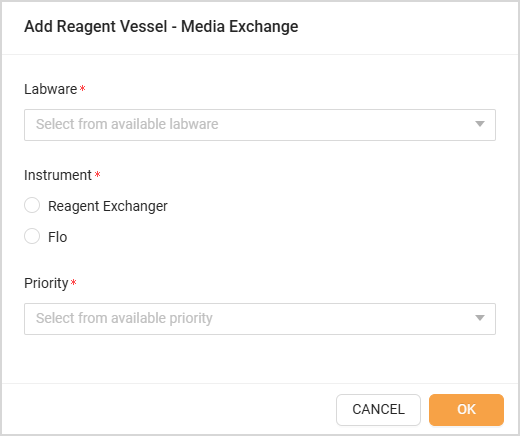
Add Reagent Vessel
Set the priority of the reagent vessel. The smaller the number, the higher the priority.
Click OK to confirm. The system places the reagent vessel in the task column according to its priority.
Related Topics