View Image
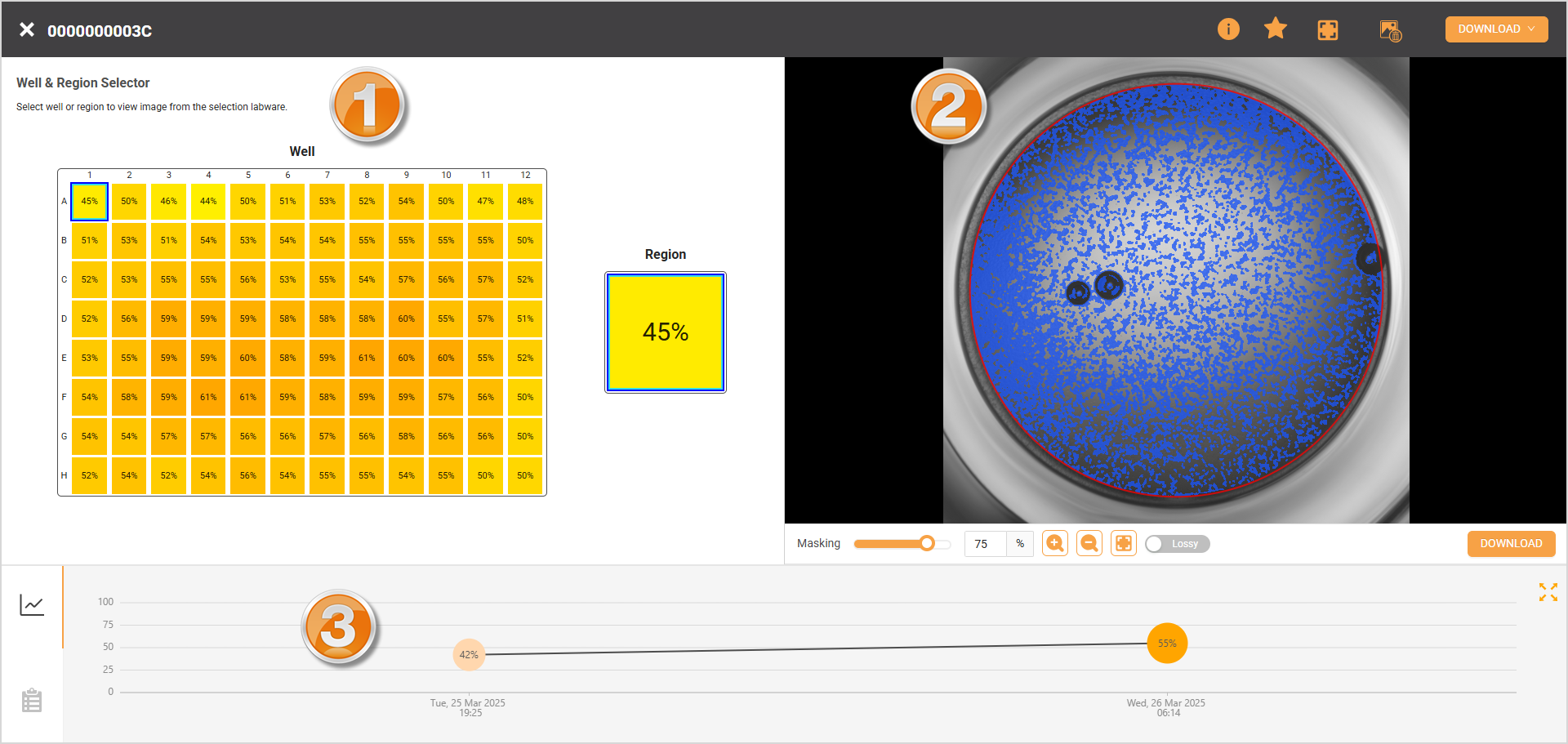
The View Image page provides a comprehensive view of cell confluency progression during experiments, divided into three sections: Well & Region Selector, Image Viewer, and Confluency Analytic.
View Confluency Page
Well & Region Selector
The panel presents a visual presentation of the plate with color gradients, indicating cell confluency percentage per well/region. This offers a quick visual overview of confluency across the plate. When a specific well/region is selected, the Image Viewer on the right displays the latest confluency image, and the Confluency Gallery provides a visual progression of confluency in the form of images.
Image Viewer
The panel shows a black-and-white image of the cells from the selected region/well. Users can zoom in, enter fullscreen mode, or apply masking for enhanced visualization. To save individual images for offline analysis, users can select the Download button or Download > Download Bulk Image in the top right corner for multiple images.
Confluency Analytic
This section offers two tabs: Confluency Chart and Confluency Gallery.
Confluency Chart: The confluency growth percentages over time. Users can select any stage to view the confluency history, with the corresponding images and confluency data displayed in the Well & Region Selector and Image Viewer.
Confluency Gallery: A visual timeline of confluency growth in the form of images. When an image is selected, it appears in the Image Viewer and updates the Well & Region Selector.
Users can also download comprehensive confluency data via Download > Download Confluency Data in the top right corner for offline analysis.
To open the View Image page:
Go to Cell Experiments > Experiments.
Select the experiment in the Folder Tree panel. The detailed information of the selected experiment should be displayed in the right column.
Hover over the Three Dots icon in the far right column and select View Lineage to open the Lineage page.
Select the View Image button in the top right corner to open the page.
Related Topics